5.5 CHDK commands 113
wait_click t uBasic
wait_click(t) Lua
wait_click() Lua
Waits for a key click. The optional parameter t can specify a time-out value in milli-
seconds. If t is not specified or has the value 0, no time-out will occur.
is_pressed r "button-name" uBasic
r = is_pressed "button-name" uBasic
r = is_pressed("button-name") Lua
Typically used after a wait_click command for determining the button clicked. If
the clicked button matches the specified name, a value of 1 resp. true is returned. By
using the pseudo button name "no_key", it is even possible to check for a time-out.
is_key r "button-name" uBasic
r = is_key "button-name" uBasic
r = is_key("button-name") Lua
Determines if the specified button is pressed. If the pressed button matches the
specified name, a value of 1 resp. true is returned. Typically used standalone without
wait_click.
wheel_right uBasic
wheel_left uBasic
wheel_right() Lua
wheel_left() Lua
Only for PowerShot G7 and SX100IS. Turns the multi-control wheel one stop to the
right or to the left.
r = get_video_button uBasic
r = get_video_button() Lua
Returns 1 resp. true if the camera has a video button (S-series, TX1).
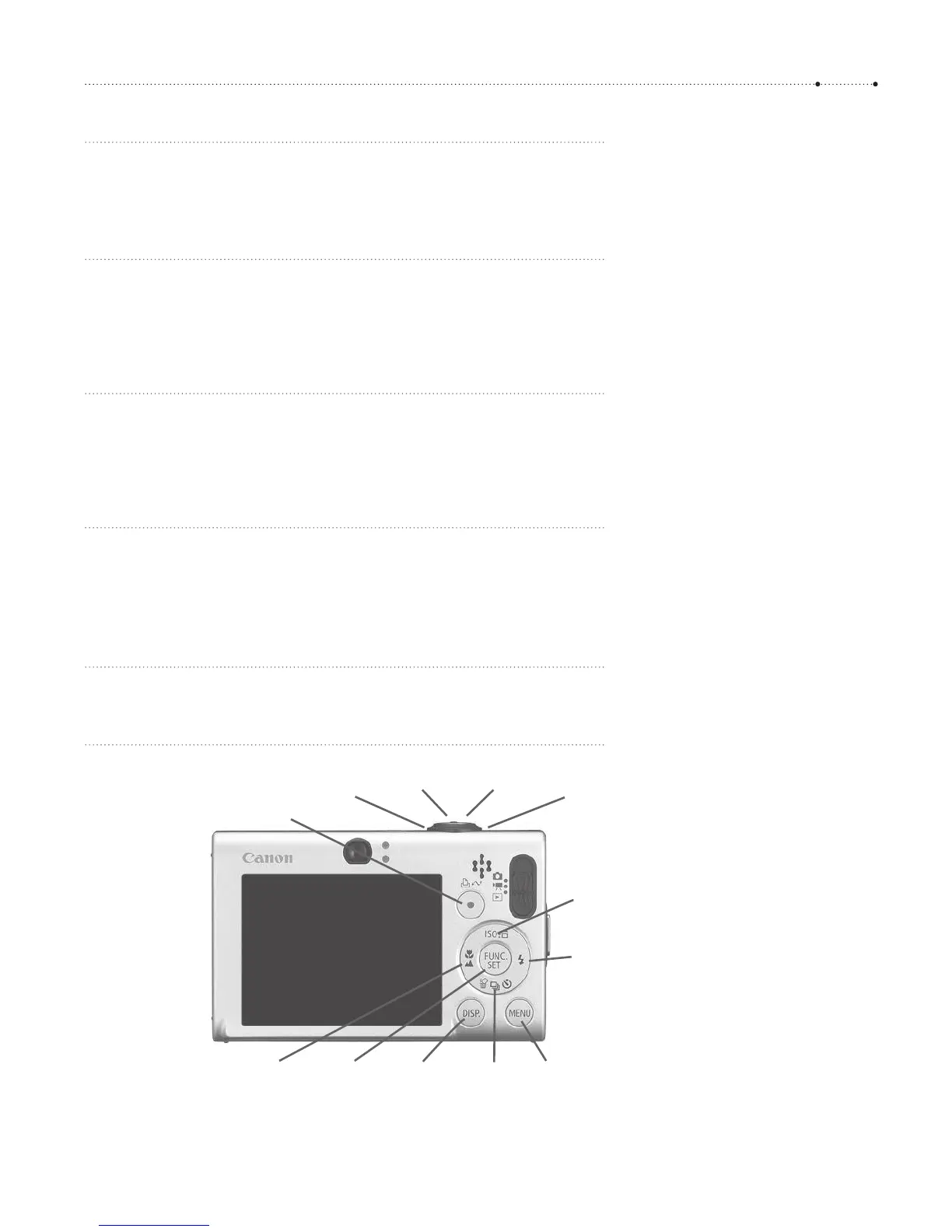
left
macro
set display down
erase
menu
right
flash
up
iso
print
shoot_half shoot_full
zoom_inzoom_out
Figure 5-2
Button names that can be used with
the commands press, release, and
click. Additional buttons on some
cameras are mf (manual focus), video,
timer, expo_corr ( exposure correction),
and fe (microphone). On S-series,
print stands for the
shortcut button,
erase stands for the
func button.
Pseudo button names are no_key for a
time-out and remote for the USB
remote control.








 To Next Page