4
Placing the CD-R/DVD-R on the CD-R Tray
1
11
1
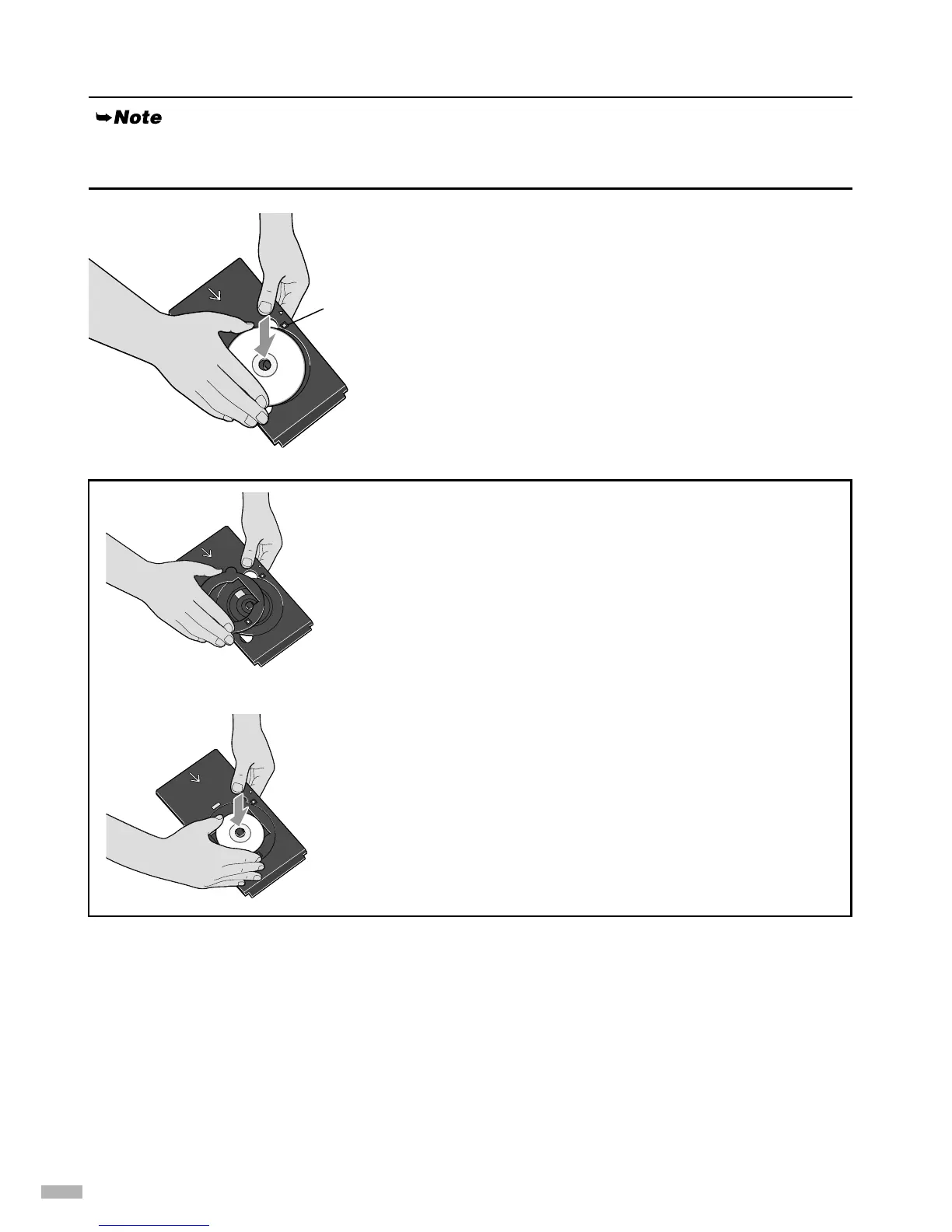
Place the disc on the CD-R tray with the
printable surface facing up.
When placing the CD-R/DVD-R on the CD-R tray, do not touch the printing surface of the disc or the
reflectors on the CD-R tray.
Reflector
When printing on an 8 cm CD-R, attach the 8 cm CD-R
adapter (provided). Otherwise, printing quality will be
reduced and the CD-R might be damaged.
1
11
1
Align the protrusions on both edges of the 8 cm
CD-R adapter with indentations on the CD-R
tray.
2
22
2
Place the 8 cm CD-R on the CD-R tray with the
printing surface facing up.


 To Next Page