6
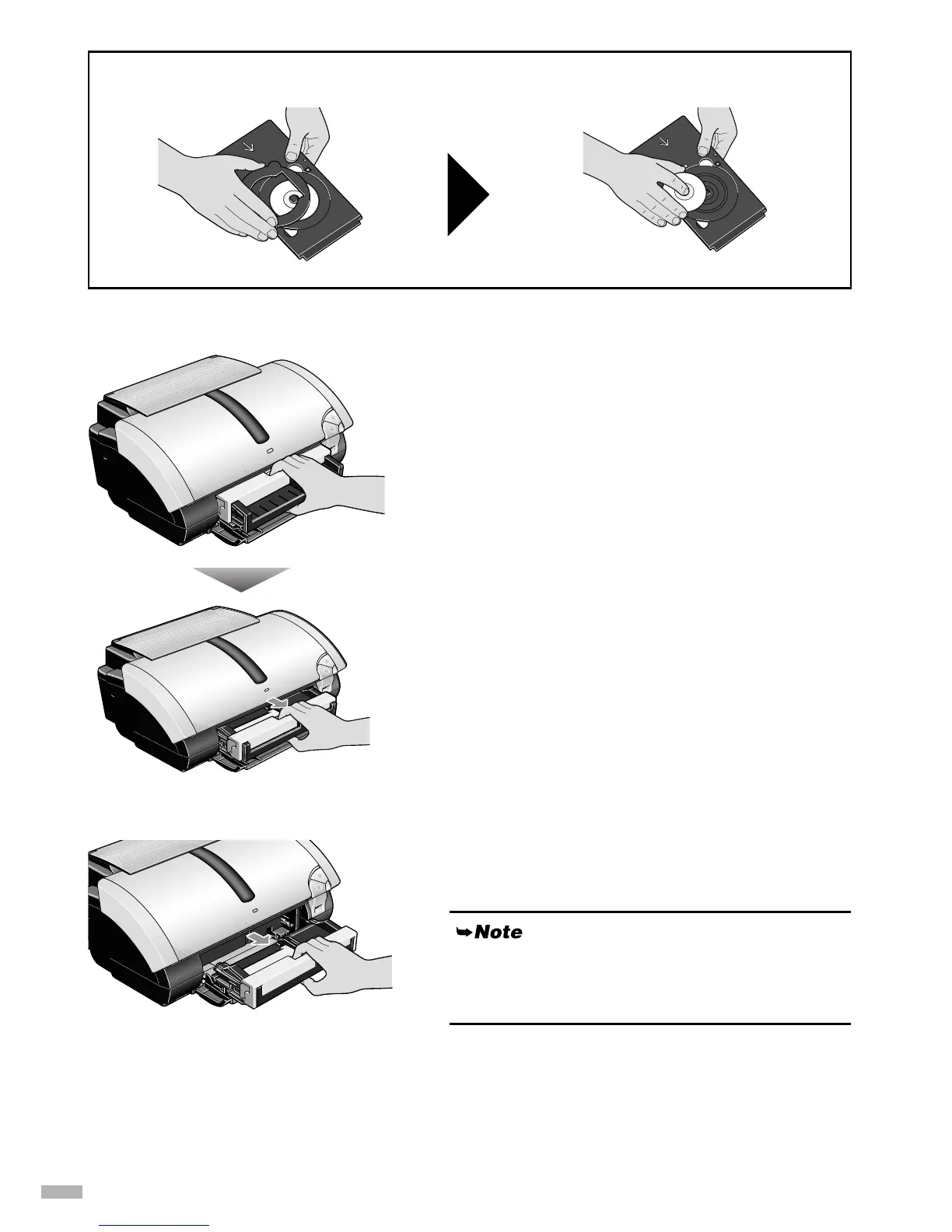
Removing the CD-R tray feeder
1
11
1
Hook your fingers inside the groove on
the slider, and pull the slider in the
direction of the arrow.
2
22
2
Remove the CD-R tray feeder from the
printer.
When removing the 8cm CD-R, remove the adapter first, and then remove the disc from the tray.
Be sure to perform steps 1 and 2 in order when
removing the CD-R tray feeder. Performing them at
once may result in damage to the CD-R tray feeder.


 To Next Page