,._
....
_
......
'-
......
~
[~~~~J
(CD
21)
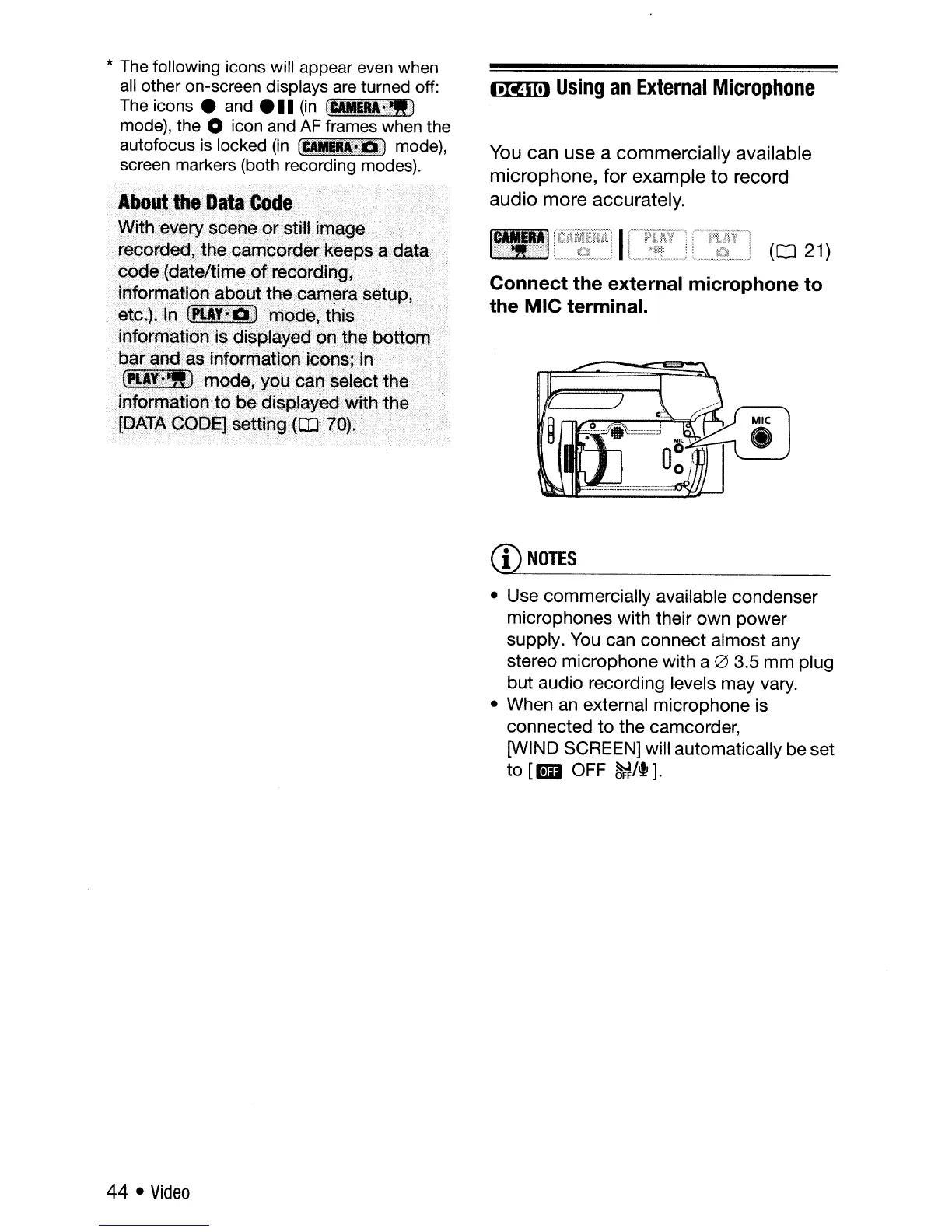
Connect the external microphone to
the
MIC
terminal.
ItXtCiSlt)
Using
an
External
Microphone
You
can
use
a
commercially
available
microphone,
for
example
to
record
audio
more
accurately.
*
The
following icons will appear even when
all
other on-screen displays
are
turned off:
The
icons e and e
••
(in
fJ:Altgl;~.J
mode), the 0 icon and
AF
frames when the
autofocus
is
locked
(in
f~1jai~
mode),
screen markers (both recording modes).
Ab~ut·
••
~e··D.··C~de(
•.••••.••••.•
'::.·.·.·.·./·.···
•.
•
•••..•••.•••••
W:ith:~VEJry
soene.or.~tiIUmage
. .
.'
r~orded,the
'o~mo()rg~i:keeps
a
data:,:
C?c>de(da!attiJTIe
of.:
re<?orp'i
ng
,
information abouttfle>oamera setup,
·et6.).ln(.t~·)·ml:>de,>
..
thl'~··"~
....•
.,
...
.ihformatron'is
''dis'':'
....
>
d'on·thebottom)
baranda$i~f9r~
i9()ps;in
.........;
.~~~~~~"O.(rn~~,
.
~~$~I~~the
.... ....
.
·informatiop
to
be
.................•..
yf!dWiththe
.
(IJ,ATA
GqE)EJ:se~f[[)gXcD·io):.~
•.•.....•.•
,
..
.
,--
--.
-
.,
_
..
-."
,"'"':
-t-'
CD
NOTES
• Use commercially available condenser
microphones with their
own
power
supply.
You
can
connect
almost
any
stereo microphone with a
0 3.5
mm
plug
but
audio recording levels
may
vary.
• When an external microphone is
connected
to
the camcorder,
[WIND SCREEN] will automatically be set
to
[[!D OFF
~/+].
44 •
Video



 To Next Page