Connection
Diagrams
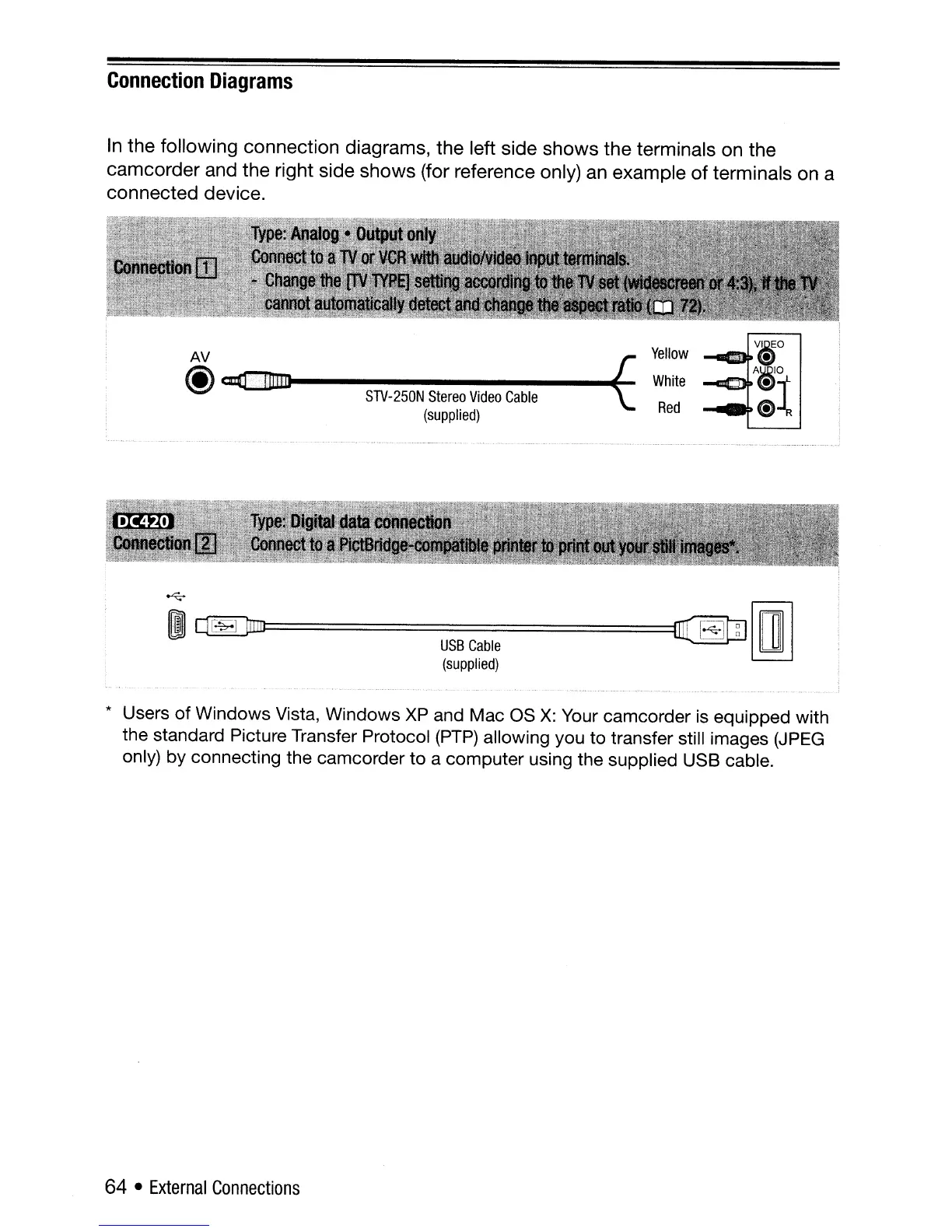
In
the
following connection diagrams,
the
left side
shows
the
terminals on the
camcorder
and
the
right side
shows
(for reference only) an example
of
terminals on a
connected
device.
AV t
@~~------~
STV-250N
Stereo
Video
Cable
(supplied)
Yellow
White
Red
~
[I
~==========================~~
rrnlrn
USB
Cable
~
(supplied)
* Users of Windows Vista, Windows
XP
and Mac as
X:
Your camcorder
is
equipped with
the standard Picture Transfer Protocol
(PTP)
allowing you to transfer still images
(JPEG
only) by connecting the camcorder to a computer using the supplied USB cable.
64 •
External
Connections



 To Next Page