3 Setting the Screen Display Level
56
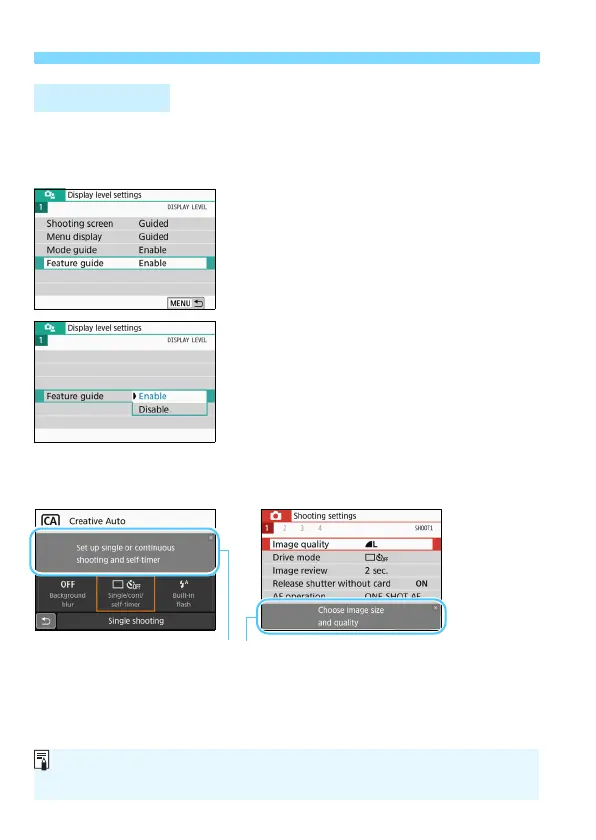
When using Quick Control or setting menu items, you can display a
brief description of functions and options (feature guide). By default, it is
set to [Enable].
1
Select [Feature guide].
2
Select [Enable].
Sample Screens
Feature Guide
Quick Control screen Menu screen
Feature guide
The description will disappear when you tap on it or proceed with the
operation.


 To Next Page