32
1
2
3
4
5
Introduction
Contents at
a Glance
Basic
Operation
Advanced
Operation
Advanced
Image Editing
and Printing
Editing
JPEG/TIFF
Images
Index
Processing
Large Numbers
of Images
Reference
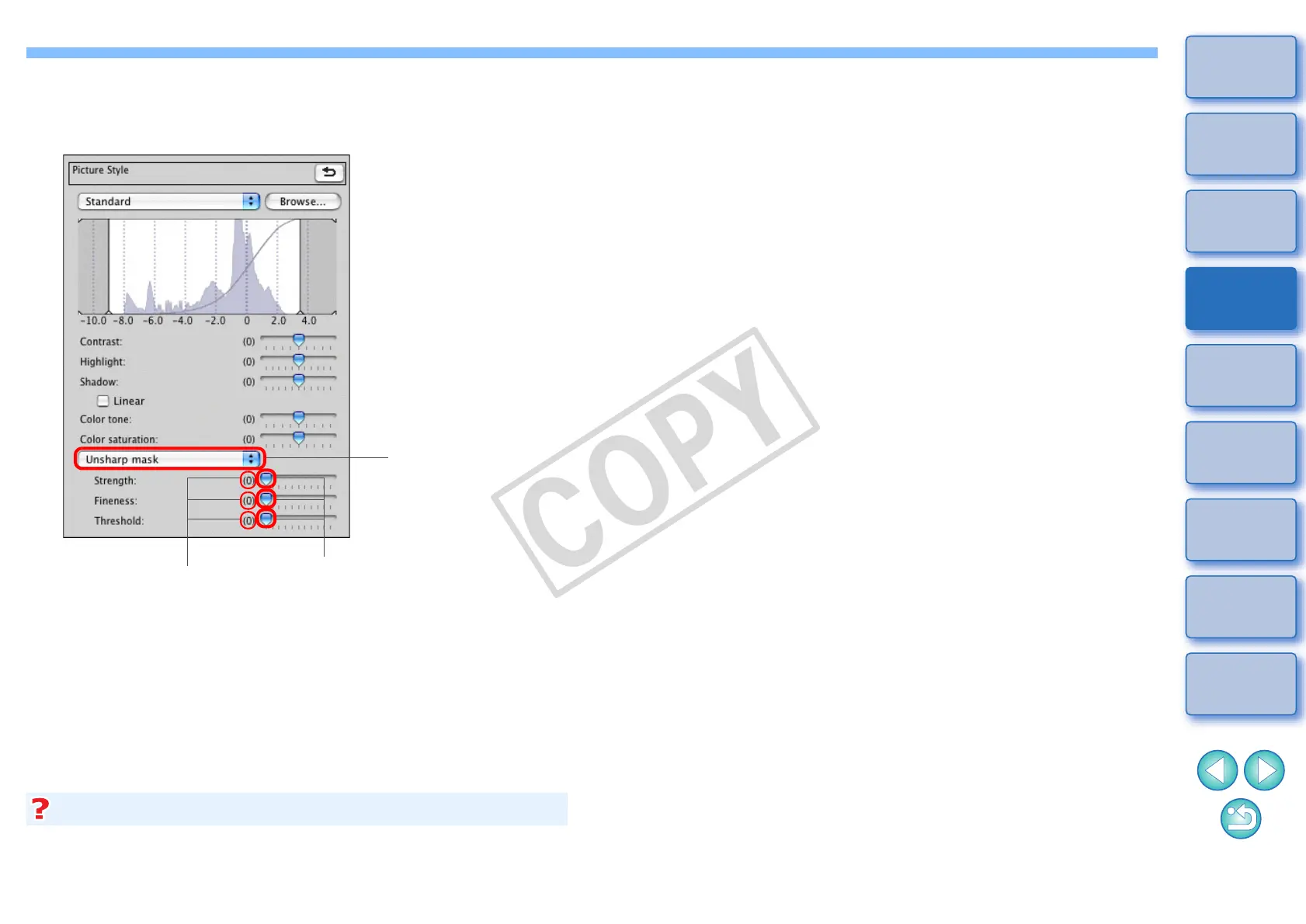
Detailed Setting of Image Sharpness
Select [Unsharp mask] from the list box and make
the setting.
Drag the slider left or right
Displays the values
of the settings
Select [Unsharp mask]
djust image sharpness with the window view set to [200% view],
[100% view] or [50% view]. If the view is set to [Fit to window] (full view),
the effects of adjustment may seem unnatural.
The effects of sharpness adjustment appear unnatural










 To Next Page