36
1
2
3
4
5
Introduction
Contents at
a Glance
Basic
Operation
Advanced
Operation
Advanced
Image Editing
and Printing
Editing
JPEG/TIFF
Images
Index
Processing
Large Numbers
of Images
Reference
Select the [View] menu [Change thumbnail
position].
O If you select [Change thumbnail position] again, the thumbnail
display reverts to the vertical position.
Changing the Thumbnail Display Position to a Horizontal Position
You can gather any randomly selected images together in the
[Collection] window for viewing, comparison and editing. You can gather
images from several folders as well as from only one folder, allowing you
to work with them efficiently.
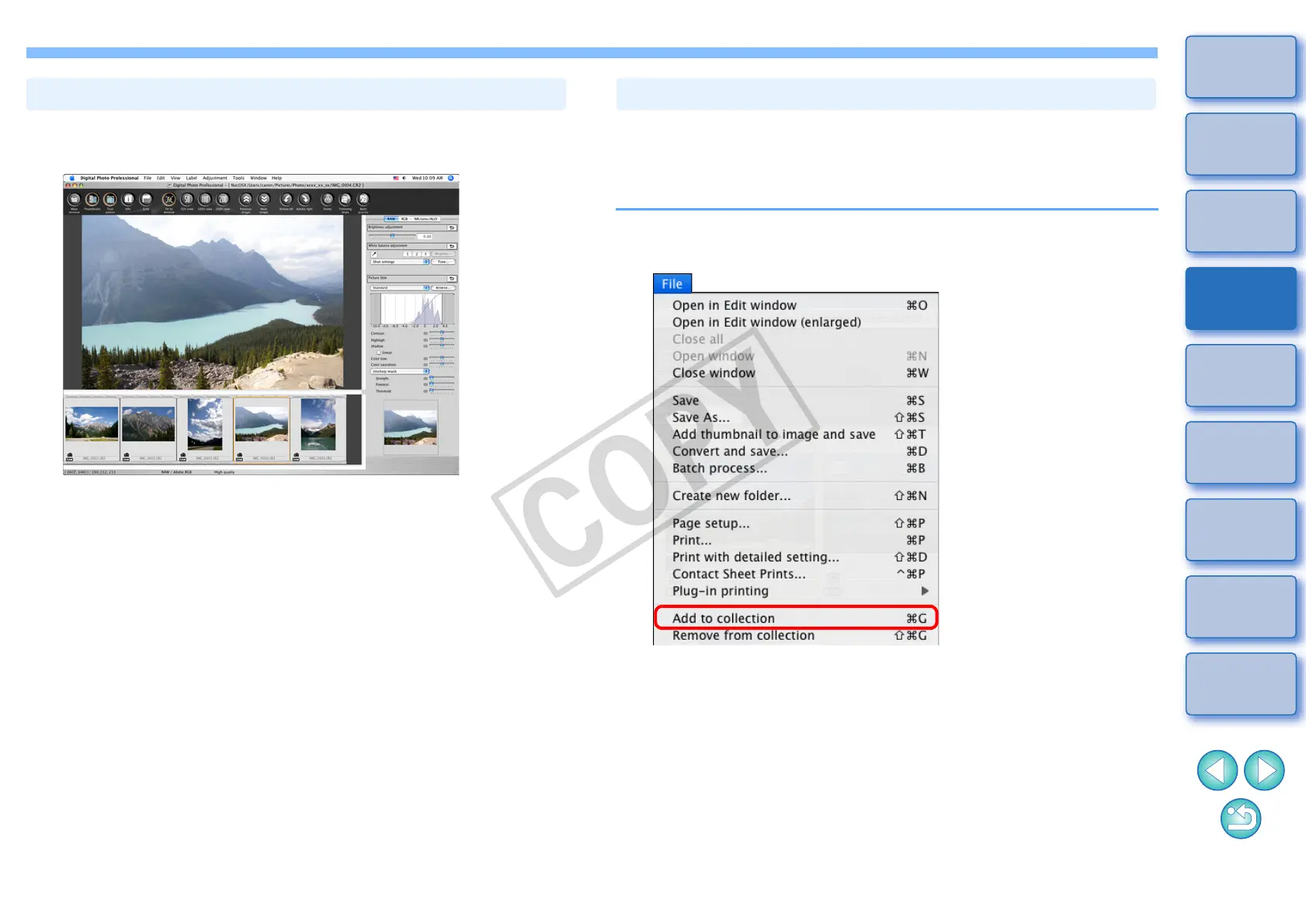
1
Select images from the [Folder] window in the main
window, and select the [File] menu
[Add to collection].
¿ The selected images are added to the [Collection] window and the
number of selected images is shown on the [Collection] tab sheet.
O When you add RAW and JPEG images displayed as a single
image (p.22), the number of images shown on the [Collection]
tab sheet increases by 2.
O You can select several images and add them to the [Collection]
window.
O You can also add images to the [Collection] window by selecting
images, clicking on the image while holding down the <control>
key, and selecting [Add to collection] from the menu that appears.
O You can add up to 1,000 images to the [Collection] window.
Gathering and Editing Images in the Collection Window










 To Next Page