6
1
2
3
4
5
Introduction
Contents at
a Glance
Basic
Operation
Advanced
Operation
Advanced
Image Editing
and Printing
Editing
JPEG/TIFF
Images
Index
Processing
Large Numbers
of Images
Reference
Starting up DPP
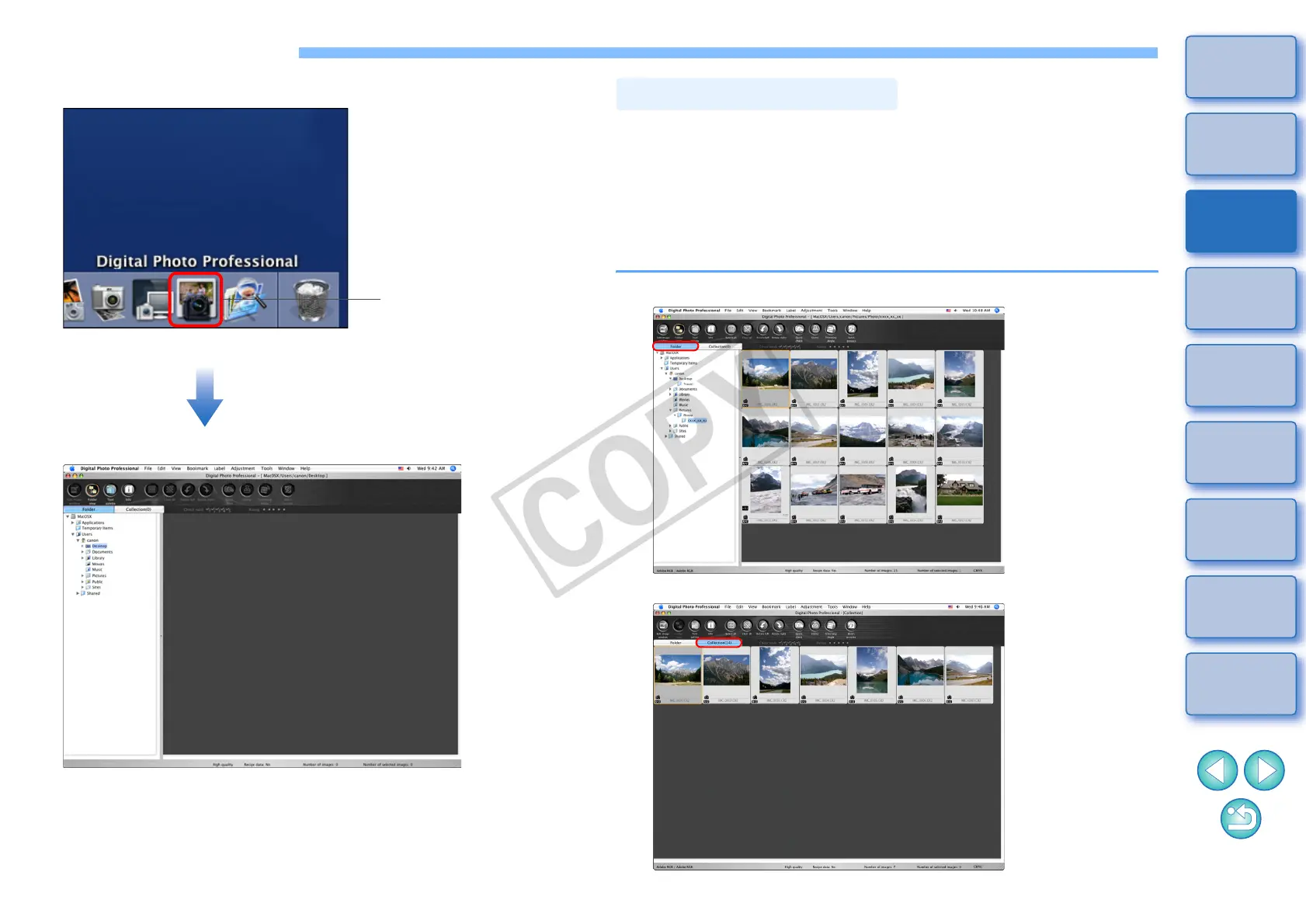
Click the Dock icon.
¿ DPP starts up and the main window ([Folder] window) appears.
Click
Main window ([Folder] window)
In the main window, you can use tabs to select either the [Folder]
window or the [Collection] window. The [Folder] window displays the
images in folders on your computer, while the [Collection] window (p.36)
displays images selected randomly by the user from one or more folders
and gathered together.
Unless noted otherwise, the [Folder] window will be described as the
main window from this point on.
Main Window Display
[Folder] window
[Collection] window










 To Next Page