EasyManua.ls Logo

Canon EOS 33 - Page 53

Canon EOS 33
108 pages
Print Icon
To Next Page IconTo Next Page
To Previous Page IconTo Previous Page
Loading...
--i.-
i.
j;
P
Program
AE
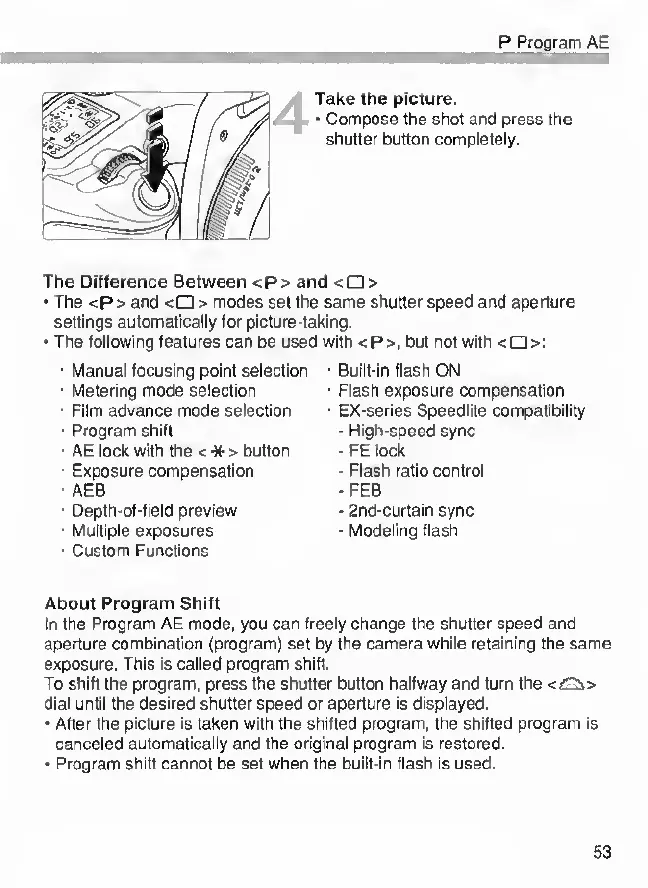
Take
the
picture.
Compose
the
shot
and
press
the
shutter
button
completely.
The
Difference
Between
<p>
and
<
>
The
<p>
and
<
>
modes
set
the
same
shutter
speed
and
aperture
settings
automatically
for
picture-taking.
The
following
features
can
be
used
with
<P>,
but
not
with
<0>:
Manual
focusing
point
selection
Metering
mode
selection
Film
advance
mode
selection
Program
shift
AE
lock
with
the
<
-N*
>
button
Exposure
compensation
AEB
Oepth-of-field
preview
Multiple
exposures
Custom
Functions
Built-In
flash
ON
Flash
exposure
compensation
£X-series
Speedlite
compatibility
-
High-speed
sync
FE
lock
-
Flash
ratio
control
•FEB
2nd-curtain
sync
-
Modeling
flash
About
Program
Shift
In
the
Program
AE
mode,
you
can
freely
change
the
shutter
speed
and
aperture
combination
(program]
set
by
the
camera
while
retaining
the
same
exposure.
This
is
called
program
shift.
To
shift
the
program,
press
the
shutter
button
halfway
and
turn
the
dial
until
the
desired
shutter
speed
or
aperture
is
displayed.
After
the
picture
is
taken
with
the
shifted
program,
the
shifted
program
is
canceled
automatically
and
the
original
program
is
restored.
Program
shift
cannot
be
set
when
the
built-in
flash
is
used.
53

Other manuals for Canon EOS 33

Related product manuals