EasyManua.ls Logo

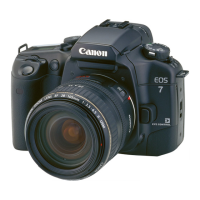
Canon EOS 33 - Handling Cautions; Camera Care and Storage

Canon EOS 33
108 pages
Print Icon
To Next Page IconTo Next Page
To Previous Page IconTo Previous Page
Loading...
Handling
Cautions
Camera
Care
and
Storage
(1)
The
camera
is
a
precision
instrument.
Do
not
drop
it
or
subject
it
to
physical
shock.
(2)
This
camera
is
not
waterproof
and
oannot
be
used
underwater.
II
the
camera
gets
really
wet,
promptly
consult
your
nearest
Canon
Service
Center.
Wipe
off
any
water
droplets
with
a
dry
cloth.
If
the
camera
has
been
exposed
to
salty
air,
wipe
with
a
well-wrung
damp
cloth.
(3)
Do
not
leave
the
camera
In
places
prone
to
excessive
heat
such
as
in
a
car
on
a
sunny
day.
Excessive
heat
can
cause
the
camera
to
malfunction.
(4)
The
camera
contains
precision
electronic
circuitry.
Never
attempt
to
disassemble
the
camera.
(5)
Use
only
a
blower
brush
to
blow
away
dust
on
the
lens,
eyepiece,
mirror,
focusing
screen,
and
film
compartment.
Do
not
clean
the
camera
body
or
lens
with
a
cleaner
containing
an
organic
solvent.
For
stubborn
dirl,
consult
your
nearest
Canon
Service
Center.
(6)
The
shutter
curtains
are
extremely
thin.
Use
only
a
blower
to
clean
them,
Be
careful
not
to
blow
air
too
forcefully
on
the
shutter
curtains.
The
shutter
curtains
can
be
easily
deformed
or
damaged.
Also,
when
loading
and
unloading
film,
be
careful
not
to
touch
the
shutter
curtains.
(7)
Do
not
touch
the
electrical
contacts
with
your
fingers.
Otherwise
corrosion
may
develop
on
the
contacts,
resulting
in
improper
camera
operation.
(3)
If
the
camera
is
not
to
be
used
for
an
extended
period,
remove
the
battery.
Store
the
camera
in
a
well-ventilated,
cool,
dry
place.
During
the
storage
period,
press
the
shutter
button
to
release
the
shutter
a
few
times
once
in
a
while,
(9)
Avoid
storing
the
camera
in
a
laboratory,
cabinet,
etc.,
where
corrosive
chemicals
are
present.
(10)
If
the
camera
has
not
been
used
for
an
extended
period
or
if
the
camera
is
to
be
used
for
an
important
event,
check
the
operation
of
all
the
camera
controls
or
take
it
to
your
nearest
Canon
Service
Center
for
inspection.
(11)
After
detaching
the
lens
from
the
camera,
put
on
the
lens
caps
or
put
down
the
lens
with
the
rear
end
up
to
avoid
scratching
the
lens
surface
and
electrical
contacts.
(12)
Even
when
the
Main
Switch
is
set
to
<QD>.
a
small
amount
of
power
is
still
supplied
to
the
camera's
LCD
panel.
However,
this
does
not
affect
the
number
of
film
rolls
which
can
be
taken
with
the
battery.
6

Other manuals for Canon EOS 33

Related product manuals