EasyManua.ls Logo

Canon EX AUTO - Using Self-Timer; Attaching the Cable Release

Canon EX AUTO
40 pages
Print Icon
To Next Page IconTo Next Page
To Previous Page IconTo Previous Page
Loading...
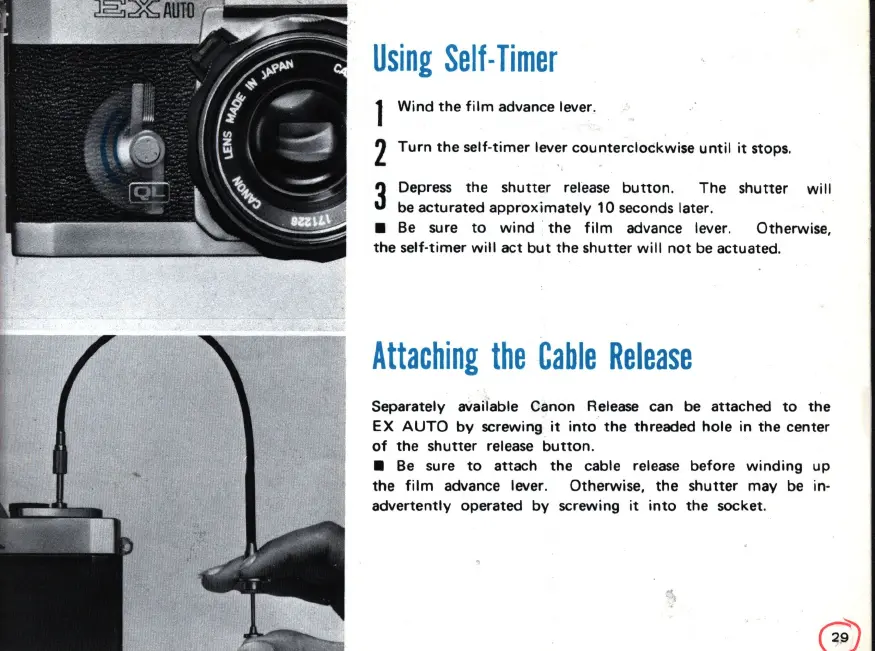
Using
Self·
Timer
1
Wind
the
film
advance lever.
2
Turn
the
self-
timer
lever
counterclockwise
until
it
stops.
3
Depress
the
shutter
release
button
.
The
shutter
will
be acturated
approximately
10 seconds later.
Be sure
to
wind
'
the
film
advance lever. Otherwise,
the
self-timer
will
act
but
the
shutter
will
not
be actuated.
Attaching
the
Cable
Release
Separately avaiiable Canon Release can be attached
to
the
EX
AUTO
by
screwing
it
into
the
threaded
hole
in
the
center
of
the
shutter
release
button
.
Be
sure
to
attach
the
cable release
before
winding
up
the
film
advance lever. Otherwise,
the
shutter
may
be in-
advertently
operated
by
screwing
it
into
the
socket.

Related product manuals