13
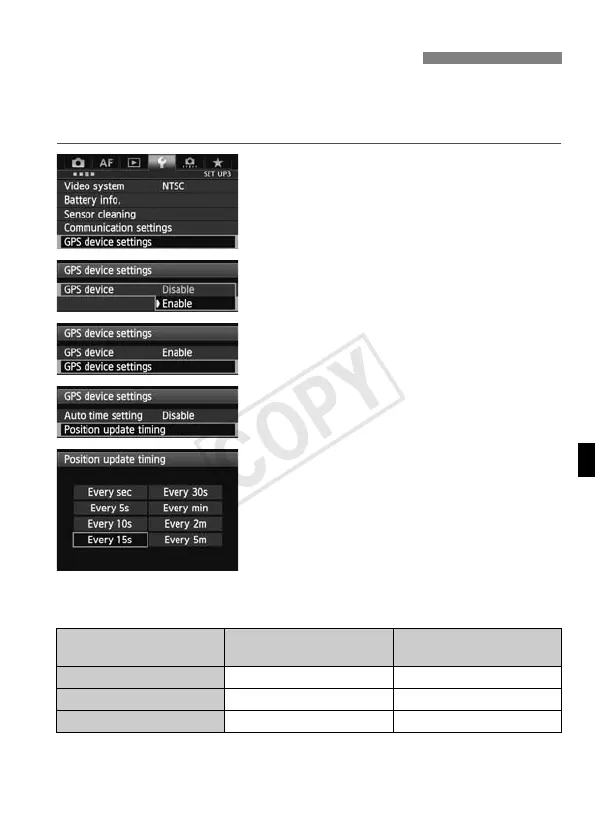
On the camera, you can specify the positioning interval. Shorter
positioning intervals yield more accurate location information for your
images. However, fewer shots can be taken per charge.
1
Select [GPS device settings].
2
Set [GPS device] to [Enable].
3
Select [GPS device settings].
4
Select [Position update timing].
5
Select the time.
Estimated No. of Shots per Charge, by Positioning Interval
(Viewfinder Shooting)
* Fewer shots can be taken per charge in poor signal conditions.
* The nature of GPS may cause some inconsistency between positioning
intervals.
Setting the Positioning Interval
Position Update Timing
Normal Temperature
(23°C/73°F)
Low Temperature
(0°C/32°F)
Every second Approx. 790 shots Approx. 620 shots
Every 15 sec. Approx. 970 shots Approx. 740 shots
Every 5 min. Approx. 990 shots Approx. 760 shots



 To Next Page