14
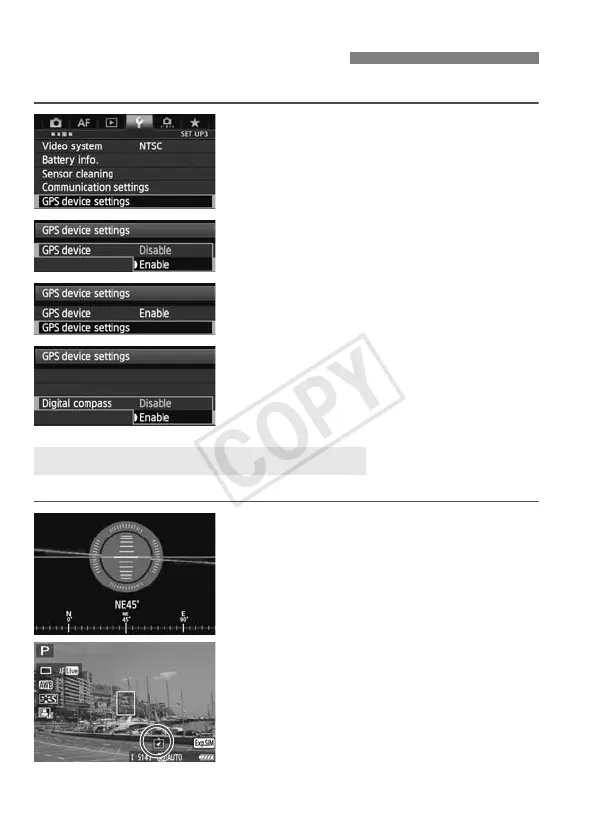
You can tag images with the shooting direction.
1
Select [GPS device settings].
2
Set [GPS device] to [Enable].
3
Select [GPS device settings].
4
Set [Digital compass] to [Enable].
If the [Calibrate digital compass]
screen is displayed, follow steps 6 – 7
on p.16.
You can see which direction the camera is facing as you shoot.
To view the compass, press the
<B> button.
The electronic level is also displayed
at this time.
The compass is also displayed in Live
View or movie shooting.
Using the Digital Compass
Viewing the Compass when Shooting



 To Next Page