15
Using the Digital Compass
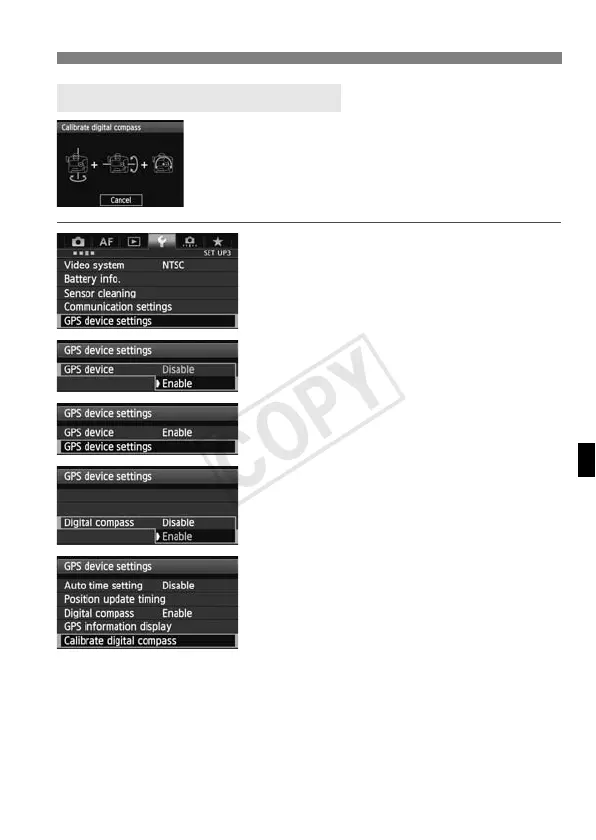
Calibrate the compass as described here and on
the next page at the shooting location, or if the
screen at left is displayed during menu operations,
or if the direction shown as you shoot seems
incorrect.
1
Select [GPS device settings].
2
Set [GPS device] to [Enable].
3
Select [GPS device settings].
4
Set [Digital compass] to [Enable].
5
Select [Calibrate digital
compass].
Press <0> to prepare for calibration.
Move the camera as shown on the
next page.
Calibrating the Digital Compass



 To Next Page