17
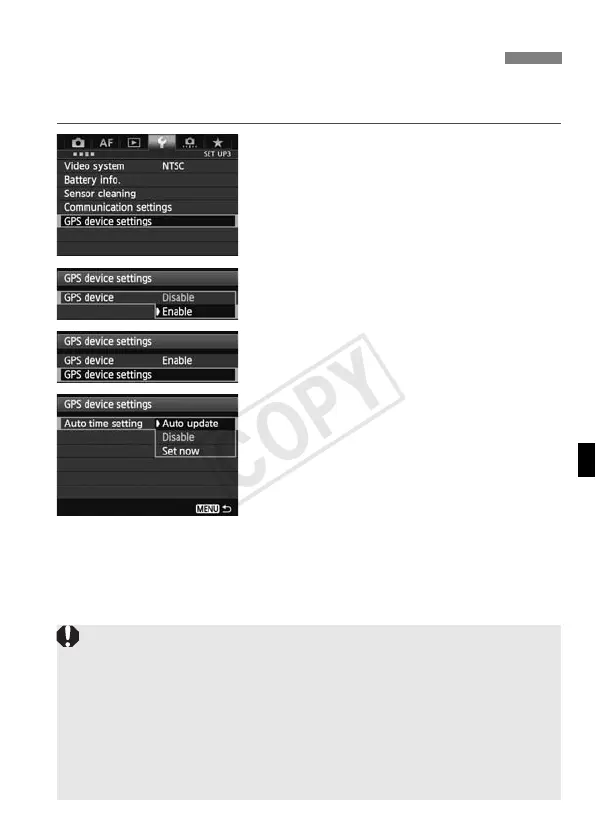
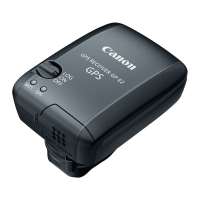
The camera time can be set using GPS signals. The margin of error is
approx. ±0.02 second.
1
Select [GPS device settings].
2
Set [GPS device] to [Enable].
3
Select [GPS device settings].
4
Select [Auto time setting].
Select an option and press <0>.
[Auto update] updates the time after
the camera is turned on and a GPS
signal is received.
Setting Time from GPS on the Camera
If the GPS signal cannot be received from five or more satellites, time
setting is not possible. [Set now] will be unavailable.
Even if [Set now] is selected, auto time adjustment may not be possible,
depending on the timing of GPS signal acquisition.
When [Auto time setting] is set to [Auto update], the date and time
cannot be set manually using [Date/Time/Zone] in the menu.
If you prefer not to change the time (when using [Sync time between
cameras] with WFT series, for example), select [Auto time setting:
Disable].



 To Next Page