21
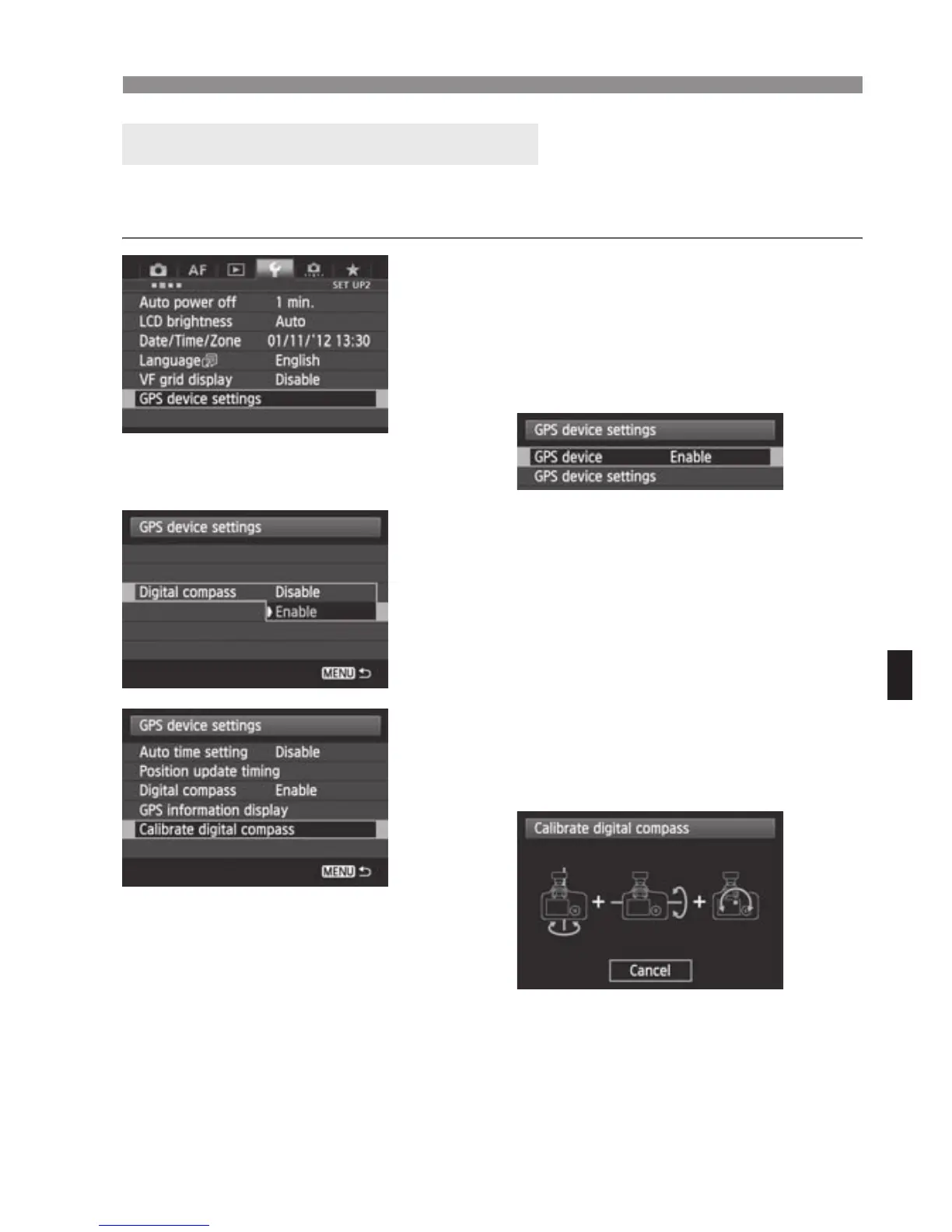
Using the Digital Compass
Calibrate the digital compass at the shooting location. Also cal brate the
compass if the direction shown as you shoot seems incorrect.
1
Select [GPS device settings].
On the EOS-1D X and other models
that display the following screen, set
[GPS device] to [Enable], and then
select [GPS device settings].
2
Set [Digital compass] to [Enable].
3
Select [Calibrate digital
compass].
Press <0> to prepare for calibration.
Move the camera as shown on the
next page.
Calibrating the Digital Compass


 To Next Page