28
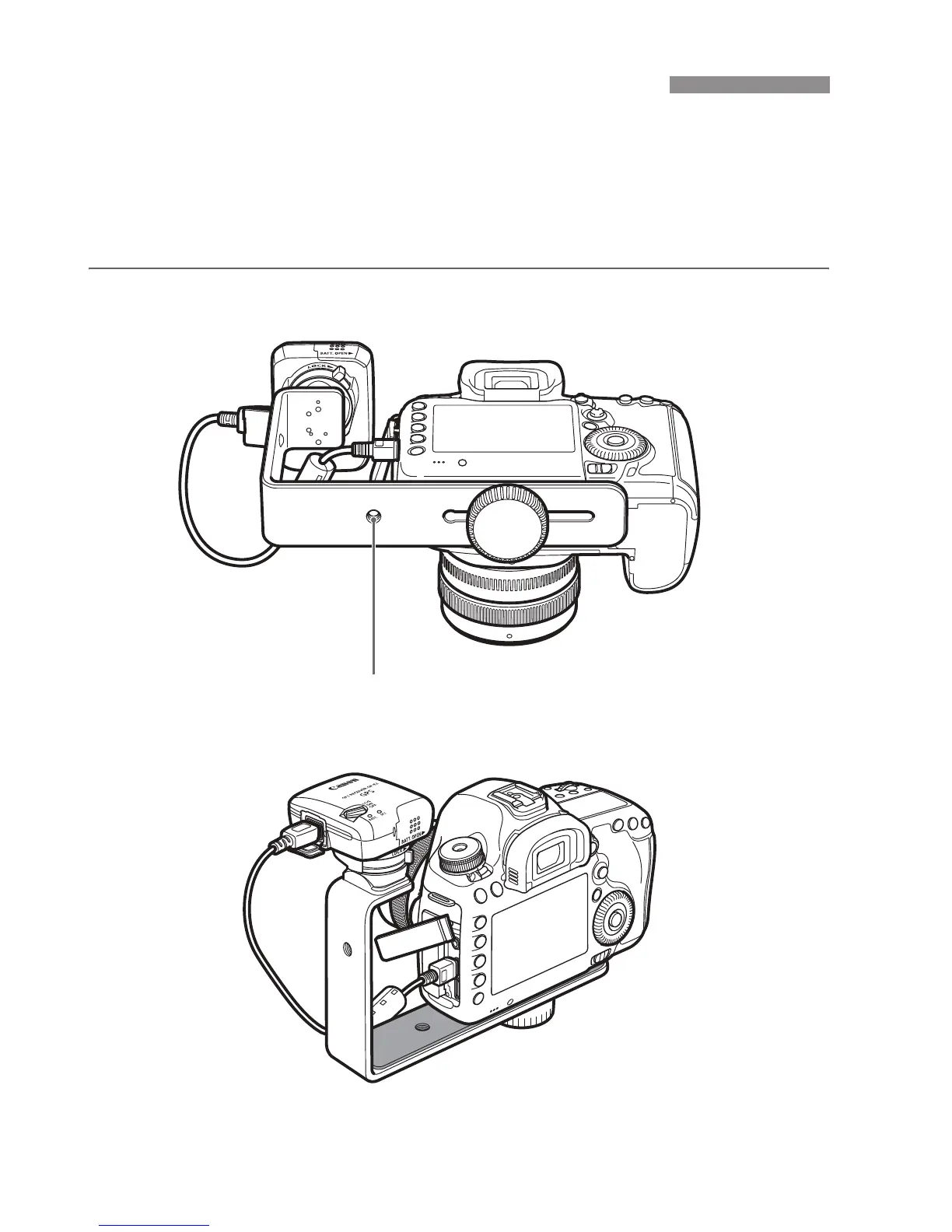
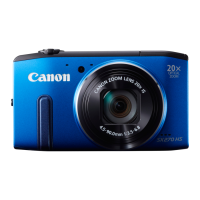
Attaching the Accessory Bracket AB-E1 (sold separately) enables you
to use the receiver and an external or built-in flash at the same time.
Attach the camera and receiver to the bracket as shown.
Keep the camera aligned with the bracket during attachment. Even a
little misalignment will prevent accurate direction recording.
Using a Bracket (Sold Separately)
Tripod socket


 To Next Page