12
Turning On the Machine and Specifying the
Initial Settings
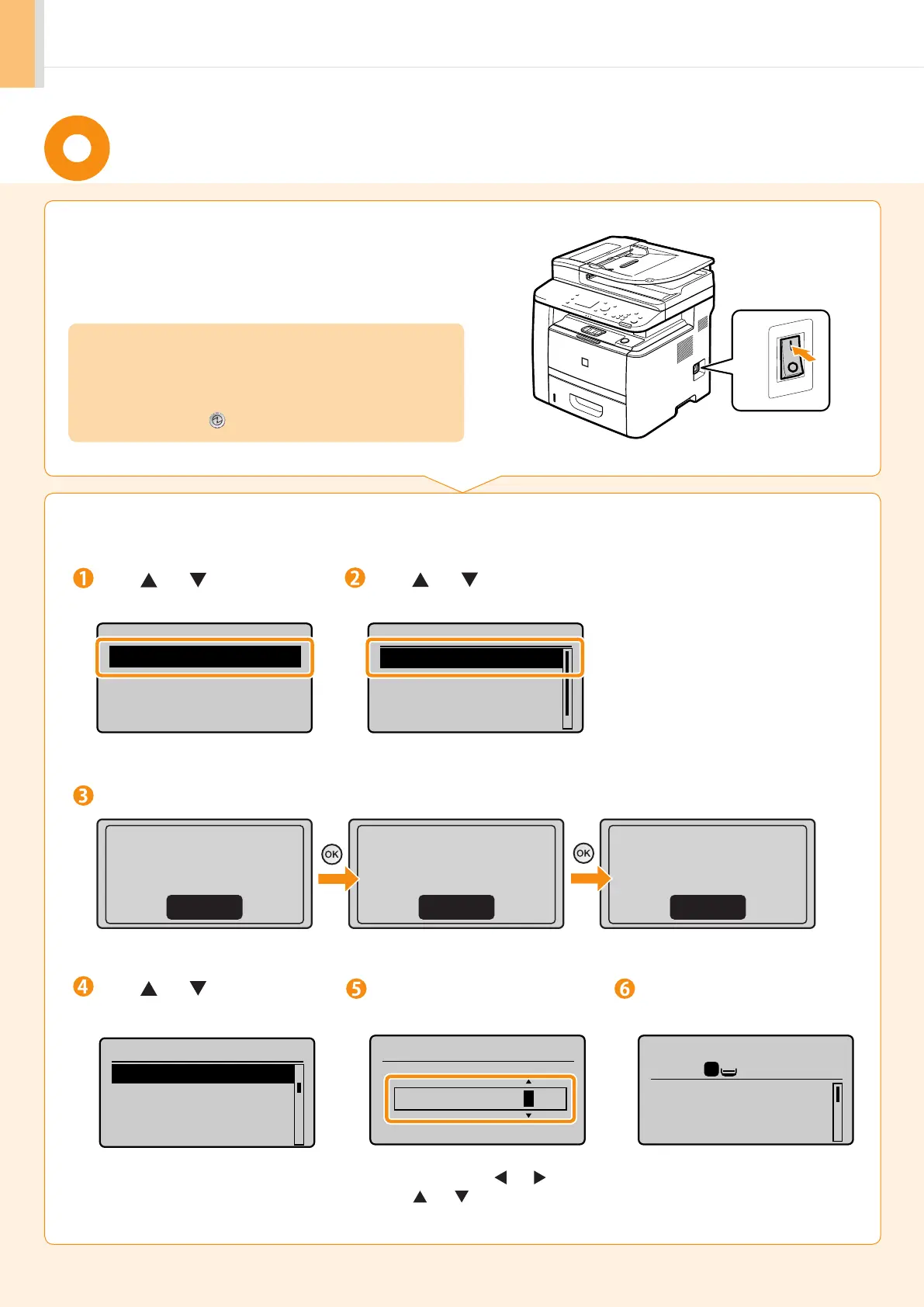
1.
Turn ON the machine.
2.
Specify initial settings.
Press [ ] or [ ] to
select, and press [OK].
Read the messages and press [OK].
Open frnt cover; see
if orange packing
material is removed.
Check that tabs/tape
are removed from
toner cartridge.
Check that paper is
loaded in Drawer 1.
Next NextNext
Language
English
French
Spanish
Portuguese
Press [ ] or [ ] to
select, and press [OK].
Select Country/Region
United States (US)
Canada (CA)
Brazil (BR)
Mexico (MX)
Enter the date and time and
press [OK].
• Move the cursor with [ ] or [ ].
• Press [ ] or [ ] to select the number or
switch to <AM> or <PM>.
01/01/2011 12:52 AM
Copy: Press Start
100% LTR
Density: 0
Original Type: Text
...
2-Sided: Off
1
+
-
1
The initial screen appears when
the initial setup is complete.
OFF
ON
• When turning ON the machine for the first time after installation. it
may output a piece of blank paper. This is not a failure.
• The machine enters the Sleep mode to conserver energy when you
do not operate the machine for a certain period of time. To cancel the
Sleep mode, press the [ ] (Energy Saver) key on the operation panel.
Press [ ] or [ ] to select,
and press [OK].
Time Zone Settings
GMT-5:00
GMT-4:00
GMT-3:30
GMT-3:00












 To Next Page