8
Preparing the Toner Cartridges
1.
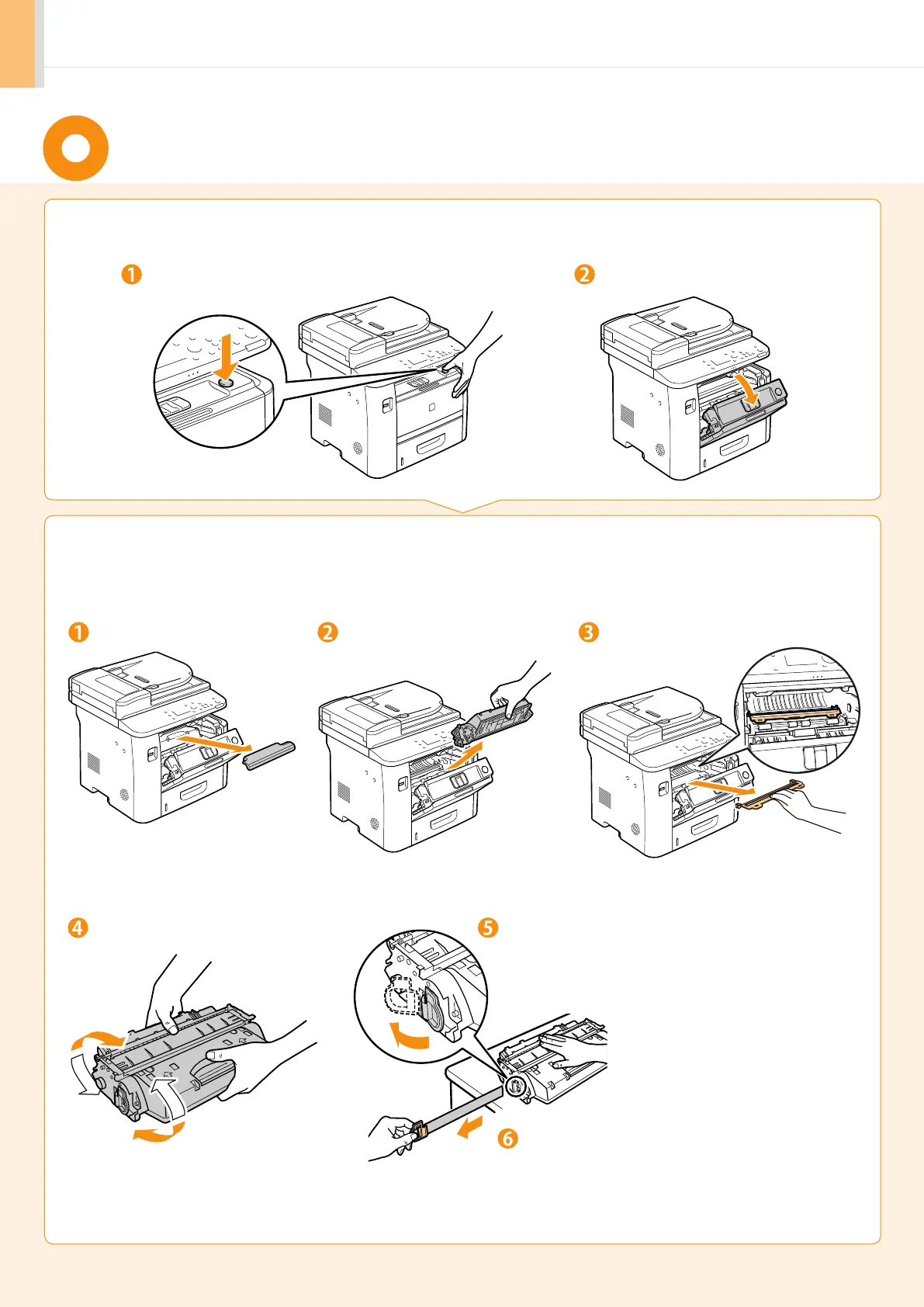
Open the front cover.
Open the front cover.
Hold down the open button.
2.
Remove the packing materials from the toner cartridge, and install
the toner cartridge.
Remove the toner cartridge.Remove the packing material. Remove the packing material.
Shake five to six times. Remove the tab.
Place the toner cartridge on a flat surface, and remove
the tab.
Pull the sealing tape completely out.
The full length of the sealing tape is approximately 20
in. (50 cm).












 To Next Page