7
Preface
1
Installing the Machine
2
Configuring and Connecting the Fax
3
Connecting to a Computer and
Installing the Drivers
4
Appendix
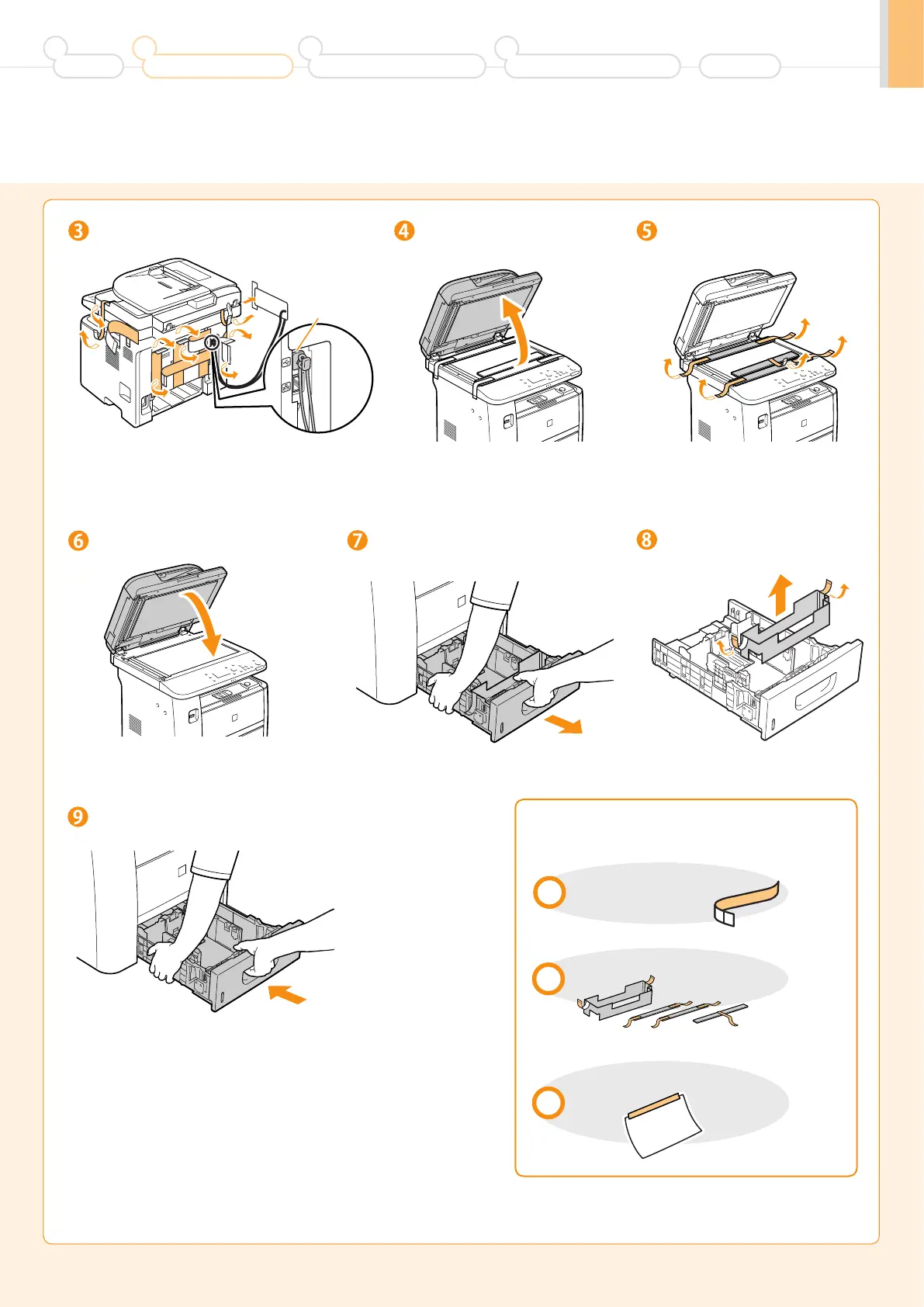
Remove the packing materials.
Pull out the paper drawer.
(A)
Open the feeder.
Remove the packing materials
with tape.
Remove the packing materials
with tape.
Close the feeder.
Set the paper drawer.
* Do not remove the cap (A) on the USB port at this stage.
Uncap when installing for USB connection.
Make sure that the following packing
materials are all removed from the machine.
Check!
Tape x 20 (D1370/D1350)
x19 (D1320)
Packing materials with tape x4
Unpacking manual x1












 To Next Page