25
• Connect the USB cable after installing the software.
• The installation screen varies depending on the version of MAC OS X.
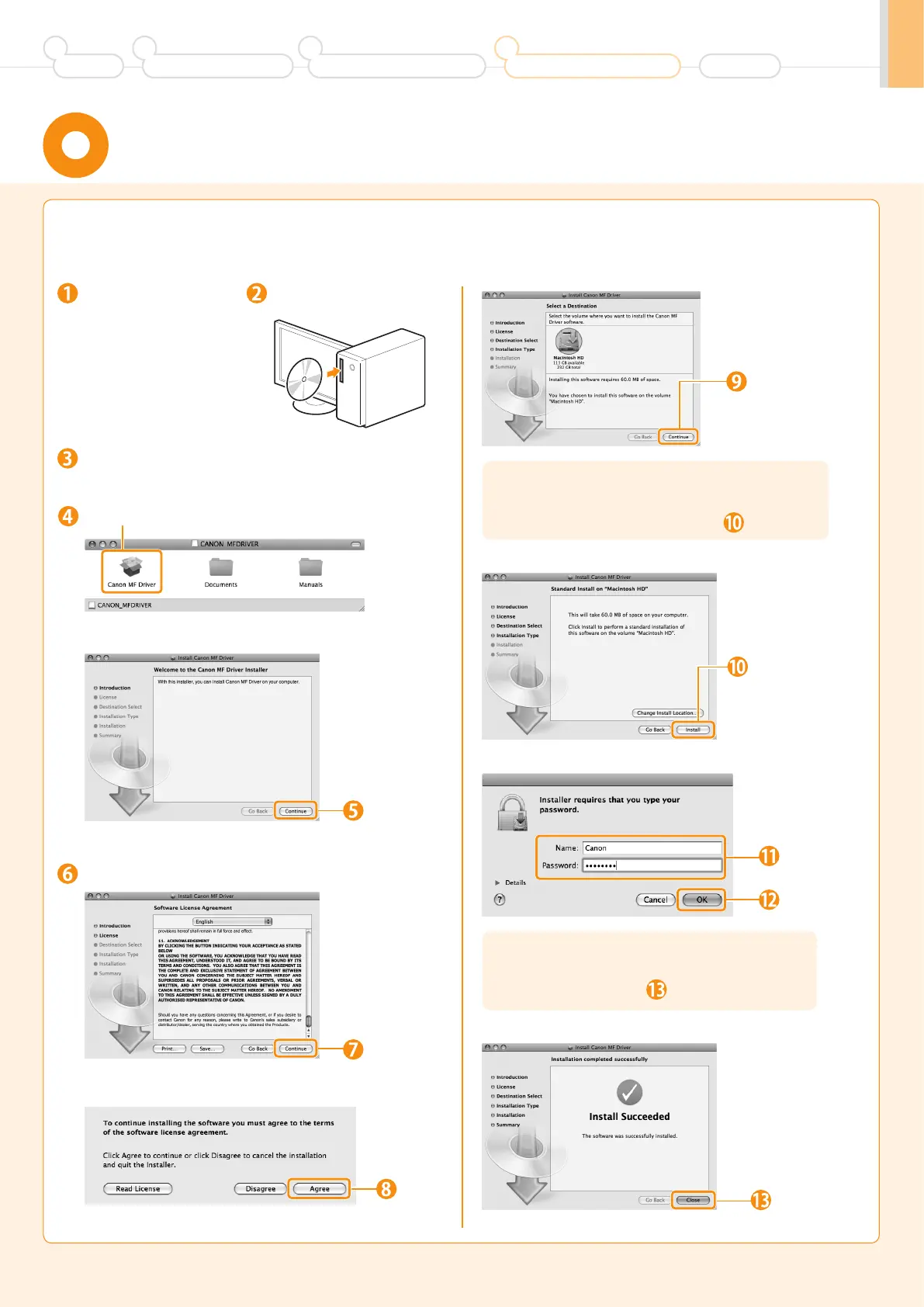
Installing the Software
(For Macintosh)
Close all applications
that are running.
Double-click the CD-ROM icon.
Insert the CD-ROM.
Double-click.
Depending on the system environment, the
[Select a Destination] dialog box may not be
displayed. In this case, skip to step .
Depending on the system environment, the
[Authenticate] dialog box may not be displayed.
In this case, skip to step .
Read the contents of the License Agreement.
Click.
* You cannot change
the installation
location. Click
[Continue].
Click.
* [Change Install
Location] button
may appear, but you
cannot change the
installation location.
Enter.
Click.
Click.
Click.
Click.
Click.
Preface
1
Installing the Machine
2
Configuring and Connecting the Fax
3
Connecting to a Computer and
Installing the Drivers
4
Appendix












 To Next Page