2-5
2
Installing the Canon Advanced Printing Technology
■ Add Printer Wizard
Add Printer WizardAdd Printer Wizard
Add Printer Wizard
To install the CAPT on a local computer using Windows 95/98/Me, you can use the Windows
95/98/Me Add Printer Wizard.
Following is the installation procedures for “Using Parallel Port” under Windows 98.
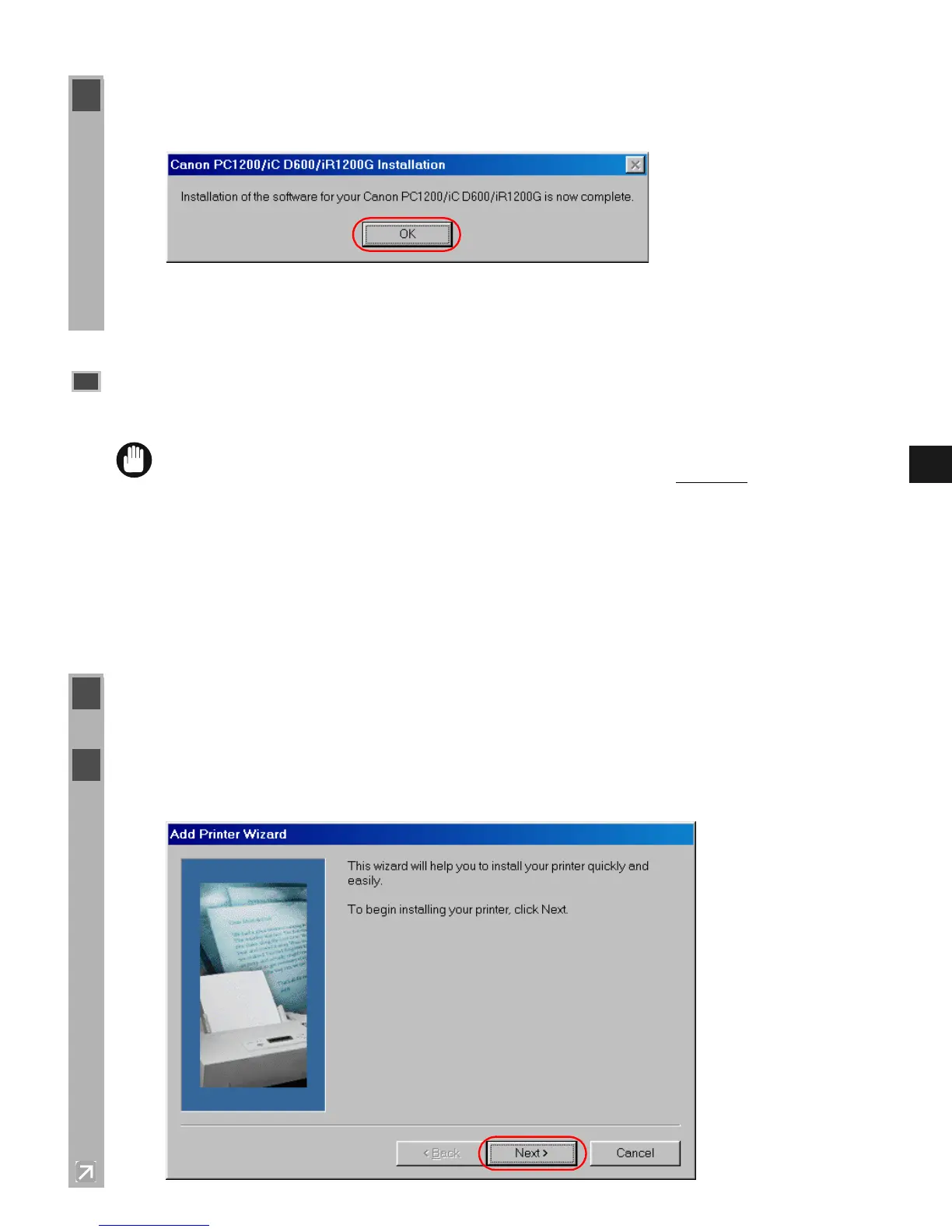
5 When the installation is complete, the following dialog box appears. Click OK to close the
dialog box. Click Finish on the Add New Hardware Wizard.
Parallel Port Users
Parallel Port UsersParallel Port Users
Parallel Port Users
IMPORTANT
• If there already are LBP-460/465/660/800/810 or other printer drivers installed on
your computer, before installing PC1200/iC D600/iR1200G uninstall
those drivers or
set them for file output, selecting FILE: in the port selection dialog.
1 From the Start menu, select Settings, then Printers. The Printers folder appears.
2 Double-click the Add Printer icon. The Add Printer Wizard dialog box appears. Click
Next >.














 To Next Page