2-27
2
Installing the Canon Advanced Printing Technology
If you plan to share the D600 series on a network, install the print server locally, then make the
following settings. See your print server system documentation for more information.
■
Windows 95/98/Me Server Settings
Windows 95/98/Me Server SettingsWindows 95/98/Me Server Settings
Windows 95/98/Me Server Settings
Network Settings
Connecting the imageCLASS D600 Series as a Network
Connecting the imageCLASS D600 Series as a Network Connecting the imageCLASS D600 Series as a Network
Connecting the imageCLASS D600 Series as a Network
Printer
PrinterPrinter
Printer
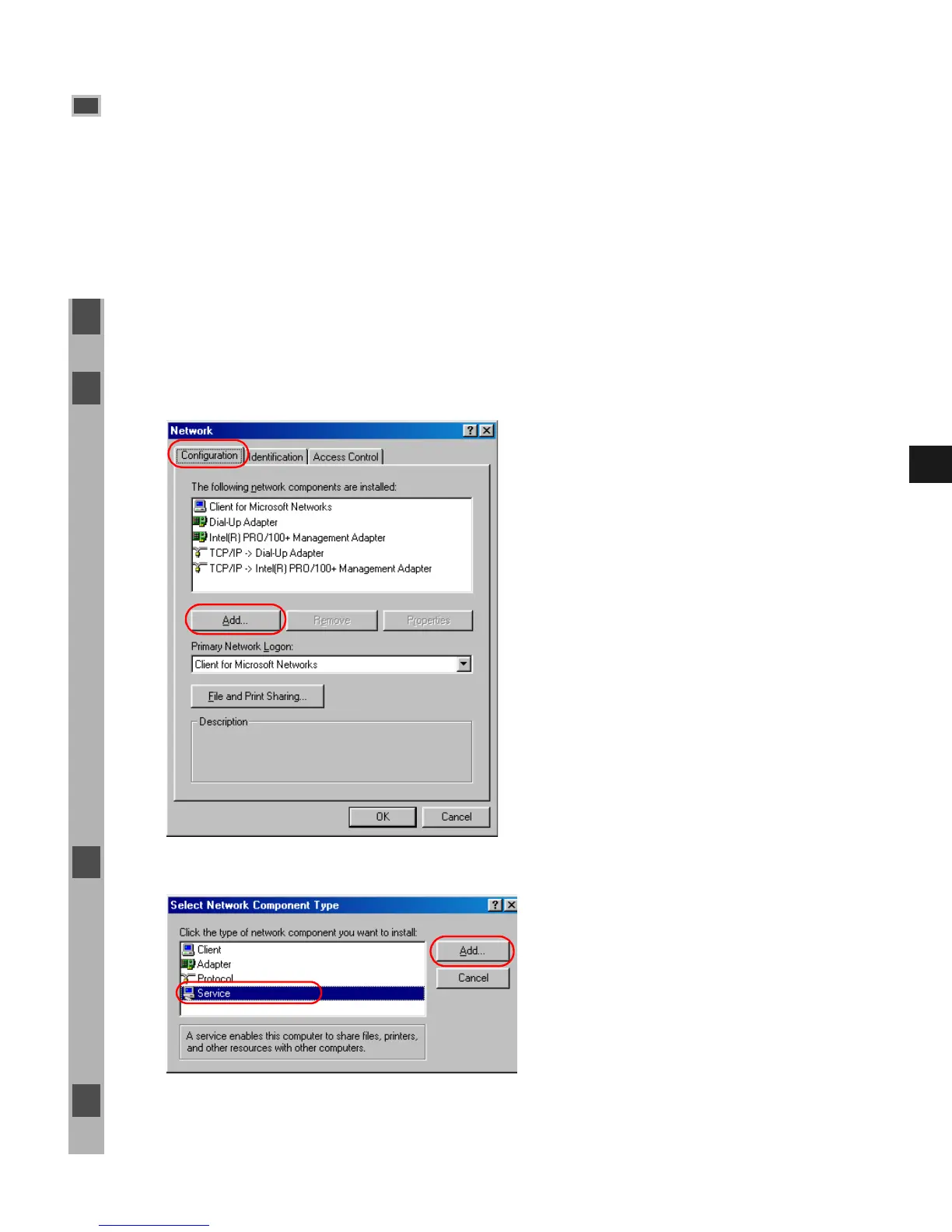
1 Double-click the Network icon in the Control Panel.
2 Select the Configuration tab, then click Add.
3 Select Service, then click Add.
4 Select Microsoft in the Manufacturers list box.














 To Next Page