2-8
2
Installing the Canon Advanced Printing Technology
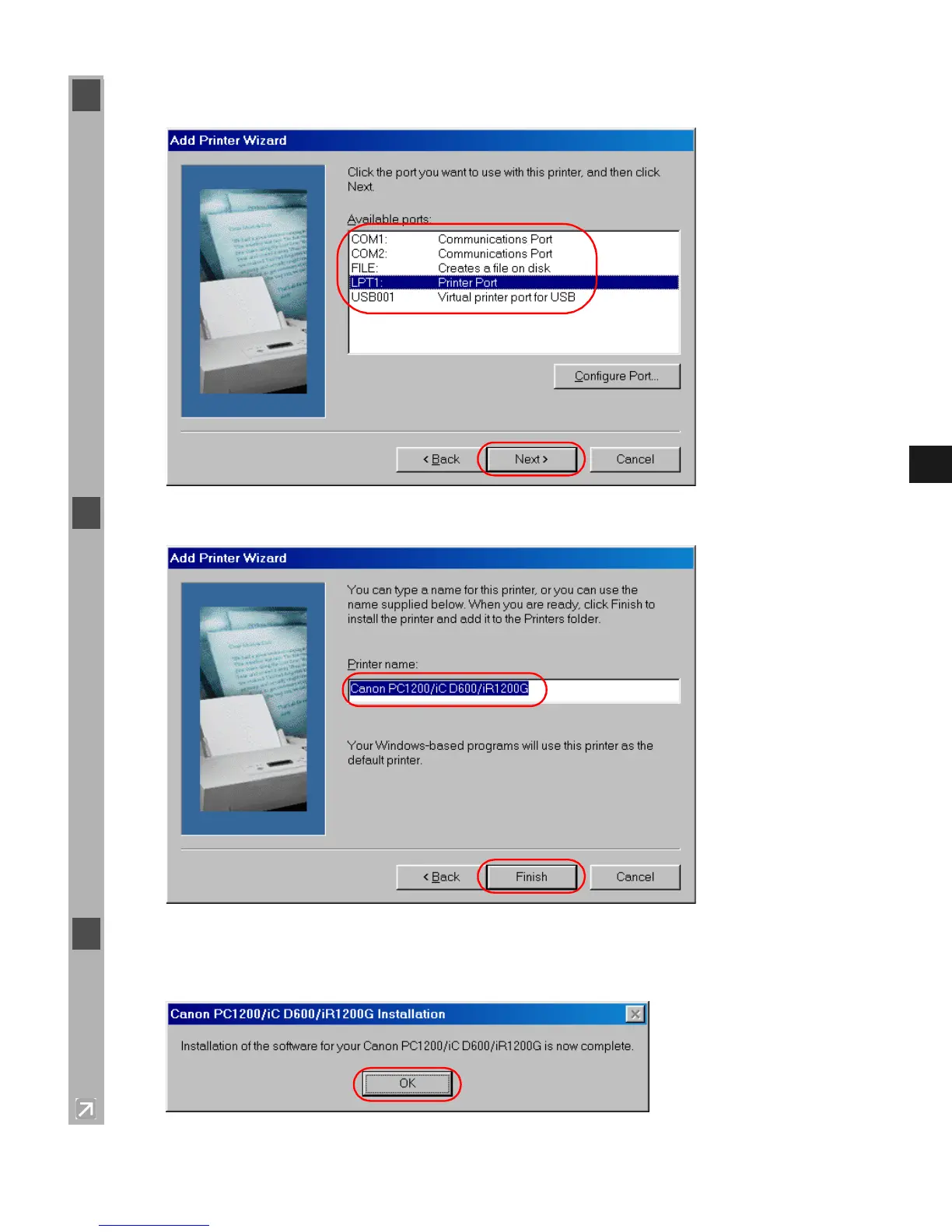
7 Select the printer’s port, and then click Next >.
8 Enter the name you wish to use, then click Finish.
9 When the installation is complete, the following dialog box appears. To close the dialog box,
click OK. Click Finish on the Add New Hardware Wizard.














 To Next Page