3-21
3
Printer Properties
■ Page Setup Tab
Page Setup TabPage Setup Tab
Page Setup Tab
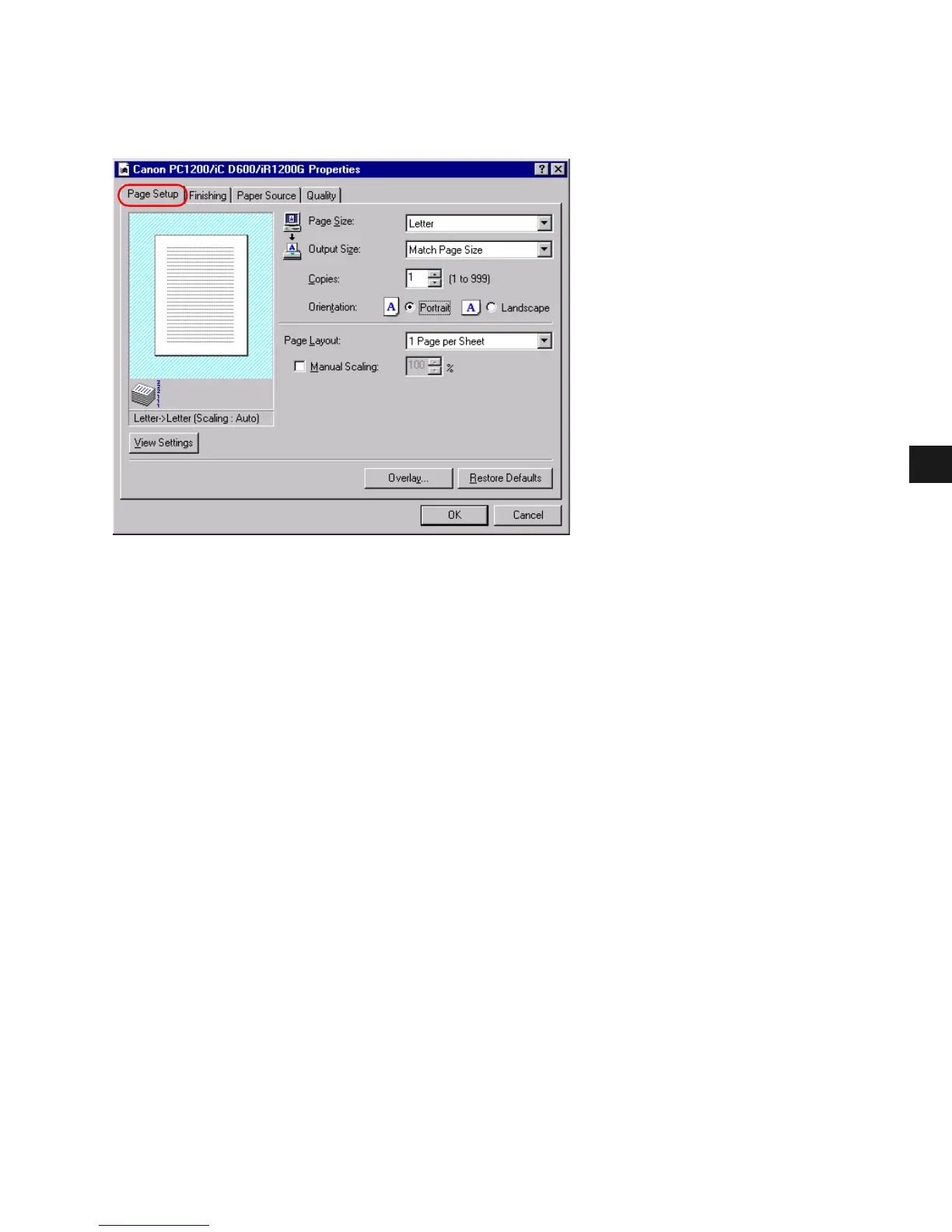
Specifies paper size, scaling, number of copies, orientation, and pages per sheet.
Default settings depend on the country/region of purchase.
Page Size lets you select the paper size you are working with in your application. (A3,
B4(JIS), A4, B5(JIS), A5, Letter, Legal, Executive, Statement, Envelope DL, Envelope #10,
Envelope C5, Envelope Monarch, and 3 custom paper sizes.)
Output Size lets you select the paper size to print on. If your output size is set to anything
other than Match Page Size, the image will be automatically reduced or enlarged to fit on the
page.
Copies lets you specify the number of copies to be printed (1 to 999).
Orientation lets you select the direction of printing relative to the printer’s paper (Portrait,
Landscape).
Page Layout lets you select the number of pages per sheet (1, 2, 4, 8, 9). If you select more
than 1, the image may be reduced to fit on the selected output size. When 2, 4, 8, or 9 pages
per sheet is selected Manual Scaling disappears and Page Order appears in its place.
Manual Scaling lets you shrink or enlarge images. This option only appears when 1 Page per
Sheet is selected as the Page Layout. Check the check box to set a reduction or enlargement
percentage (10 to 200).














 To Next Page