imageCLASS MF410dw Series Service Guide for AS
imageCLASS MF410dw Series Service Guide for AS April 2016
Page 34
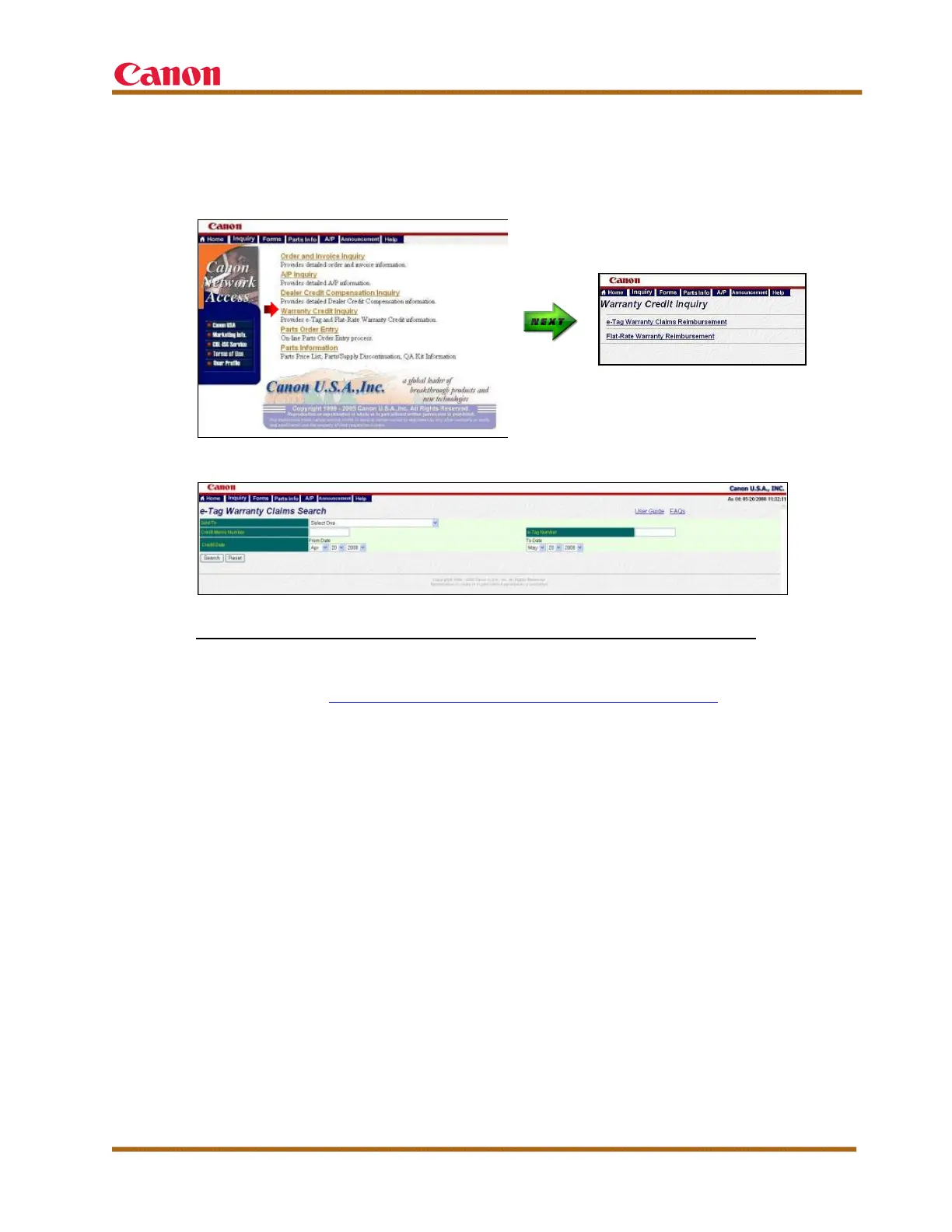
On the CNA Web site, select “Warranty Credit Inquiry,” and then select
“e-Tag Warranty Claims Reimbursement” to perform an e-Tag Warranty
claims search, as shown in the following screen shots.
Figure 10 — CNA: Warranty Credit Inquiry
Figure 11 — CNA: Warranty Credit Inquiry
To check the status of the e-Tag warranty claims already submitted:
Go to the e-Tag Warranty Claim Console, as shown at the bottom of the
screen shot in Figure 8 — e-Support: e-Tag Claim Console. This console
enables you to check the status of your claims. To view the details of the
e-Tag limited warranty claim form, double-click any record.
Note: e-Tag warranty claims are connected to the e-Support ID number that
is entered. Therefore, it is highly recommended that only one person enter
and manage the e-Tag warranty claims from your dealership.













 To Next Page