Canon imagePRESS C800/C700 Service Guide
J. LMS (License Management System)
To activate optional software programs and features preinstalled on the
imagePRESS, you must obtain a license through the LMS server. This
replaces the need for additional hardware or dongles to activate new
software.
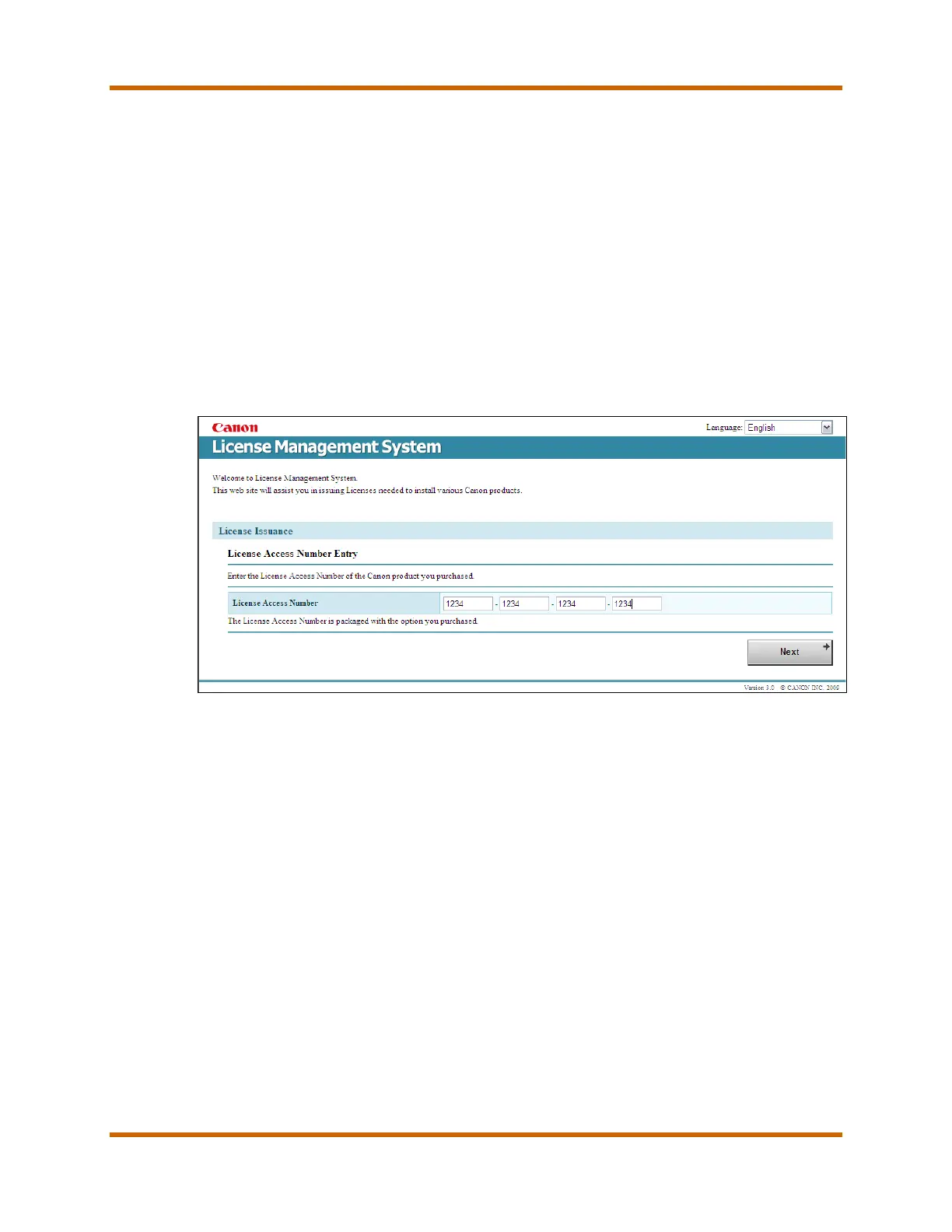
The LMS is a server-based software license program. All purchased software
application packages contain a license access number certificate with the
documentation. The dealer must enter the license access number and the
imagePRESS device’s serial number into the LMS server to generate a
license key. The URL to access the LMS server is:
http://www.canon.com/lms/ir/.
Figure 3 – License Management System
If there are activation or installation issues, contact the Technical Support
Center. Be prepared to provide the product’s serial number, license access
number, and license key.
Notes:
• The license access number comes with the software. Keep the license
access number in a secure location, as it cannot be replaced if it is lost.
• The machine’s serial number can be found on the Counter Check screen
on the machine’s UI.
• Activated software programs are not impacted by normal service activity.
Canon imagePRESS C800/C700 Service Guide October 2014
Revision 2 Page 57





 To Next Page