Canon imagePRESS C800/C700 Service Guide
I. Product Overview and Configuration
A. Overview
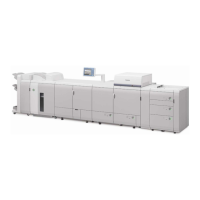
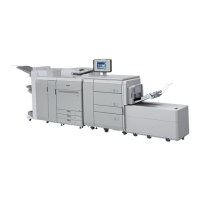
The imagePRESS C800 and imagePRESS C700 (the imagePRESS C800
Series) are digital press devices designed to produce high-color image quality
and high-productivity in the light production printing environment. These
devices are intended for commercial printers, In-plant Central Reproduction
Department (CRD) facilities, and quick printers.
These models bring the following capabilities to end-users:
• The imagePRESS C800/C700 digital presses are Segment 5 devices that
prints and copies Color and Black & White (B&W) sheets at speeds of up
to 80 ppm (pages-per-minute) and 70 ppm respectively.
• Prints images at a resolution of up to 2,400 dpi (dots per inch) x 2,400 dpi
with 256 halftones resolution.
• A maximum paper size of 13" x 19.2” is supported. Standard paper
sources include three paper cassettes with a capacity of up to 550-sheets
each.
• Optional paper sources enable the imagePRESS C800/C700 digital
presses to hold up to 7,750-sheets with the Multi Drawer Paper Deck
attached.
• Canon’s oil-free CV (Consistently Vivid) Toner utilizes a smoothed
surface with para-shell outer layer. The ultra-fine toner particles offer
enhanced toner transfer efficiency for improved color consistency and
accuracy across a wide variety of media while reducing toner waste,
energy consumption and paper deformation.
• Built-in Automatic Press Calibration sets the proper color densities
without operator intervention, while Canon’s Advanced Developer
technology maintains a constant supply of fresh developer to ensure
color consistency from side to side, page to page, and job to job.
Additionally the Auto Correct Color Tone (ACCT) is a Canon unique
technology to calibrate mixed color back to initial conditions. The
calibration allows color adjustments be made with a wider color gamut
and keeps the color quality at its highest level.
• The Remote Operator Software Kit is a standard feature for the
imagePRESS C800/C700 with the imagePRESS Printer Kit or the
imagePRESS Server attached. The Remote Operator Software Kit
enables the end-user to access the machine’s control panel and specify
settings or process jobs remotely from a computer (located on the same
network as the machine).
Canon imagePRESS C800/C700 Service Guide October 2014
Revision 2 Page 1









 To Next Page