19
Removing the Roll from the Printer
See the following procedure for instructions on removing the Roll Holder from the roll.•
(→"Removing Rolls From the Roll Holder," User Manual)
To load new paper in the printer at this point, see the following procedure.•
(→
, Loading Rolls in the Printer)
Clean inside the top cover before loading paper.•
(→
, If Paper is Soiled)
6
7
8
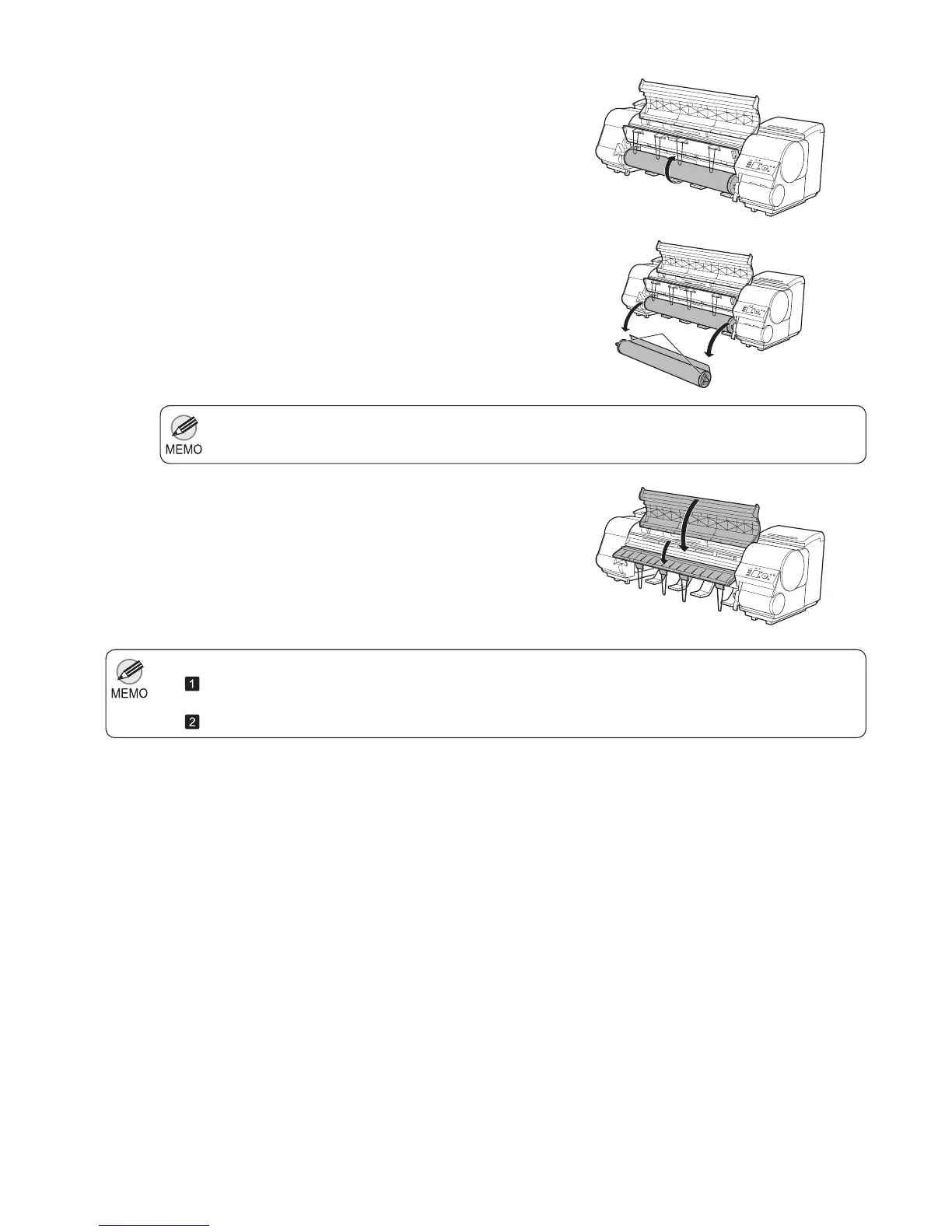
Using both hands, rotate the Roll Holder in the direction
of the arrow to rewind the roll.
Holding the Roll Holder fl ange (a), remove the holder
from the Roll Holder Slot .
Lower the Ejection Guide and close the Top Cover .
a













 To Next Page