27
Replacing Ink Tanks
Never touch the ink hole or electrical contacts. This may cause stains, damage the Ink Tank , and affect
printing quality.
•
If you do not agitate the Ink Tank , the ink may settle, which may affect printing quality.•
Do not remove and agitate ink tanks that have already been installed in the printer. Ink may leak out.•
1
2
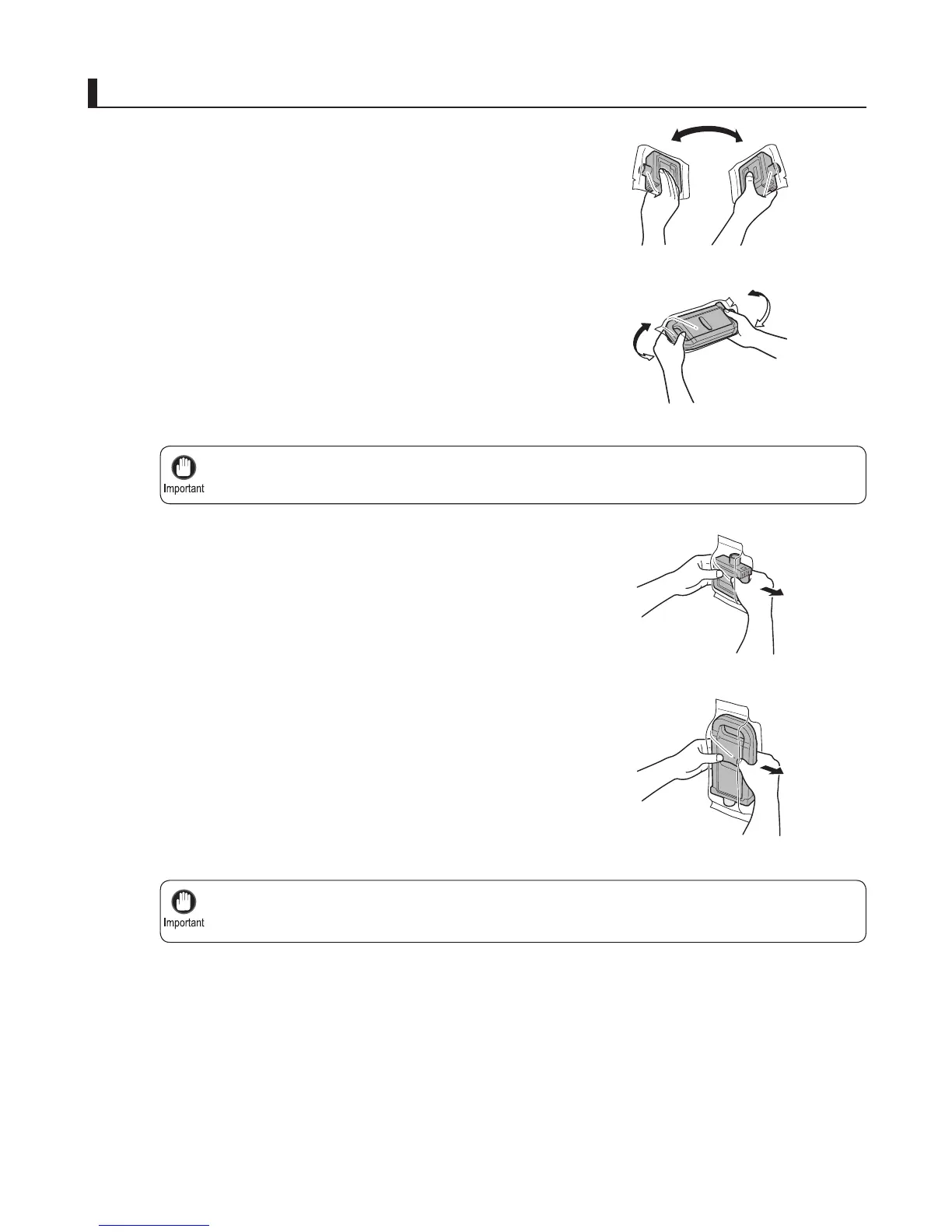
Before opening the pouch, tilt the Ink Tank to the left
and right gently seven or eight times. Hold 330 ml ink
tanks in one hand and 700 ml ink tanks in two hands,
as shown.
Install the ink tanks
Open the pouch and remove the Ink Tank .
700 ml tanks
330 ml tanks
700 ml tanks
330 ml tanks













 To Next Page