26
Replacing Ink Tanks
Push the Ink Tank Lock Lever down until it locks.•
Make sure the Ink Tank Lock Lever does not return to the original position.
•
Store the Ink Tank you removed in the box with the ink hole (a)
facing up. Otherwise, ink may leak and cause stains.
•
2
3
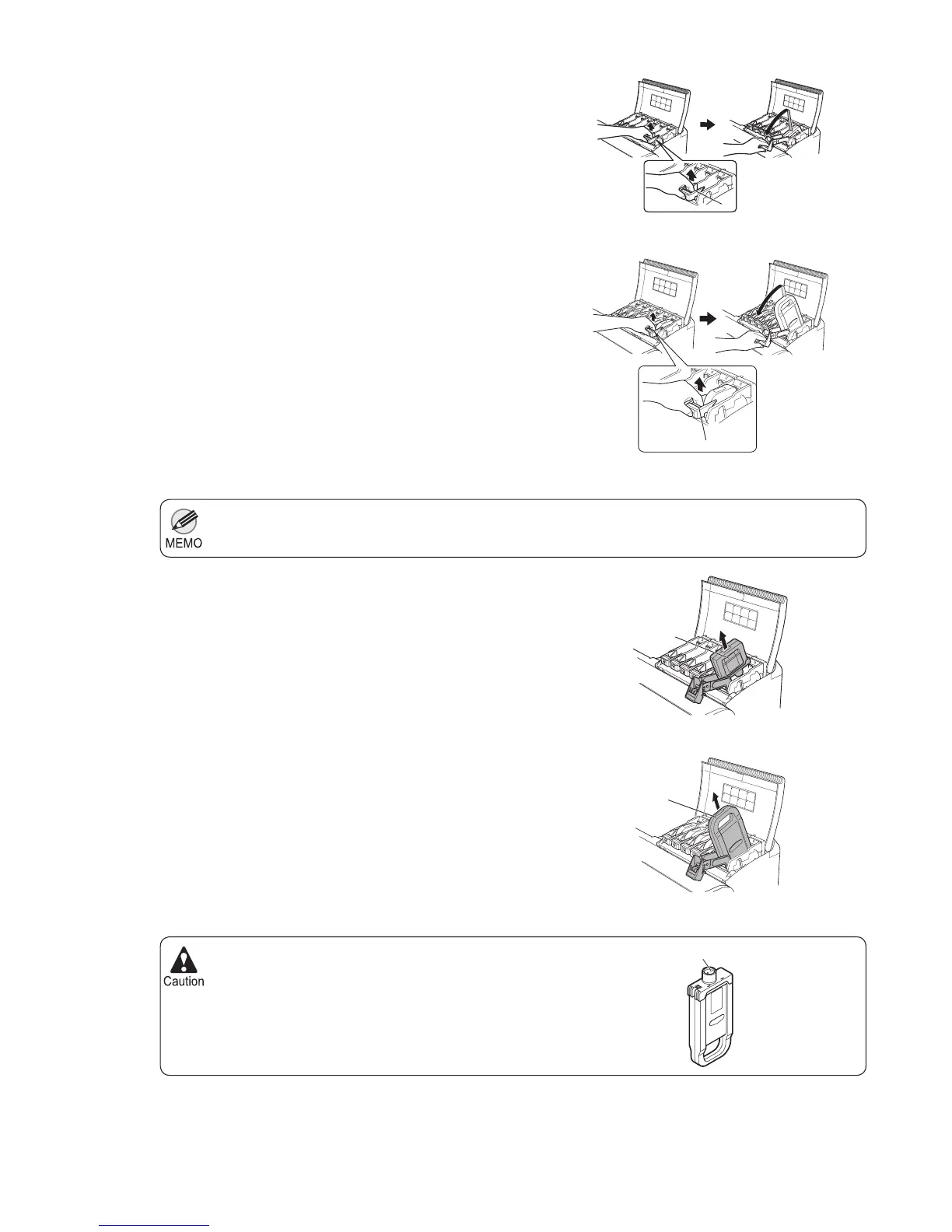
Lift the stopper (a) of the Ink Tank Lock Lever for the
color to replace. Lift the Ink Tank Lock Lever until it
stops, and then push it down to the front.
700 ml tanks
330 ml tanks
330 ml tanks
700 ml tanks
Hold the Ink Tank by the grips (a) or handle (b) and
remove it. Press the OK button.
P
M
R
G
B
K
M
G
B
B
a
P
M
R
G
B
K
M
G
B
P
M
R
G
B
K
M
G
P
M
R
G
B
K
M
G
B
B
B
a
a
PM
R
G
BK
M
B
a
PM
R
G
BK
M
B
b













 To Next Page