35
Replacing the Maintenance Cartridge
If you do not respond within two minutes, shaft cleaner replacement is canceled. In this case, repeat the
procedure.
•
Be sure to put the used Shaft Cleaner in the small box before putting it in the larger box with the used
Maintenance Cartridge for disposal.
•
1
2
3
4
5
After the message is displayed regarding Shaft Cleaner
replacement, press ▲ or ▼ to select Yes , and then press
the OK button.
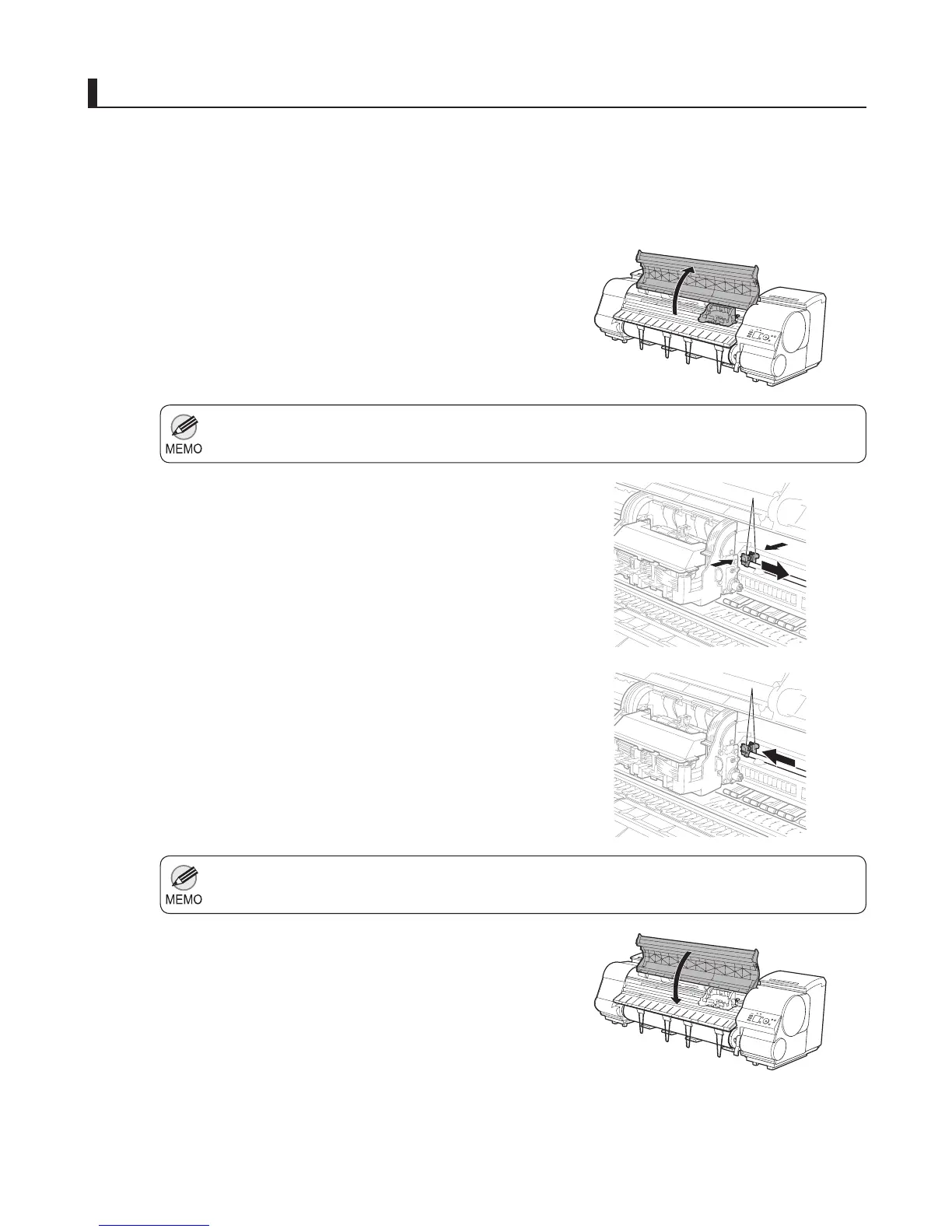
Replace the shaft cleaner
Open the Top Cover .
Hold the Shaft Cleaner on the right side of the Carriage
by the grips (a) and pull it to the right to remove it.
Holding the new Shaft Cleaner by the grips (a), attach it
to the Carriage .
Close the Top Cover .
The Carriage moves back into position.
After the Carriage is moved, the Display Screen indicates
Open Upper Cover .
a
a













 To Next Page