3-28
Print Plug-In for Photoshop
Chapter 3 Utilize Print Plug-In to Print
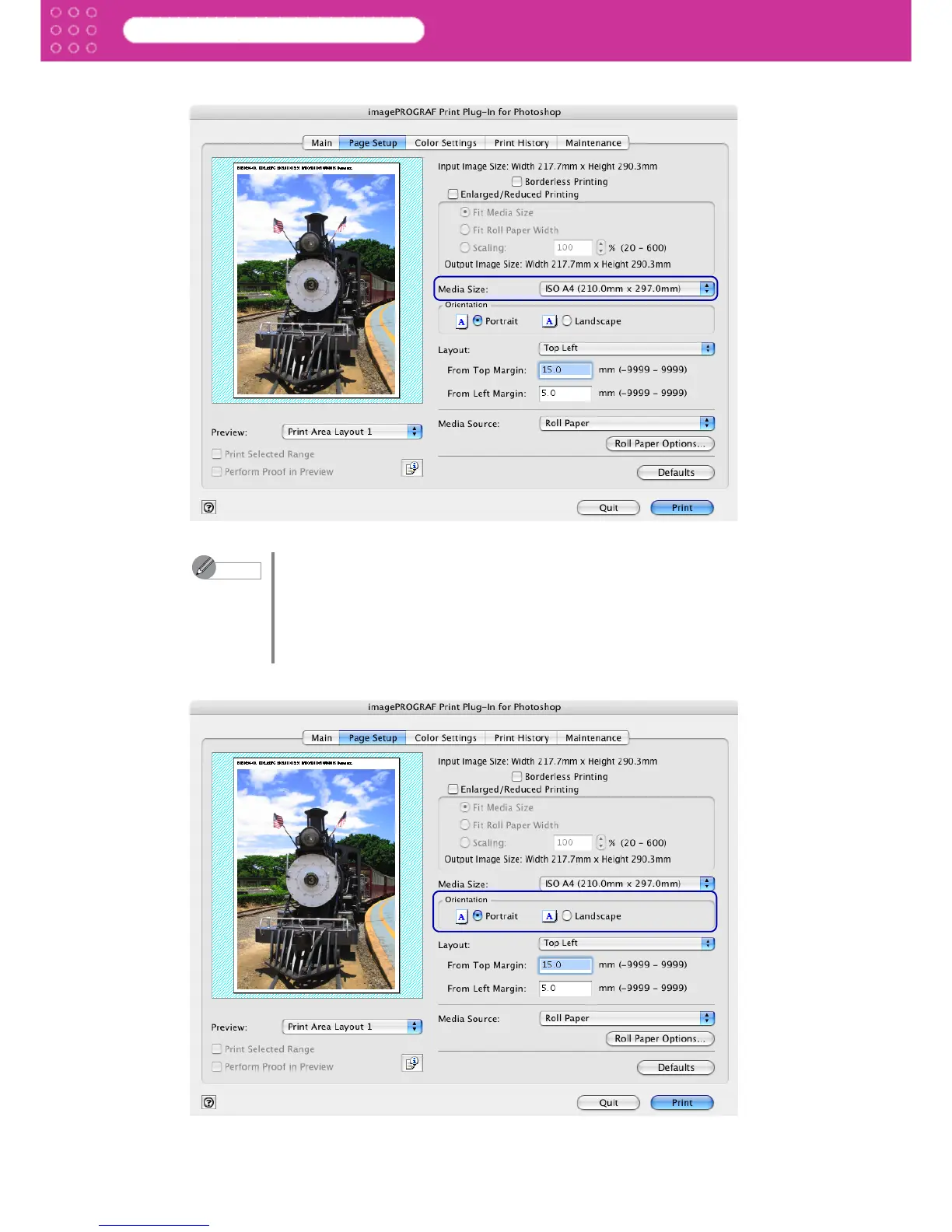
2. Select the size of the media that you want to print in Media Size.
3. Select either Portrait or Landscape as the media orientation for the image in Orientation.
Note
• The media sizes you can select differ with printers.
• This is not displayed when a checkmark is placed in Borderless Printing.
• This is not displayed when Fit Roll Paper Width is set in
Enlarged/Reduced Printing.
• The details of Media Size that you have set is saved even after closing
Print Plug-In.


 To Next Page
 Loading...