(15/23)
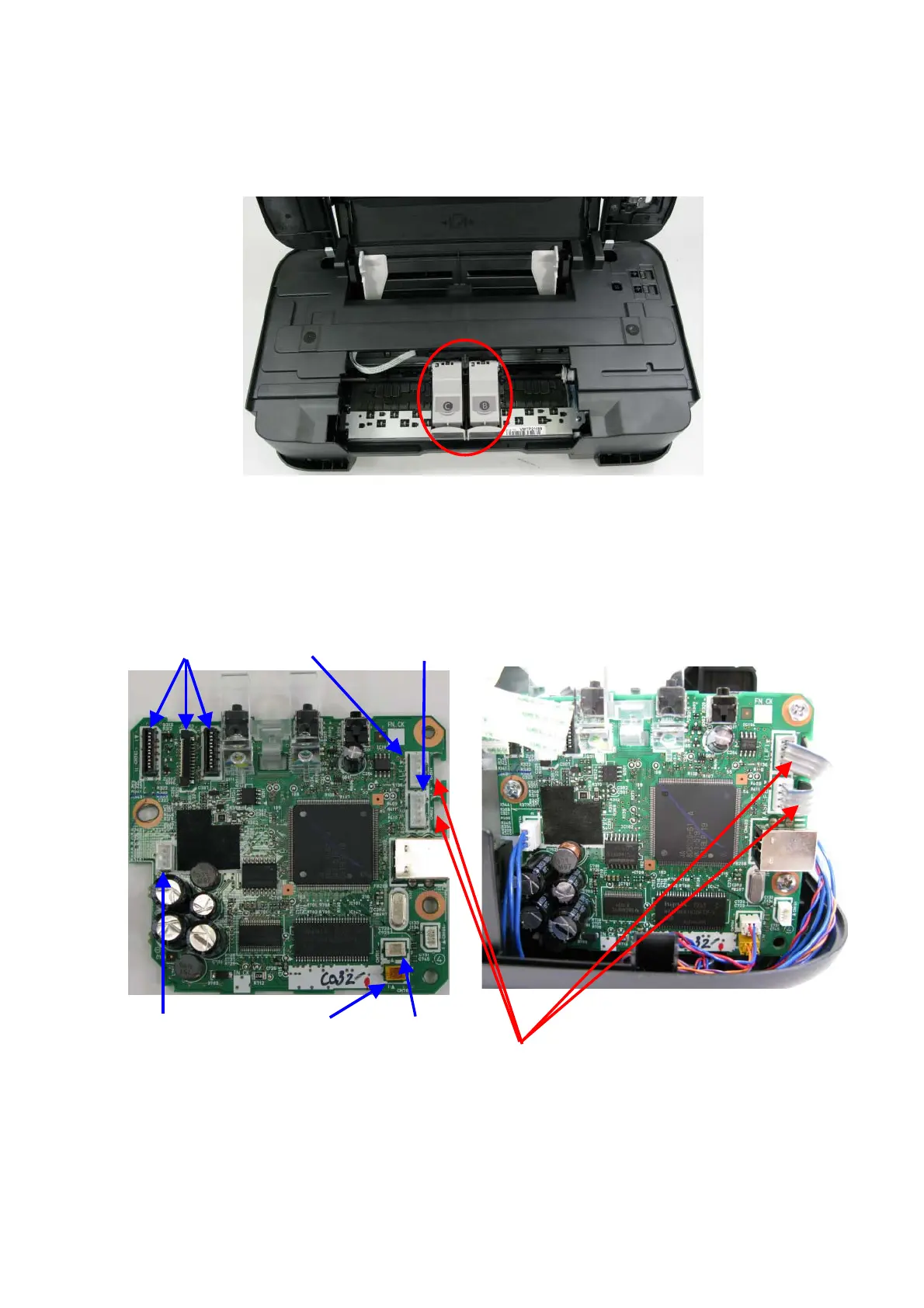
(4) Ink mist cleaning
In repair servicing, using a soft and dry cloth or tissue, wipe ink mist off from both the inside and
outside of the printer, especially from the ink cartridge locking covers (red-circled in the photo
below).
(5) PCB connector layout and flexible cable wiring
In previous models, the ASF sensor, PE sensor, and LF encoder sensor were directly soldered to
the logic board.
However, in the iP2700 / iP2770 / iP2780, connectors are adopted for their connection for higher
serviceability.
CR
LF ENC
SF
/
PE Sensor
DC Harness CR Motor
LF Motor
< When connected with cables >
Caution:
Be sure to fit the LF encoder and ASF/PE sensor
cables into the space (slot) of the logic board.
If not, the cables can be caught between the external
housing (USB connector), even be damaged.









 To Next Page