(11/24)
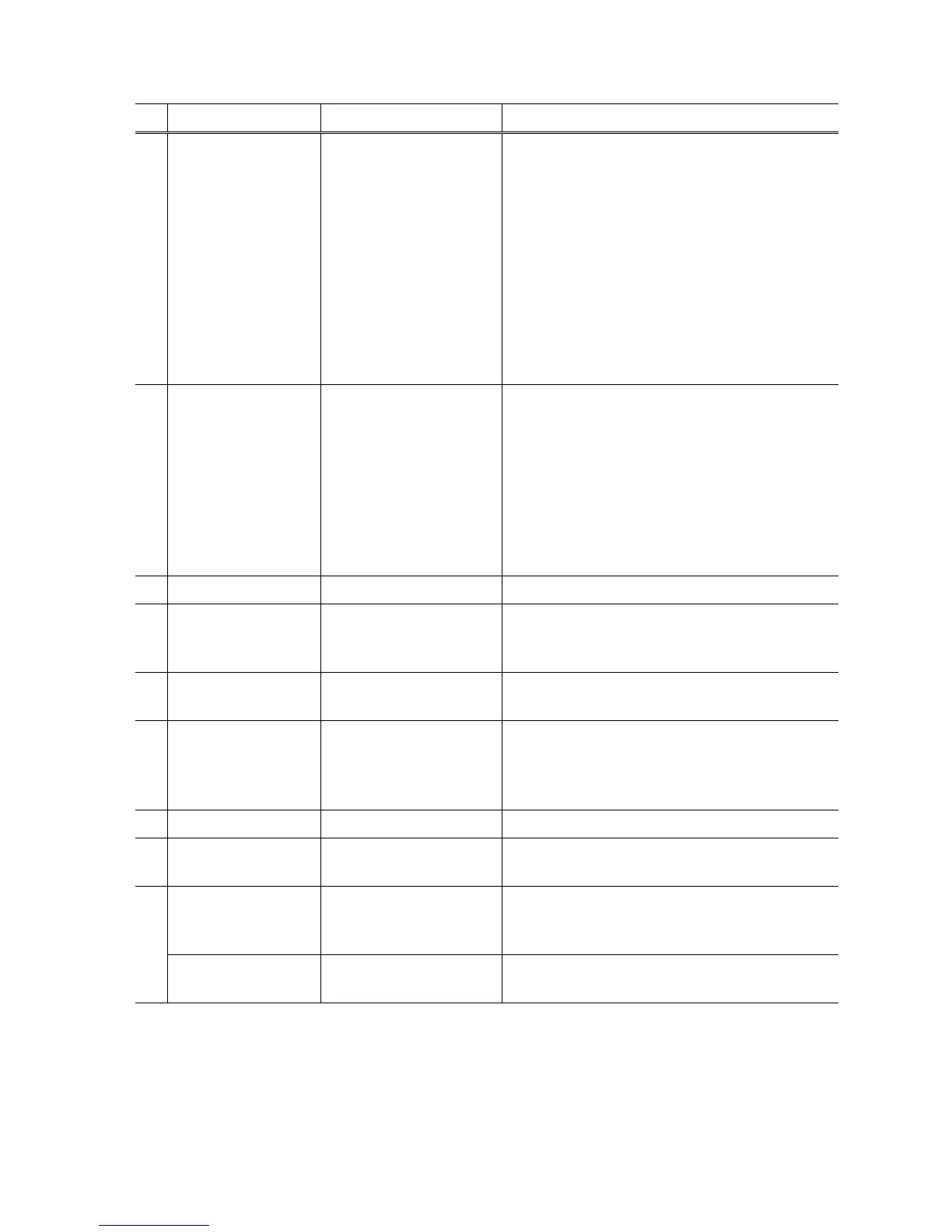
No. Name Function Remarks
(1) Test Print Service test print Paper (2 sheets) will feed from the rear tray.
Service test print items:
- Model name
- ROM version
- USB serial number
- EEPROM information
- Process inspection information
- Barcode (model name + destination + printer
serial number)
- Ink system function check result
- CD / DVD sensor check result (printed on the
second sheet)
(2) EEPROM EEPROM information print The dialog box opens to select the paper source.
Select Rear tray or Cassette, and click OK.
EEPROM information print items:
- Model name
- ROM version
- Ink absorber counter value (ink amount in the ink
absorber)
- Print information
- Error information, etc.
(3) CD-R CD-R check pattern print For refurbishment use. Not used in servicing.
(4) LF / EJECT LF / Eject correction
pattern print
Perform LF / Eject correction only when streaks or
uneven printing occurs after the repair.
See “LF / Eject correction” below for details.
(5) Nozzle Check Nozzle check pattern print The dialog box opens to select the paper source.
Select Rear tray or Cassette, and click OK.
(6) Integration Successive print of (1)
service test pattern, (2)
EEPROM information, and
(5) nozzle check pattern
Paper will feed from the rear tray.
(7) Left Margin Left margin pattern print Not used.
(8) Deep Cleaning Print head deep cleaning Cleaning of both Black and Color at the same
time.
Main Main ink absorber counter
resetting
Set a sheet of A4 or Letter sized plain paper. After
the ink absorber counter is reset, the counter value
is printed automatically.
(9)
Platen Platen ink absorber
counter resetting
Not used.











 To Next Page