(16/24)
Power
LED
(blinking in
green)
Operation Remarks
5 times Bottom plate cleaning
2-3. Special Notes on Assembling
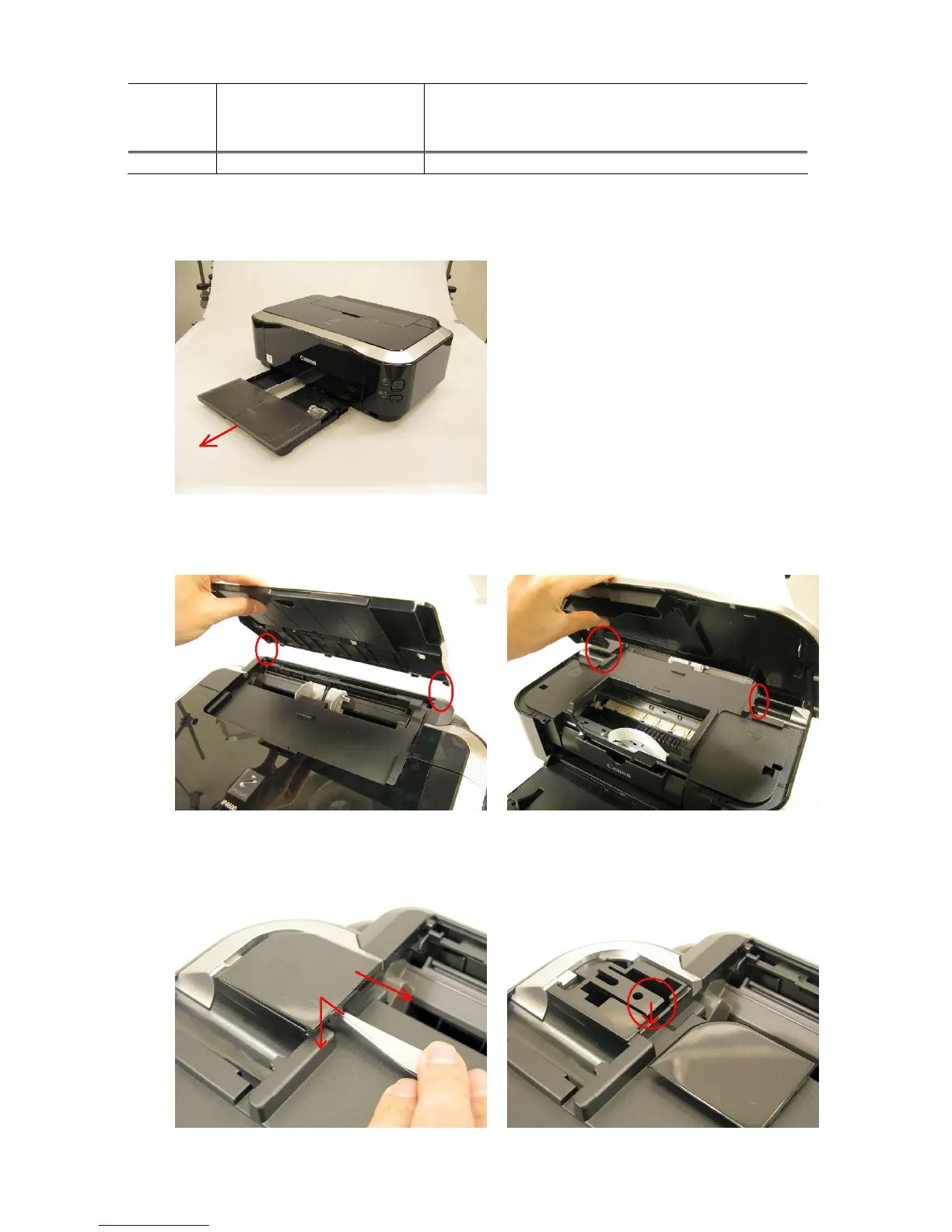
(1) External housing removal
1) Remove the cassette.
2) Remove the paper support unit and the access cover.
< While pushing the both sides of the paper support so that the center will warp slightly, release the
left and right bosses. >
3) Remove the main case covers L and R.
< While inserting a flat-blade screwdriver, etc. through into a space under the main case cover; and
pressing the claw downward, slide the main case cover toward the front side of the printer. >











 To Next Page