(12/24)
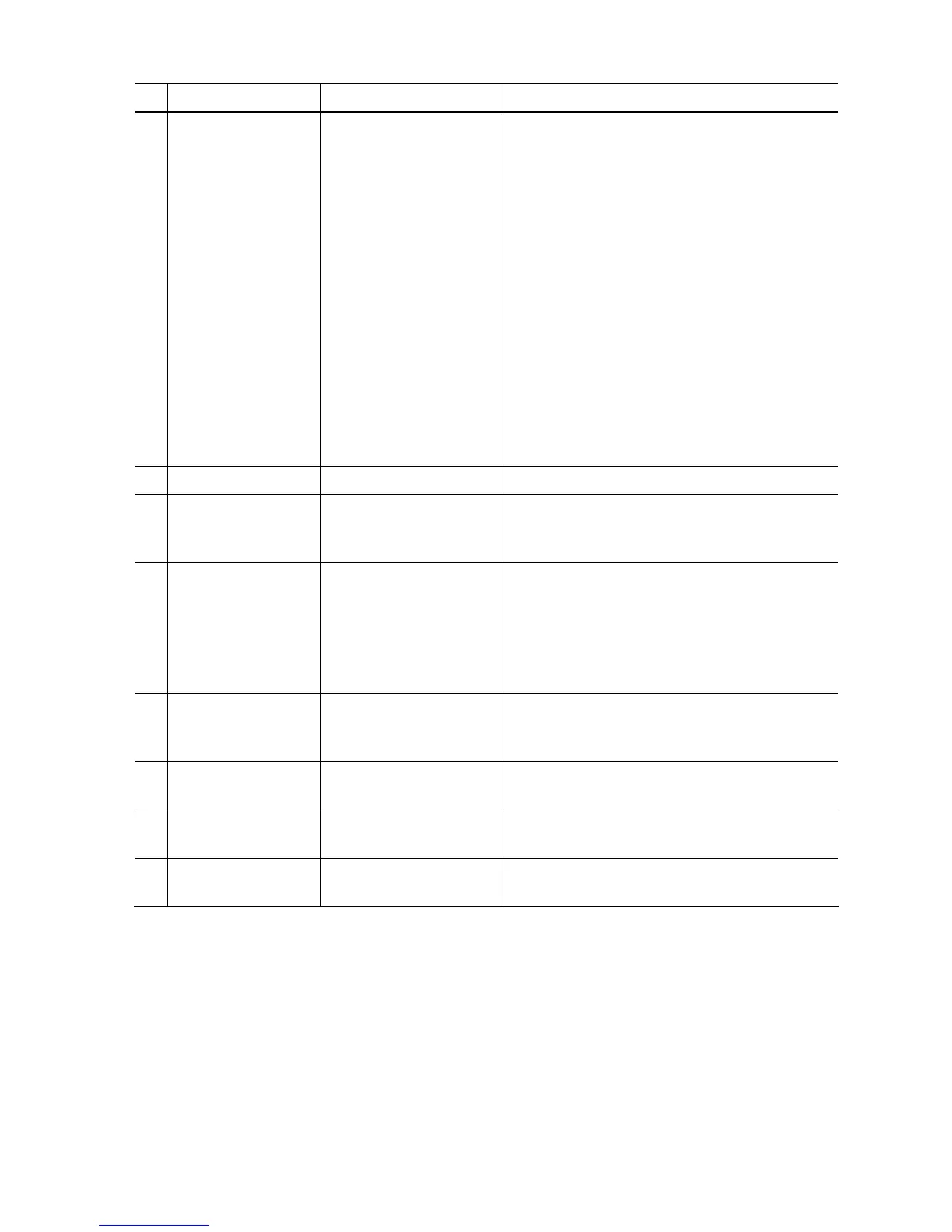
No. Name Function Remarks
(10) EEPROM Clear EEPROM initialization The following items are NOT initialized, and the
shipment arrival flag is not on:
- USB serial number
- Destination settings
- Record of ink absorber counter resetting and
setting
- Record of repair at the production site
- CD / DVD print position correction value
- LF / Eject correction values
- Left margin correction value
- Production site E-MIP correction value and
enabling of it
- Endurance correction value and enabling of it
- Record of disabling the function to detect the
remaining ink amount
- Ink absorber counter value (ink amount in the ink
absorber)
(11) Panel Check Button and LCD test Not used.
(12) Set Destination Destination settings Select the destination, and click Set.
ASA, AUS, BRA, CHN, CND, EUR, JPN, KOR,
LTN, TWN, USA
(13) CD-R Correction CD / DVD print position
correction (X and Y
direction)
Also for printing of the CD / DVD check pattern in
refurbishment operation.
The reference center in the X direction and in the
Y direction can be adjusted respectively.
(Adjustable range between -1.0 mm to +1.0 mm, in
0.1 mm increment)
(14) LF / EJECT
Correction
LF / Eject correction value
setting
Set the correction value according to the result of
(4) LF / Eject correction pattern print.
See " LF / Eject correction " below for details.
(15) Left Margin Correction Left margin correction
value setting
Not used.
(16) Ink Absorber Counter Ink absorber counter
setting
See " Ink absorber counter setting " below.
(17) Wetting Liquid
Counter
Wetting liquid counter
setting
Not used.
< LF / Eject correction >
After replacement of the feed roller, platen unit, LF / Eject encoder, encoder film, or logic board in
repair servicing or in refurbishment operation, perform the adjustment to maintain the optimal print
image quality.
1) Print the LF / Eject correction pattern.
Click LF/EJECT of the Service Tool on the connected computer, select the paper source and the
paper type, and print the pattern. 5 sheets of paper will be used for the pattern printing.
- Paper source: Select either Rear tray or Cassette.
- Media type: Select one from HR-101, GF-500/Office Planner, HP Bright White, and
Canon Extra/STEINBEIS.











 To Next Page