Contents
Contents
Chapter 1 PRODUCT DESCRIPTION
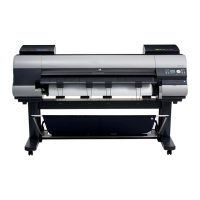
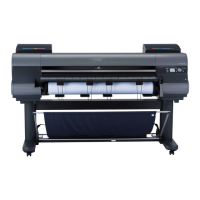
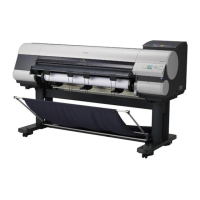
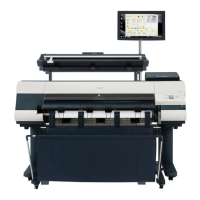
1.1 Product Overview .......................................................................................................................................1- 1
1.1.1 Product Overview ....................................................................................................................................................1- 1
1.2 Features .....................................................................................................................................................1- 3
1.2.1 Features ..................................................................................................................................................................1- 3
1.2.2 Printhead .................................................................................................................................................................1- 3
1.2.3 Ink tank....................................................................................................................................................................1- 3
1.2.4 Cutter unit................................................................................................................................................................1- 4
1.2.5 Roll holder ...............................................................................................................................................................1- 4
1.2.6 Stand .......................................................................................................................................................................1- 5
1.2.7 Media take-up unit...................................................................................................................................................1- 6
1.2.8 Hard disk drive.........................................................................................................................................................1- 7
1.2.9 Consumables...........................................................................................................................................................1- 7
1.3 Product Specifications ................................................................................................................................1- 8
1.3.1 Product Specifications.............................................................................................................................................1- 8
1.4 Detailed Specifications ...............................................................................................................................1- 9
1.4.1 Interface Specifications ...........................................................................................................................................1- 9
1.5 Names and Functions of Components .....................................................................................................1- 10
1.5.1 Front ......................................................................................................................................................................1- 10
1.5.2 Rear.......................................................................................................................................................................1- 11
1.5.3 Top Cover (Inside).................................................................................................................................................1- 12
1.5.4 Carriage.................................................................................................................................................................1- 13
1.5.5 Ink Tank Cover (Inside) .........................................................................................................................................1- 13
1.6 Basic Operation ........................................................................................................................................1- 14
1.6.1 Operation Panel.....................................................................................................................................................1- 14
1.6.2 Display...................................................................................................................................................................1- 15
1.6.3 Menu......................................................................................................................................................................1- 16
1.6.4 Basket Unit ............................................................................................................................................................1- 32
1.7 Safety and Precautions ............................................................................................................................1- 38
1.7.1 Safety Precautions ................................................................................................................................................1- 38
1.7.1.1 Moving Parts.......................................................................................................................................................................... 1- 38
1.7.1.2 Adhesion of Ink ...................................................................................................................................................................... 1- 39
1.7.1.3 Electric Parts.......................................................................................................................................................................... 1- 41
1.7.2 Other Precautions..................................................................................................................................................1- 42
1.7.2.1 Printhead................................................................................................................................................................................ 1- 42
1.7.2.2 Ink Tank ................................................................................................................................................................................. 1- 43
1.7.2.3 Handling the Printer ............................................................................................................................................................... 1- 44
1.7.3 Precautions When Servicing Printer......................................................................................................................1- 46
1.7.3.1 Notes on the Data Stored in the Printer................................................................................................................................. 1- 46
1.7.3.2 Confirming the Firmware Version .......................................................................................................................................... 1- 46
1.7.3.3 Precautions against Static Electricity..................................................................................................................................... 1- 46
1.7.3.4 Precautions for Disassembly/Reassembly............................................................................................................................. 1- 46
1.7.3.5 Self-diagnostic Feature.......................................................................................................................................................... 1- 46
1.7.3.6 Disposing of the Lithium Battery ............................................................................................................................................ 1- 46
Chapter 2 TECHNICAL REFERENCE
2.1 Basic Operation Outline..............................................................................................................................2- 1
2.1.1 Printer Diagram .......................................................................................................................................................2- 1
2.1.2 Print Signal Sequence.............................................................................................................................................2- 2
2.1.3 Print Driving.............................................................................................................................................................2- 3






 To Next Page