EasyManua.ls Logo

Canon LE-5W - User Manual

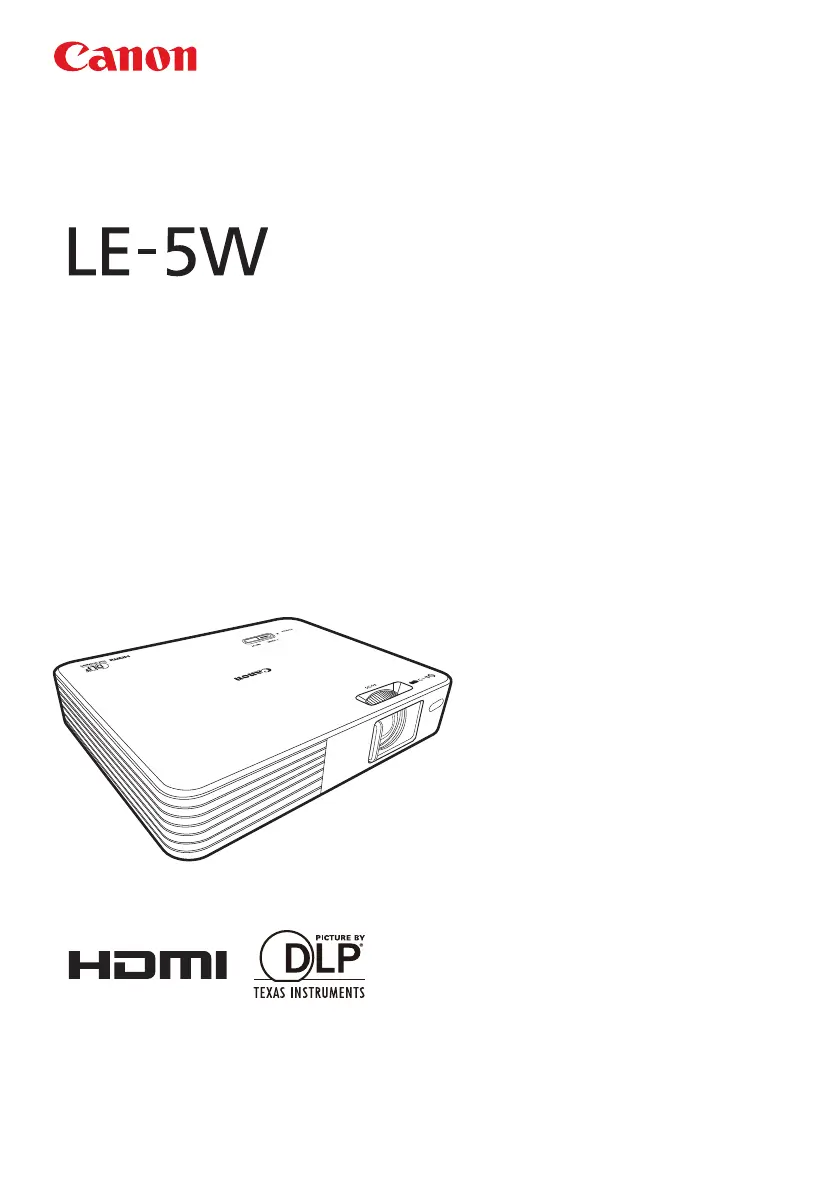
Canon LE-5W
104 pages
Print Icon
To Next Page IconTo Next Page
Loading...
User’s Manual
MULTIMEDIA PROJECTOR

Table of Contents

Questions and Answers

Summary

Safety Instructions

Electrical Shock Precautions

Warnings and cautions regarding electrical shock hazards and servicing.

Environmental and Usage Precautions

Cautions about equipment placement and usage environment.

Safety Precautions

Hanging Precautions

Specific safety advice for mounting the projector from a ceiling.

AC Power Cord Requirements

Precautions for Use

Situations Requiring Immediate Action

Conditions that require turning off the projector and contacting support.

Power Cord Handling

Guidelines for safe handling and use of the power cord.

Precautions for Use (Continued)

Small Parts Safety

Warning about small parts in the remote control and battery holders being choking hazards.

Power Source and Plug Safety

Precautions for connecting the power source, plug, and connector.

Precautions for Installation

Installation Environment and Handling

Cautions regarding installation location and handling during use.

Internal Component Safety

Warnings about high-voltage components and avoiding disassembly.

Precautions for Installation (Continued)

Heat and Surface Care

Cautions regarding hot surfaces, placement of objects, and surface cleaning.

Placement and Maintenance

Advice on projector placement, stability, and periodic maintenance.

Remote Control Battery Safety

Battery Handling Warnings

Safety guidelines for handling remote control batteries, including fire and injury risks.

3 D Content Viewing Cautions

Viewing Guidelines and Risks

Precautions for viewing 3D content, including health risks and age recommendations.

For Safe Use

Carrying and Transporting

Instructions for safely carrying and transporting the projector.

Installation and Usage Guidelines

Key considerations for installing and using the projector properly.

Control Panel and Indicators

Remote Control Functions

Remote Control Operation

Turning On the Projector

Turning Off the Projector

Connecting to a Computer

Computer Connection Adjustments

Connecting via HDMI Input

Connecting via Mini-B USB Jack

USB Connection Management

Connecting to Video Devices

Connecting Component Video Device

Connecting to a Video Device

Connecting External Memory

Connecting USB Storage Device

Understanding Projector Menus

Home Screen Interface

Projecting from Memory Devices

Projecting Photos

Playing Video Files

Projecting Documents

Using USB Streaming

USB Display Setup

Procedure for setting up and using the USB Display feature.

USB Display System Requirements

USB File Transfer

Setup Menu Operations

Basic Menu Settings

Key Lock Functionality

How to lock/unlock control buttons to prevent accidental operation.

Automatic Keystone Correction

Enabling automatic adjustment for keystone distortion.

Basic Menu Settings (Continued)

Advanced Menu: High Altitude Use

Advanced Menu: Image Projection

Advanced Menu: OSD Settings

Advanced Menu: Closed Captions

Advanced Menu: Reset and Video Settings

Language Menu

Key Lock Functionality

Key Lock During Standby

Preventing accidental projector activation by locking control buttons.

Key Lock During Projection

Locking controls to prevent unintended changes during projection.

Using the On-Screen Display (OSD)

Image Adjustment Menu

Selecting Image Modes

Choosing preset image quality modes like Presentation, Standard, or sRGB.

Customizing Image Quality

Adjusting and saving custom image settings for Brightness, Contrast, etc.

Image Adjustment: Basic Controls

Brightness and Contrast

Adjusting the image brightness and contrast levels.

Image Adjustment: Advanced Controls

Aspect Ratio Settings

Screen Color Adjustment

Phase Adjustment (Analog PC)

H.Size Adjustment (Analog PC)

3 D Image Invert Function

Keystone Distortion Correction

LED Light Intensity Control

HDMI Level Range Settings

Setup Menu Navigation

Watching 3 D Content

LED Indicators Overview

Troubleshooting: Projector Wont Turn On

Troubleshooting: No Image Displayed

Troubleshooting: Audio and Image Issues

No Sound Problems

Solutions for issues related to no audio output or low volume.

Blurred Image Issues

Tips for correcting blurred images due to focus, distance, or lens condition.

Troubleshooting: Image Display and Power Issues

Improper Image Display

Resolving issues like image shifting, flickering, or inversion.

Power Shut Down Causes

Understanding reasons for unexpected power shutdowns and solutions.

Troubleshooting: Remote Control Issues

Care and Cleaning

Projector Specifications

Projector Specifications (Continued)

Setup Menu Configuration

Setup Menu Configuration (Continued)

Summary

Safety Instructions

Electrical Shock Precautions

Warnings and cautions regarding electrical shock hazards and servicing.

Environmental and Usage Precautions

Cautions about equipment placement and usage environment.

Safety Precautions

Hanging Precautions

Specific safety advice for mounting the projector from a ceiling.

AC Power Cord Requirements

Precautions for Use

Situations Requiring Immediate Action

Conditions that require turning off the projector and contacting support.

Power Cord Handling

Guidelines for safe handling and use of the power cord.

Precautions for Use (Continued)

Small Parts Safety

Warning about small parts in the remote control and battery holders being choking hazards.

Power Source and Plug Safety

Precautions for connecting the power source, plug, and connector.

Precautions for Installation

Installation Environment and Handling

Cautions regarding installation location and handling during use.

Internal Component Safety

Warnings about high-voltage components and avoiding disassembly.

Precautions for Installation (Continued)

Heat and Surface Care

Cautions regarding hot surfaces, placement of objects, and surface cleaning.

Placement and Maintenance

Advice on projector placement, stability, and periodic maintenance.

Remote Control Battery Safety

Battery Handling Warnings

Safety guidelines for handling remote control batteries, including fire and injury risks.

3 D Content Viewing Cautions

Viewing Guidelines and Risks

Precautions for viewing 3D content, including health risks and age recommendations.

For Safe Use

Carrying and Transporting

Instructions for safely carrying and transporting the projector.

Installation and Usage Guidelines

Key considerations for installing and using the projector properly.

Control Panel and Indicators

Remote Control Functions

Remote Control Operation

Turning On the Projector

Turning Off the Projector

Connecting to a Computer

Computer Connection Adjustments

Connecting via HDMI Input

Connecting via Mini-B USB Jack

USB Connection Management

Connecting to Video Devices

Connecting Component Video Device

Connecting to a Video Device

Connecting External Memory

Connecting USB Storage Device

Understanding Projector Menus

Home Screen Interface

Projecting from Memory Devices

Projecting Photos

Playing Video Files

Projecting Documents

Using USB Streaming

USB Display Setup

Procedure for setting up and using the USB Display feature.

USB Display System Requirements

USB File Transfer

Setup Menu Operations

Basic Menu Settings

Key Lock Functionality

How to lock/unlock control buttons to prevent accidental operation.

Automatic Keystone Correction

Enabling automatic adjustment for keystone distortion.

Basic Menu Settings (Continued)

Advanced Menu: High Altitude Use

Advanced Menu: Image Projection

Advanced Menu: OSD Settings

Advanced Menu: Closed Captions

Advanced Menu: Reset and Video Settings

Language Menu

Key Lock Functionality

Key Lock During Standby

Preventing accidental projector activation by locking control buttons.

Key Lock During Projection

Locking controls to prevent unintended changes during projection.

Using the On-Screen Display (OSD)

Image Adjustment Menu

Selecting Image Modes

Choosing preset image quality modes like Presentation, Standard, or sRGB.

Customizing Image Quality

Adjusting and saving custom image settings for Brightness, Contrast, etc.

Image Adjustment: Basic Controls

Brightness and Contrast

Adjusting the image brightness and contrast levels.

Image Adjustment: Advanced Controls

Aspect Ratio Settings

Screen Color Adjustment

Phase Adjustment (Analog PC)

H.Size Adjustment (Analog PC)

3 D Image Invert Function

Keystone Distortion Correction

LED Light Intensity Control

HDMI Level Range Settings

Setup Menu Navigation

Watching 3 D Content

LED Indicators Overview

Troubleshooting: Projector Wont Turn On

Troubleshooting: No Image Displayed

Troubleshooting: Audio and Image Issues

No Sound Problems

Solutions for issues related to no audio output or low volume.

Blurred Image Issues

Tips for correcting blurred images due to focus, distance, or lens condition.

Troubleshooting: Image Display and Power Issues

Improper Image Display

Resolving issues like image shifting, flickering, or inversion.

Power Shut Down Causes

Understanding reasons for unexpected power shutdowns and solutions.

Troubleshooting: Remote Control Issues

Care and Cleaning

Projector Specifications

Projector Specifications (Continued)

Setup Menu Configuration

Setup Menu Configuration (Continued)

Canon LE-5W Specifications

General IconGeneral
Brightness500 lumens
Contrast Ratio3000:1
Projection TechnologyDLP
Throw Ratio1.2:1
Zoom RatioFixed
Speakers2W mono
Weight1.2 kg
ConnectivityHDMI, USB
Projection LensFixed focus
Input TerminalsHDMI, USB
Native ResolutionWXGA (1280 x 800)
Lamp Life20, 000 hours (Normal), 30, 000 hours (Eco)

Related product manuals