EasyManua.ls Logo

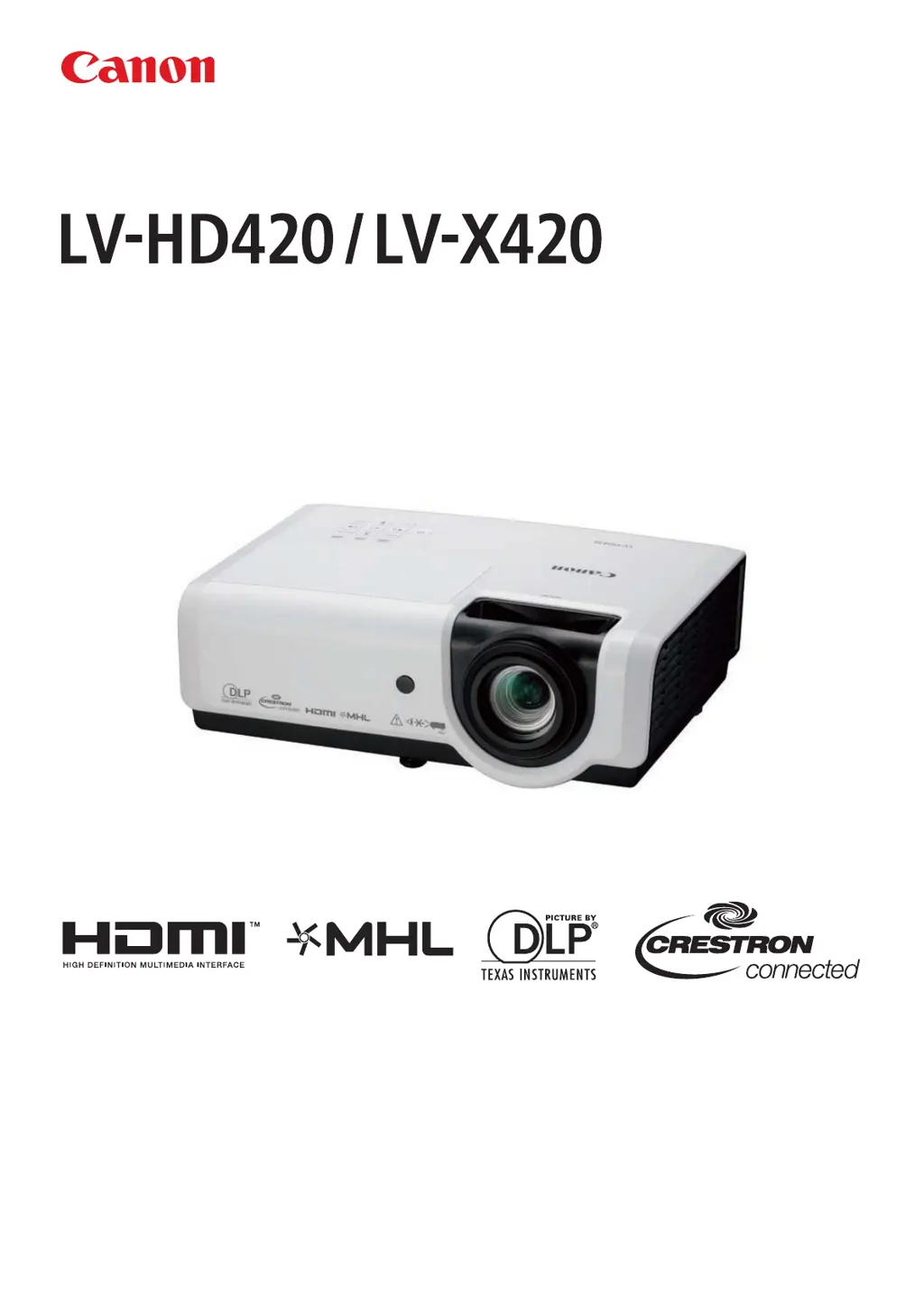
Canon LV-HD420 - User Manual

Canon LV-HD420
87 pages
Print Icon
To Next Page IconTo Next Page
Loading...
MULTIMEDIA PROJECTOR
Users Manual
BEFOREUSING,BESURETOREADTHISUSER'SMANUAL.
Readthe“SafetyInstructions”inthismanualthoroughlyandusecor-
rectlytheprojector.
Storethisuser'smanualinaconvenientlocationwhereyoucanrefer
toiteasily.

Table of Contents

Questions and Answers

Summary

Safety Instructions

General Safety Precautions

Covers crucial warnings for electric shock, fire, installation, and general handling.

Operational Safety and Maintenance

Guidelines for safe operation, environment, lamp, battery, and 3D viewing safety.

Transport, Regulatory, and Disposal Compliance

Safety for transport, environment, disposal, FCC, and symbols.

Getting Started

Packing Checklist and Projector Views

Lists included items and identifies projector parts from different views.

Remote Control Overview

Details the buttons and functions of the projector's remote control.

Setup and Operation

Initial Setup Procedures

Guide for inserting batteries, storing, and setting up the projector.

Powering On;Off and Security Lock

Procedures for powering the projector on/off and setting a security password.

Adjusting Image and Volume Settings

How to adjust projector level, zoom, focus, keystone, and volume.

OSD Menu Controls and Settings

Navigating and Language Settings

How to navigate OSD menus and change the display language.

Image Menu Details

Configuration options for picture settings like mode, brightness, and color.

Settings 1 and Settings 2 Menu Options

Details settings in Settings 1 and Settings 2 menus, including Source, Lamp Mode, etc.

Status, Advanced Features, and Network Settings

Information on status, advanced features, sleep timer, and network configuration.

Maintenance and Security

Replacing the Projection Lamp

Step-by-step guide and safety precautions for replacing the projector lamp.

Cleaning and Security Features

Instructions for cleaning the projector and using security features like Kensington lock.

Troubleshooting

Common Problems and Solutions

General tips for identifying and solving common projector issues.

Error Messages and Problem Diagnosis

Explains projector status based on LED indicators, error codes, and image/lamp issues.

Remote Control and Audio Troubleshooting

Solutions for issues with the remote control and audio output.

Product Specifications

Display, Projection, and Light Source Specs

Covers display system, optical specs, projection lens, light source, and number of colors.

Input Signals, Terminals, and Power Specs

Lists supported signals, connectors, power consumption, and noise levels.

Projection Size Charts and Timing Modes

Tables correlating projection distance with image size and supported video signal timings.

Projector Dimensions and Regulatory Compliance

Physical dimensions, FCC/Canada compliance, and safety certifications.

Appendix I: RS-232 Protocol

RS-232 Settings and Commands

Details RS-232 communication settings and available command groups.

Summary

Safety Instructions

General Safety Precautions

Covers crucial warnings for electric shock, fire, installation, and general handling.

Operational Safety and Maintenance

Guidelines for safe operation, environment, lamp, battery, and 3D viewing safety.

Transport, Regulatory, and Disposal Compliance

Safety for transport, environment, disposal, FCC, and symbols.

Getting Started

Packing Checklist and Projector Views

Lists included items and identifies projector parts from different views.

Remote Control Overview

Details the buttons and functions of the projector's remote control.

Setup and Operation

Initial Setup Procedures

Guide for inserting batteries, storing, and setting up the projector.

Powering On;Off and Security Lock

Procedures for powering the projector on/off and setting a security password.

Adjusting Image and Volume Settings

How to adjust projector level, zoom, focus, keystone, and volume.

OSD Menu Controls and Settings

Navigating and Language Settings

How to navigate OSD menus and change the display language.

Image Menu Details

Configuration options for picture settings like mode, brightness, and color.

Settings 1 and Settings 2 Menu Options

Details settings in Settings 1 and Settings 2 menus, including Source, Lamp Mode, etc.

Status, Advanced Features, and Network Settings

Information on status, advanced features, sleep timer, and network configuration.

Maintenance and Security

Replacing the Projection Lamp

Step-by-step guide and safety precautions for replacing the projector lamp.

Cleaning and Security Features

Instructions for cleaning the projector and using security features like Kensington lock.

Troubleshooting

Common Problems and Solutions

General tips for identifying and solving common projector issues.

Error Messages and Problem Diagnosis

Explains projector status based on LED indicators, error codes, and image/lamp issues.

Remote Control and Audio Troubleshooting

Solutions for issues with the remote control and audio output.

Product Specifications

Display, Projection, and Light Source Specs

Covers display system, optical specs, projection lens, light source, and number of colors.

Input Signals, Terminals, and Power Specs

Lists supported signals, connectors, power consumption, and noise levels.

Projection Size Charts and Timing Modes

Tables correlating projection distance with image size and supported video signal timings.

Projector Dimensions and Regulatory Compliance

Physical dimensions, FCC/Canada compliance, and safety certifications.

Appendix I: RS-232 Protocol

RS-232 Settings and Commands

Details RS-232 communication settings and available command groups.

Canon LV-HD420 Specifications

General IconGeneral
Native aspect ratio16:9
Projection distance1.2 - 10 m
Projection technologyDLP
Supported aspect ratios2.35:1, 4:3, 16:9
Contrast ratio (typical)8000:1
Screen size compatibility30 - 320 \
Projector native resolution1080p (1920x1080)
Keystone correction, horizontal-30 - 30 °
Projector brightness (economic mode)3360 ANSI lumens
FocusManual
Magnification1.5 x
Focal length range20.7 - 31.1 mm
Aperture range (F-F)2.42 - 2.97
Lamp power310 W
Light source typeLamp
Service life of light source2000 h
Service life of light source (economic mode)2500 h
RMS rated power10 W
Supported video modes480i, 480p, 576i, 576p, 720p, 1080i, 1080p
Analog signal format systemNTSC, NTSC 4.43, PAL, PAL M, PAL N, SECAM
Supported graphics resolutions640 x 480 (VGA), 800 x 600 (SVGA), 1024 x 576 (WSVGA), 1024 x 768 (XGA), 1280 x 1024 (SXGA), 1280 x 768 (WXGA), 1280 x 800 (WXGA), 1360 x 768 (WXGA), 1400 x 1050 (SXGA+), 1440 x 900 (WXGA+), 1600 x 1200 (UXGA), 1680 x 1050 (WSXGA+), 1920 x 1200 (WUXGA)
DVI portNo
Serial interface typeRS-232
USB 2.0 ports quantityUSB 2.0 ports have a data transmission speed of 480 Mbps, and are backwards compatible with USB 1.1 ports. You can connect all kinds of peripheral devices to them.
VGA (D-Sub) ports quantity3
Component video (YPbPr/YCbCr) in1
Noise level40 dB
Power sourceAC
AC input voltage100 - 240 V
AC input frequency50 - 60 Hz
Power consumption (standby)2 W
Power consumption (typical)410 W
Storage temperature (T-T)-10 - 60 °C
Operating temperature (T-T)5 - 40 °C
Operating relative humidity (H-H)10 - 85 %
Ethernet LAN data rates10, 100 Mbit/s
Product typeStandard throw projector
Product colorWhite
Market positioningPortable
Weight and Dimensions IconWeight and Dimensions
Depth231 mm
Width314 mm
Height112 mm
Weight3400 g

Related product manuals