EasyManua.ls Logo

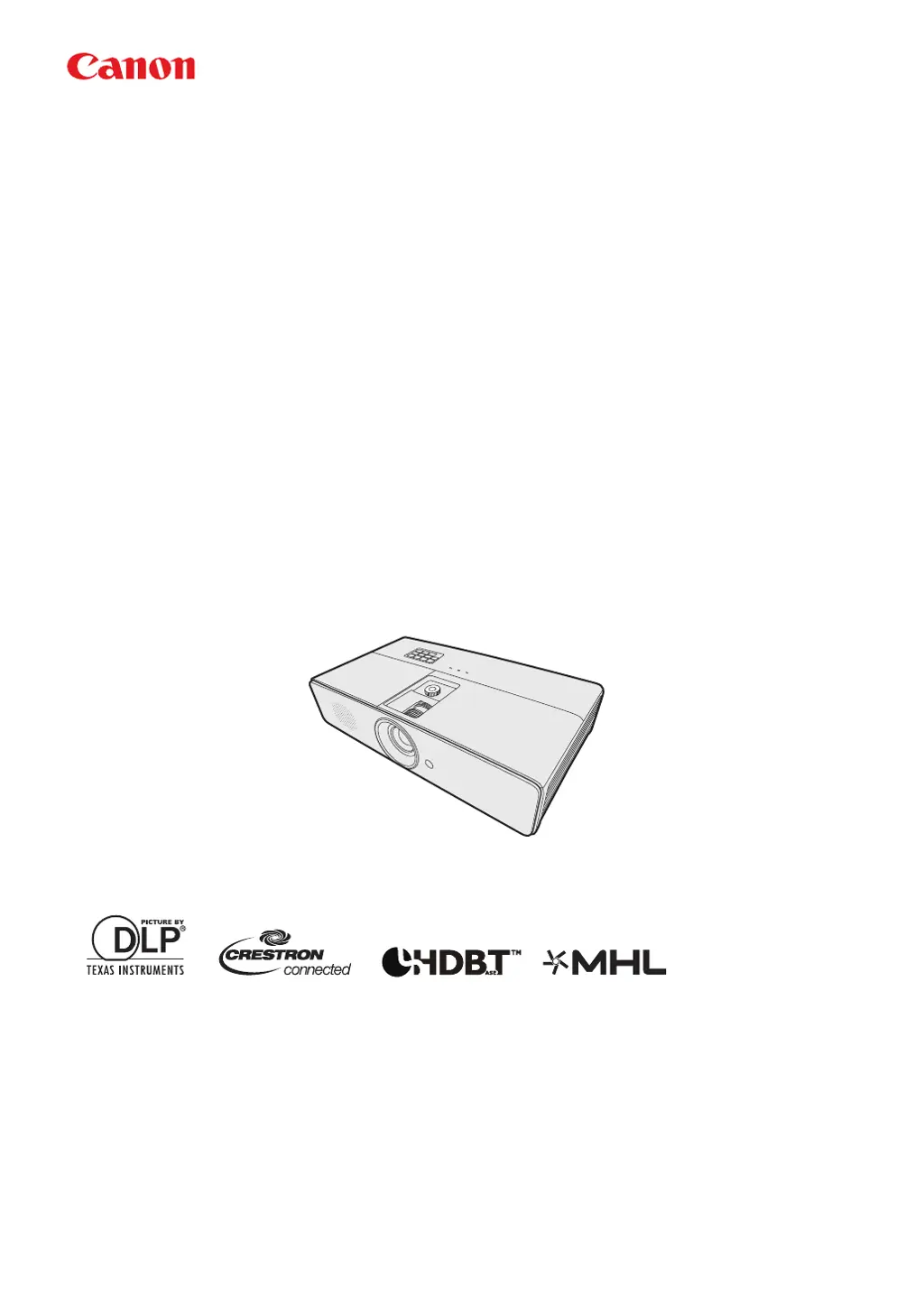
Canon LX-MW500 - User Manual

Canon LX-MW500
85 pages
Print Icon
To Next Page IconTo Next Page
Loading...
ENGLISH
MULTIMEDIA PROJECTOR
LX-MW500/LX-MU500
Users Manual

Table of Contents

Other manuals for Canon LX-MW500

Questions and Answers

Summary

Safety Instructions

Electrical Safety and Handling Precautions

Covers warnings about electric shock, opening the unit, and proper handling.

General Safety Precautions

Operational Safety Warnings

Covers warnings on light exposure, installation, ventilation, and device usage to prevent hazards.

Installation and Environmental Safety

Precautions for ceiling mounting and avoiding unsuitable environments like wet or smoky areas.

User Precautions and Warnings

Critical Operational Warnings

Lists critical situations like smoke emission or liquid entry requiring immediate power off and contact.

Power Cord Handling Safety

Guidelines for safe handling, connection, and maintenance of the power cord to prevent hazards.

Installation and Handling Safety

Power Source and Connector Safety

Emphasizes safe practices for power sources, plugs, connectors, and extension cords.

Installation Environment Safety

Advises against using the projector in bathrooms, near water, or in environments with smoke/steam.

Projector Handling and Lens Safety

Covers safe handling during movement, avoiding disassembly, and not looking directly into the lens.

Additional Safety Guidelines

Lamp Precautions and Maintenance

Discusses characteristics of the mercury lamp and warns about potential hazards during replacement.

Lamp and Battery Safety

Lamp Replacement Safety

Safety measures for lamp replacement, including cooling time and handling broken glass.

3 D Content Viewing Caution

Health and Safety Advisory for 3 D Viewing

Advises specific individuals to avoid 3D content and lists symptoms that require stopping viewing.

Safe Use Guidelines

Installation and Usage Environment

Details proper installation locations, ventilation requirements, and operating temperature ranges for different models.

Projector Controls and Functions

Remote Control Functions

Projector Positioning

Choosing an Installation Location

Provides guidance on selecting optimal locations for projector installation based on room layout and screen placement.

Determining Projection Setup

Vertical Lens Shift Adjustment

Connecting Your Projector

Connecting a Computer or Monitor

Details how to connect computers and monitors using various cables, including audio.

Video Source Connections

Digital Video Input Connections

Connecting an HDMI Device

Step-by-step guide for connecting devices via HDMI, including notes on black level and color.

Connecting a MHL-Compatible Smart Device

Instructions for connecting MHL-enabled smart devices for display and control.

Analog Video Input Connections

HDBaseT Connectivity

Projector Operation

Starting Up the Projector

Covers the initial power-on sequence, including language selection and password entry.

Using the On-Screen Display (OSD) Menus

Navigating the OSD Menu System

Guides users on how to access and navigate the projector's OSD menus for settings and adjustments.

Password Security Features

Setting and Managing Projector Passwords

Instructions for setting, forgetting, resetting, and changing the projector's power-on password.

Switching Input Signals

Selecting and Cycling Through Input Sources

Explains how to select active input signals and utilize the auto-search function.

Adjusting Projected Image Quality

Image Distortion Correction

Correcting Keystone Distortion

Provides methods to correct trapezoidal image distortion caused by angled projection.

Presentation Features and Image Modes

Selecting Optimal Image Modes

Explains how to choose predefined image modes for different content types and custom user modes.

Advanced Image Quality Tuning

Presentation Timer Function

Setting and Managing the Presentation Timer

Guides on configuring the timer's duration, display, position, and sound reminders.

Audio and Display Settings

Projector Shutdown Procedure

Provides the correct steps for safely shutting down the projector, including cooling fans.

3 D Content Viewing

Connecting and Viewing 3 D Content

Guides on connecting computers and HDMI devices for 3D playback and selecting 3D settings.

Health and Safety Warnings for 3 D Viewing

Details important health and safety considerations for viewing 3D content, including potential side effects.

Computer-Based Projector Control

Configuring LAN Settings for Network Control

Instructions for setting up the projector's LAN settings via DHCP or manual configuration.

Remote Control via Web Browser (e-Control)

Accessing and Operating the Projector via Web Interface

Explains how to access the projector's web interface using its IP address for remote control.

Managing Projector Settings via Web Tools

Describes the 'Tools' page for configuring LAN settings, passwords, and accessing projector information.

PJLink Application Control

Securing PJLink Connection

Guides on setting up password security for unauthorized PJLink™ connections.

Menu Operation Overview

Understanding the OSD Menu System

Provides a general overview of the projector's On-Screen Display (OSD) menu structure and options.

Display Menu Functions

Keystone and Corner Distortion Correction

Explains how to correct image distortions like keystone and corner issues.

Picture and Input Menu Functions

Picture Menu Adjustments

Details image quality adjustments like mode, brightness, contrast, color, tint, sharpness, and color temperature.

System Setup Menu Functions

Advanced System Setup Options

Details advanced settings including lamp mode, filter settings, security, LAN, and serial port configurations.

Lamp Usage and Life Extension

Lamp Replacement Timing

Replacing the Projector Lamp

Lamp Replacement Safety and Procedures

Covers critical safety warnings and the detailed process for replacing the projector lamp.

Lamp Replacement Completion

Troubleshooting Common Issues

Projector Not Turning On or No Picture

Provides solutions for common problems related to power and video signal detection.

Projector Specifications Overview

General Projector Specifications

Lists key technical specifications including display system, resolution, brightness, and contrast.

Timing Charts for PC Input

Timing Charts for HDMI and 3 D Input

Projector Control Commands

Summary

Safety Instructions

Electrical Safety and Handling Precautions

Covers warnings about electric shock, opening the unit, and proper handling.

General Safety Precautions

Operational Safety Warnings

Covers warnings on light exposure, installation, ventilation, and device usage to prevent hazards.

Installation and Environmental Safety

Precautions for ceiling mounting and avoiding unsuitable environments like wet or smoky areas.

User Precautions and Warnings

Critical Operational Warnings

Lists critical situations like smoke emission or liquid entry requiring immediate power off and contact.

Power Cord Handling Safety

Guidelines for safe handling, connection, and maintenance of the power cord to prevent hazards.

Installation and Handling Safety

Power Source and Connector Safety

Emphasizes safe practices for power sources, plugs, connectors, and extension cords.

Installation Environment Safety

Advises against using the projector in bathrooms, near water, or in environments with smoke/steam.

Projector Handling and Lens Safety

Covers safe handling during movement, avoiding disassembly, and not looking directly into the lens.

Additional Safety Guidelines

Lamp Precautions and Maintenance

Discusses characteristics of the mercury lamp and warns about potential hazards during replacement.

Lamp and Battery Safety

Lamp Replacement Safety

Safety measures for lamp replacement, including cooling time and handling broken glass.

3 D Content Viewing Caution

Health and Safety Advisory for 3 D Viewing

Advises specific individuals to avoid 3D content and lists symptoms that require stopping viewing.

Safe Use Guidelines

Installation and Usage Environment

Details proper installation locations, ventilation requirements, and operating temperature ranges for different models.

Projector Controls and Functions

Remote Control Functions

Projector Positioning

Choosing an Installation Location

Provides guidance on selecting optimal locations for projector installation based on room layout and screen placement.

Determining Projection Setup

Vertical Lens Shift Adjustment

Connecting Your Projector

Connecting a Computer or Monitor

Details how to connect computers and monitors using various cables, including audio.

Video Source Connections

Digital Video Input Connections

Connecting an HDMI Device

Step-by-step guide for connecting devices via HDMI, including notes on black level and color.

Connecting a MHL-Compatible Smart Device

Instructions for connecting MHL-enabled smart devices for display and control.

Analog Video Input Connections

HDBaseT Connectivity

Projector Operation

Starting Up the Projector

Covers the initial power-on sequence, including language selection and password entry.

Using the On-Screen Display (OSD) Menus

Navigating the OSD Menu System

Guides users on how to access and navigate the projector's OSD menus for settings and adjustments.

Password Security Features

Setting and Managing Projector Passwords

Instructions for setting, forgetting, resetting, and changing the projector's power-on password.

Switching Input Signals

Selecting and Cycling Through Input Sources

Explains how to select active input signals and utilize the auto-search function.

Adjusting Projected Image Quality

Image Distortion Correction

Correcting Keystone Distortion

Provides methods to correct trapezoidal image distortion caused by angled projection.

Presentation Features and Image Modes

Selecting Optimal Image Modes

Explains how to choose predefined image modes for different content types and custom user modes.

Advanced Image Quality Tuning

Presentation Timer Function

Setting and Managing the Presentation Timer

Guides on configuring the timer's duration, display, position, and sound reminders.

Audio and Display Settings

Projector Shutdown Procedure

Provides the correct steps for safely shutting down the projector, including cooling fans.

3 D Content Viewing

Connecting and Viewing 3 D Content

Guides on connecting computers and HDMI devices for 3D playback and selecting 3D settings.

Health and Safety Warnings for 3 D Viewing

Details important health and safety considerations for viewing 3D content, including potential side effects.

Computer-Based Projector Control

Configuring LAN Settings for Network Control

Instructions for setting up the projector's LAN settings via DHCP or manual configuration.

Remote Control via Web Browser (e-Control)

Accessing and Operating the Projector via Web Interface

Explains how to access the projector's web interface using its IP address for remote control.

Managing Projector Settings via Web Tools

Describes the 'Tools' page for configuring LAN settings, passwords, and accessing projector information.

PJLink Application Control

Securing PJLink Connection

Guides on setting up password security for unauthorized PJLink™ connections.

Menu Operation Overview

Understanding the OSD Menu System

Provides a general overview of the projector's On-Screen Display (OSD) menu structure and options.

Display Menu Functions

Keystone and Corner Distortion Correction

Explains how to correct image distortions like keystone and corner issues.

Picture and Input Menu Functions

Picture Menu Adjustments

Details image quality adjustments like mode, brightness, contrast, color, tint, sharpness, and color temperature.

System Setup Menu Functions

Advanced System Setup Options

Details advanced settings including lamp mode, filter settings, security, LAN, and serial port configurations.

Lamp Usage and Life Extension

Lamp Replacement Timing

Replacing the Projector Lamp

Lamp Replacement Safety and Procedures

Covers critical safety warnings and the detailed process for replacing the projector lamp.

Lamp Replacement Completion

Troubleshooting Common Issues

Projector Not Turning On or No Picture

Provides solutions for common problems related to power and video signal detection.

Projector Specifications Overview

General Projector Specifications

Lists key technical specifications including display system, resolution, brightness, and contrast.

Timing Charts for PC Input

Timing Charts for HDMI and 3 D Input

Projector Control Commands

Canon LX-MW500 Specifications

General IconGeneral
BrandCanon
ModelLX-MW500
CategoryProjector
LanguageEnglish

Related product manuals