EasyManua.ls Logo

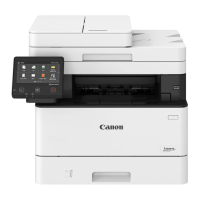
Canon MF455dw - User Manual

Canon MF455dw
240 pages
Print Icon
To Next Page IconTo Next Page
Loading...
En
Fr
De
It
Es
Ca
Eu
Pt
El
Da
Nl
No
Sv
Fi
Ru
Uk
Lv
Lt
Et
Pl
Cs
Sk
Sl
Hr
Hu
Ro
Bg
Tr
Ar
Fa
Setup Guide
After you finish reading this guide, store it in a safe
place for future reference.
The information in this guide is subject to change
without notice.
https://oip.manual.canon/
1
Important Safety Instructions
Be sure to read these instructions before using
the machine.
3
User's Guide / FAQ
2
Setup Guide (this document)

Table of Contents

Question and Answer IconNeed help?

Do you have a question about the Canon MF455dw and is the answer not in the manual?

Summary

Important Safety Instructions

Canon MF455 dw MF453 dw Setup Guide

Checking Items Included

Verify all included items before proceeding with the setup process.

Removing Packing Material

Remove all protective packing materials and tape from the printer.

Loading Paper into Printer

Follow instructions for correctly loading paper into the paper tray.

Installing Optional Parts

Guidance on installing optional components, such as the cassette feeding module.

Connecting Power Cord

Steps for safely connecting the power cord to the printer and power outlet.

Configuring Basic Settings

Set language, country/region, and time zone during the initial setup.

Configuring Security Settings

Establish security settings to prevent unauthorized access to the machine.

Configuring Network Settings

Set up wireless or wired network connections for the printer.

Ending the Setup Guide

Final steps to complete the initial setup procedure for the printer.

Installing Software and Drivers

Instructions for installing necessary software and drivers from CD or online.

Fax Setup Configuration

Configure fax settings, including selecting the appropriate receive mode.

Summary

Important Safety Instructions

Canon MF455 dw MF453 dw Setup Guide

Checking Items Included

Verify all included items before proceeding with the setup process.

Removing Packing Material

Remove all protective packing materials and tape from the printer.

Loading Paper into Printer

Follow instructions for correctly loading paper into the paper tray.

Installing Optional Parts

Guidance on installing optional components, such as the cassette feeding module.

Connecting Power Cord

Steps for safely connecting the power cord to the printer and power outlet.

Configuring Basic Settings

Set language, country/region, and time zone during the initial setup.

Configuring Security Settings

Establish security settings to prevent unauthorized access to the machine.

Configuring Network Settings

Set up wireless or wired network connections for the printer.

Ending the Setup Guide

Final steps to complete the initial setup procedure for the printer.

Installing Software and Drivers

Instructions for installing necessary software and drivers from CD or online.

Fax Setup Configuration

Configure fax settings, including selecting the appropriate receive mode.

Canon MF455dw Specifications

General IconGeneral
Print TechnologyLaser
FunctionsPrint, Copy, Scan, Fax
Print ResolutionUp to 600 x 600 dpi
Duplex PrintingYes
Paper Capacity250 sheets
Display5-inch color touchscreen
ADFYes
ADF Capacity50 sheets
Scanner TypeFlatbed, ADF
Scan ResolutionUp to 600 x 600 dpi
Copy ResolutionUp to 600 x 600 dpi
Memory1 GB
Monthly Duty CycleUp to 80, 000 pages
Print SpeedUp to 40 ppm
Maximum Paper Capacity900 sheets
ConnectivityUSB, Ethernet, Wi-Fi
Mobile PrintingApple AirPrint, Google Cloud Print, Canon PRINT Business
Copy SpeedUp to 40 ppm
Paper Output Capacity150 sheets
Supported Paper SizesLetter, Legal, Executive

Related product manuals