dvanced Guide
> Printing from a Computer >
Printing with Other Application Software
>
Various Printing Methods
>
Stamp/Background Printing
> Saving Image Data to be Used as a Background
Saving Image Data to be Used as a Background
This feature is unavailable when the 64-bit printer driver is used.
You can select a bitmap file and save it as a new background. You can also change and register some
of the settings of an existing background. An unnecessary background can be deleted at any time.
The procedure for registering image data to be used as a background is as follows:
Registering image data to be used as a background
1.
Open the printer driver setup window
2.
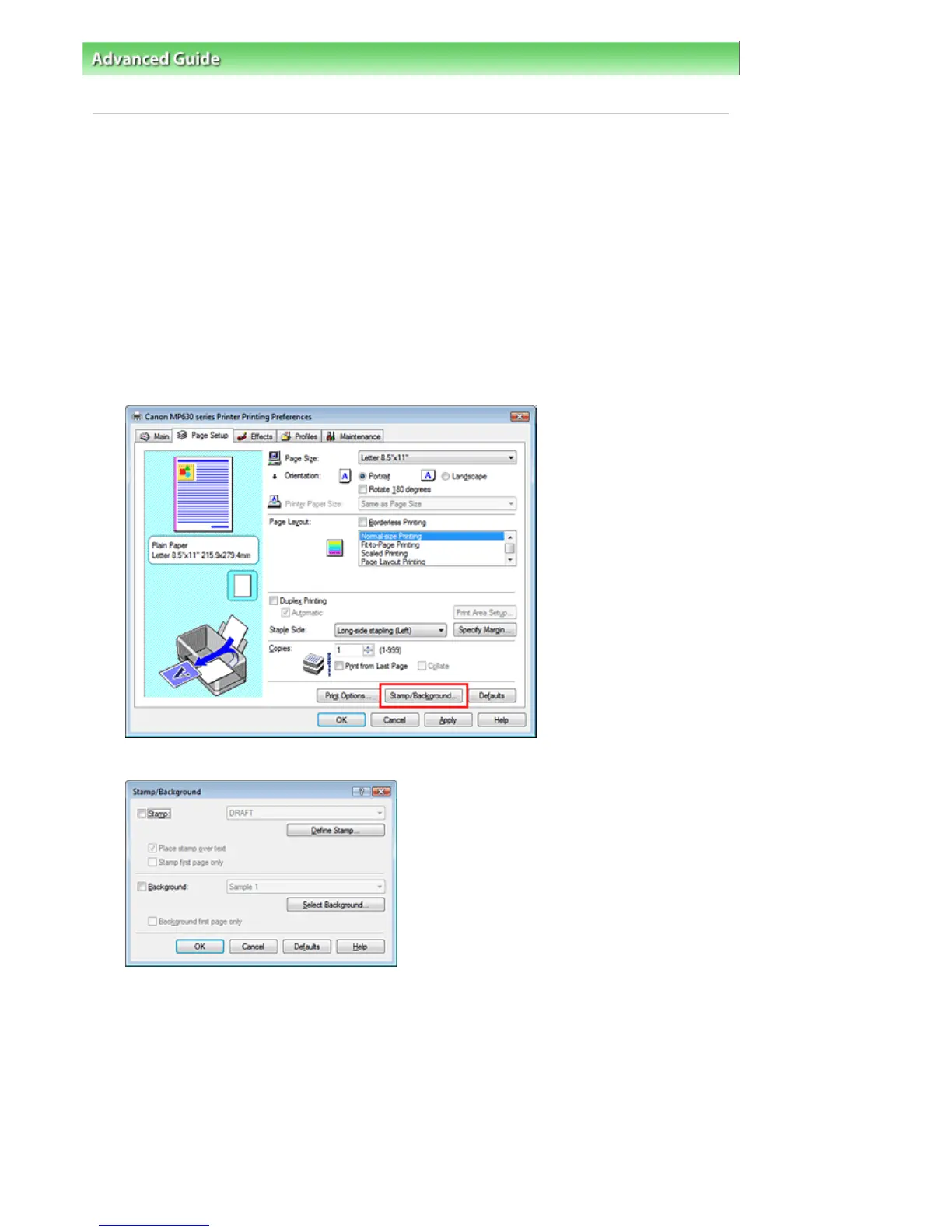
Click Stamp/Background... on the Page Setup tab
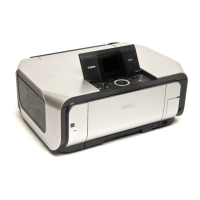
The Stamp/Background dialog box opens.
3.
Click Select Background...
The Background Settings dialog box opens.
Page 261 of 805 pagesSaving Image Data to be Used as a Background


 To Next Page