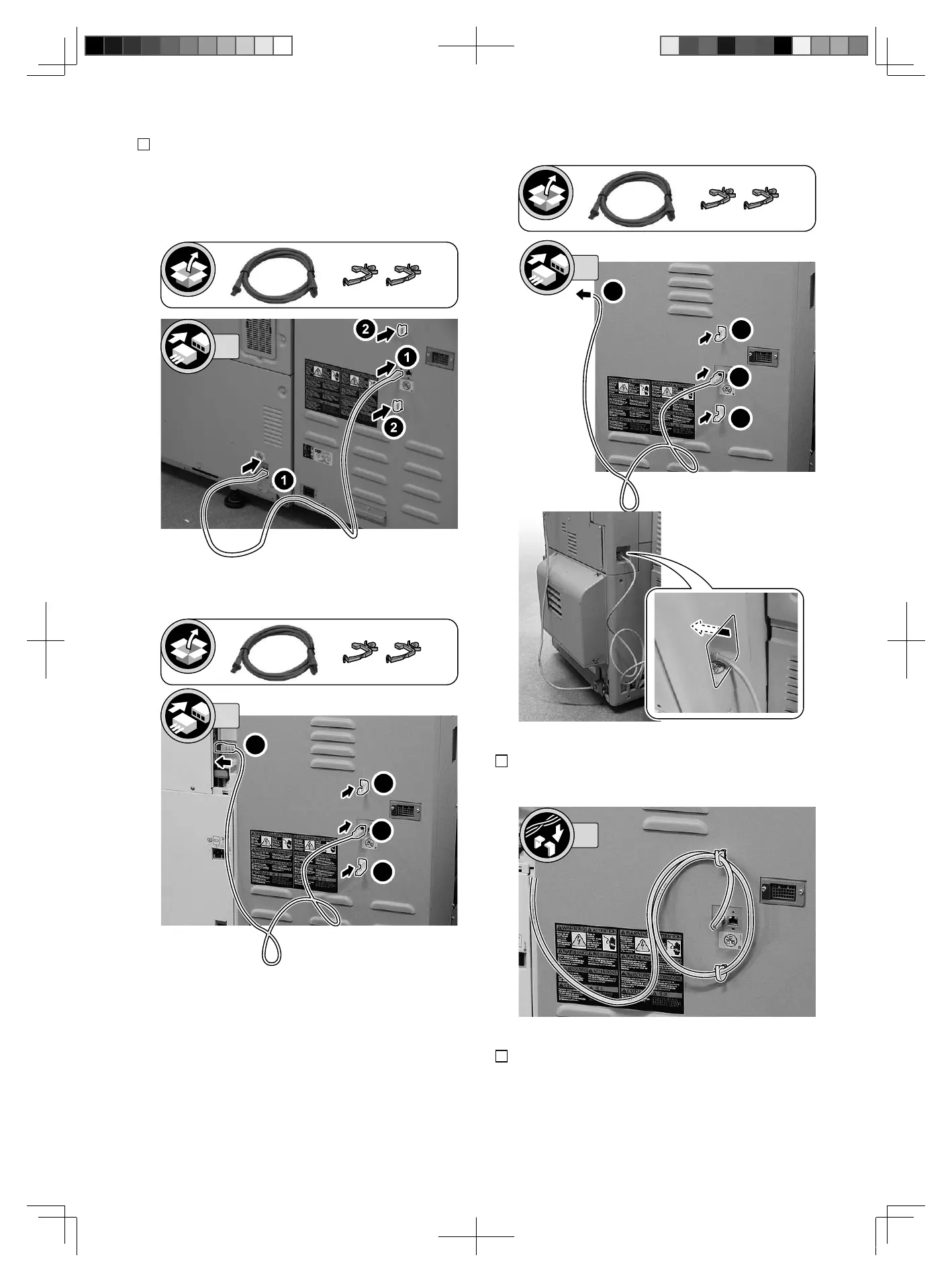
3. Insert the LAN Cable to the host machine and this
equipment (the port for connection with the
upstream equipment),
and install the 2 Wire Saddles.
< Case of imagePRESS C10000VP/8000VP series>
< Case of iR-ADV 8505/8595/8585 Series >
<Case of imagePRESS C850/750/650 Series >
4. Secure the LAN Cable as shown in the figure.
5. Return the Left Rear Cover of the host machine to its
original position (iR-ADV 8505/8595/8585 Series
only)
。
1. Installation
15
閲 FT2-0208-030_20160510.pdf 15 2016/05/10 14:39:52



 To Next Page