Home
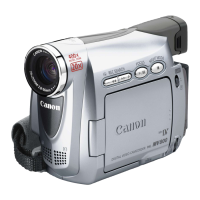
Canon
Camcorder
MV690
Page 40
Canon MV690 - Page 40
151 pages
Manual
Save Page as PDF
To Next Page
To Next Page
To Previous Page
To Previous Page
Loading...
40
Submenu
Menu Item
Setting Options
MY CAMERA
S-UP IMAGE**
ON
, OFF
74
S-UP SOUND
74
SHTR SOUND*
OPER. SOUND
SELF-T SOUND
MV750i/MV730i:
OFF,
DEFAULT
, MY SOUND1, MY SOUND2
MV700i/MV700/MV690:
OFF,
PATTERN1
, PATTERN2, PATTERN3
* MV750i/MV730i only
.
** MV700i/MV700/MV690 only
.
39
41
Table of Contents
Main Page
Default Chapter
1
Instruction Manual
1
Important Usage Instructions
2
Using this Manual
3
Table of Contents
4
Checking Supplied Accessories
6
Components Guide
7
Preparations
11
Preparing the Power Supply
11
Using a Household Power Source
12
Loading/Unloading a Cassette
14
Installing the Backup Battery
15
Preparing the Camcorder
16
Attaching the Shoulder Strap
17
Using the Wireless Controller
18
Setting the Time Zone, Date and Time
19
Displaying Date and Time During Recording
21
Recording
22
Recording Movies on a Tape
22
Allowing the Subject to Monitor the Lcd Screen
23
Adjusting the Brightness of the Lcd Screen
24
Remaining Tape
25
Searching and Reviewing When Recording
26
Recording Still Images on a Tape
27
Zooming
28
Digital Zoom
29
Tips for Making Better Videos
30
Playback
31
Playing Back a Tape
31
Special Playback Modes
32
Adjusting the Volume
33
Playing Back on a TV Screen
34
Selecting the Audio Output Channel
37
Menus and Settings
38
Camera Menu
39
Using the Recording Programs
45
Selecting the Easy Recording Program
46
Using the Night Modes
48
Skin Detail Function
49
Adjusting the AE Shift
50
Adjusting the Focus Manually
51
Setting the White Balance
53
Setting the Shutter Speed
55
Auto Slow Shutter
56
Using the Self-Timer
57
Changing the Recording Mode (SP/LP)
58
Audio Recording
59
Using Digital Effects
61
Selecting a Fader
64
Selecting an Effect
65
Using the Multi-Image Screen
66
Magnifying the Image
68
Displaying the Data Code
69
End Search
71
Returning to a Pre-Marked Position
72
Photo Search/Date Search
73
Other Functions
74
Customizing the Camcorder
74
Changing the Display Language
75
Changing the Remote Sensor Mode
76
Other Camcorder Settings
77
Turning off the Image Stabilizer
78
Demonstration Mode
78
Recording to a VCR or Digital Video Device
79
Recording from Analog Video Devices (VCR, TV or Camcorder)
81
Recording from Digital Video Devices (DV Dubbing)
82
Converting Analog Signals into Digital Signals (Analog-Digital Converter)
84
Connecting the Devices
84
Replacing Existing Scenes (AV Insert)
86
Audio Dubbing
88
Playing Back the Added Sound
89
Connecting to a Computer Using a DV (IEEE1394) Cable
91
Inserting and Removing the Memory Card
92
Selecting the Image Quality/Size
93
Changing the Movie Size
94
File Numbers
95
Recording Still Images on a Memory Card
96
Recording from a Tape in the Camcorder
98
Recording from Other Video Devices
98
Image Size
99
Reviewing a Still Image Right after Recording
100
Recording Motion JPEG Movies on a Memory Card
101
Selecting the Focusing Point
103
Recording Panoramic Images (Stitch Assist Mode)
104
Playing Back a Memory Card
106
Slide Show
107
Index Screen
107
Protecting Images
109
Erasing Images
110
Combining Images (Card MIX)
111
Selecting the Card MIX Effect
112
Sample Images
113
Copying Still Images
115
Copying Still Images from Memory Card to Tape
116
Formatting a Memory Card
117
Connecting to a Computer Using a USB Cable
118
Creating a Start-Up Image
119
Printing Still Images
120
Selecting the Number of Copies
122
Selecting the Print Settings (Paper/Style)
123
Setting the Print Effect (Image Optimize)
124
Including the Date in the Print
124
Printing with Print Order Settings
126
Screen Displays
128
List of Messages
131
Direct Print Related Messages
133
Maintenance/Others
134
Using the Camcorder Abroad
139
Troubleshooting
140
System Diagram
143
Optional Accessories
144
Specifications
147
Index
149
Related product manuals
Canon MV600
155 pages
Canon MV600i
155 pages
Canon MV650i
155 pages
Canon MV630i
155 pages
Canon MV6iMC
171 pages
Canon MV MV600
8 pages
Canon MV790
94 pages
Canon MVX3i
2 pages
Canon MV900
86 pages
Canon MV530
164 pages
Canon MV 30
122 pages
Canon MV950
129 pages



 To Next Page