EasyManua.ls Logo

Canon MV600 - User Manual

Canon MV600
155 pages
Print Icon
To Next Page IconTo Next Page
Loading...
Digital Video Camcorder
Instruction Manual
English
Mini
Digital
Video
Cassette
PAL
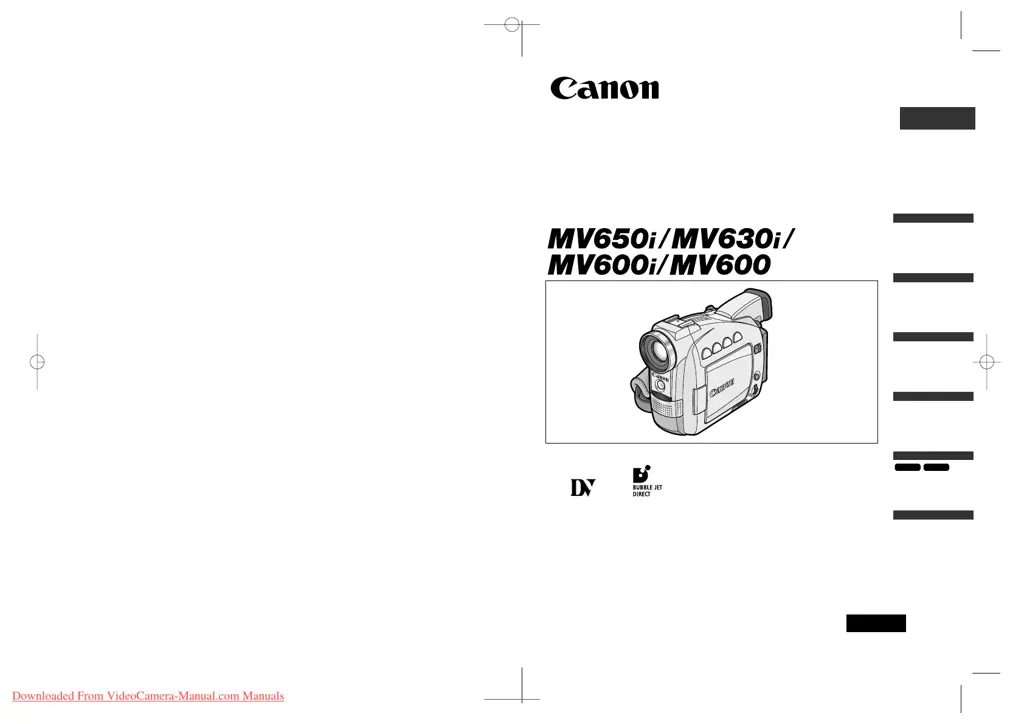
This instruction manual covers the MV650i, MV630i, MV600i and MV600. Please note
that illustrations and explanation in this manual are based on the MV650i.
PUB.DIE-181
Introduction
Mastering
the Basics
Using the
Full Range
of Features
Editing
Using a
Memory Card
MV630i
MV650i
Additional
Information
0_D73PAL_E(cover) 02.12.26 9:17 PM Page 1
Downloaded From VideoCamera-Manual.com Manuals

Table of Contents

Questions and Answers

  • N
    nicholashumphreyAug 19, 2025
    Why my Canon Camcorder will not turn on?
    • L
      Lisa HansenSep 12, 2025
      If your Canon Camcorder isn't turning on, it might be due to an exhausted battery pack. Try replacing or charging the battery. Another possibility is that the battery pack isn't correctly attached, so ensure it is properly connected.
  • R
    Robert SullivanAug 21, 2025
    Why does my Canon MV600 switch off by itself?
    • B
      Bill HaleAug 21, 2025
      If your Canon Camcorder is switching off by itself, the battery pack may be exhausted; in this case, replace or charge the battery pack. Alternatively, the power save function may have been activated; try turning the camcorder back on.
  • W
    wjohnstonAug 25, 2025
    How to fix Canon MV600 Camcorder will not focus?
    • K
      Kirk WalshAug 25, 2025
      If your Canon Camcorder will not focus, it might be because autofocus doesn't work on that subject, so try focusing manually. Another possibility is that the viewfinder isn't adjusted; adjust it with the diopter adjustment lever. Also, a dirty lens can cause focusing issues, so clean the lens.
  • J
    Jennifer WhiteAug 26, 2025
    Why does Canon MV600 Camcorder turn off by itself?
    • C
      Chloe McdonaldAug 26, 2025
      If your Canon Camcorder is switching off by itself, the battery pack may be exhausted; in this case, replace or charge the battery pack. Alternatively, the power save function may have been activated; try turning the camcorder back on.
  • R
    Robert KnightAug 28, 2025
    What to do if buttons will not work on Canon MV600?
    • C
      Cynthia JohnsonAug 28, 2025
      If the buttons on your Canon Camcorder aren't working, it could be because the camcorder isn't turned on, so ensure the camcorder is powered on. Another reason could be that a cassette isn't loaded; try loading a cassette. Also, check the battery pack; if it's exhausted, replace or charge it.
  • G
    guerreromistySep 1, 2025
    What to do if cassette compartment will not open on Canon MV600?
    • W
      Walter RussellSep 2, 2025
      If the cassette compartment on your Canon Camcorder won't open, it could be due to an exhausted battery pack; try replacing or charging it. Also, make sure the cassette compartment cover is fully open.
  • R
    Richard DunnSep 4, 2025
    Why pressing the playback button does not start playback on Canon MV600 Camcorder?
    • S
      schwartzandrewSep 4, 2025
      If pressing the playback button on your Canon Camcorder doesn't start playback, ensure the camcorder is turned on and set to PLAY (VCR) mode. Also, make sure a cassette is loaded.
  • K
    Kristen GibbsSep 6, 2025
    Why LCD/viewfinder switches on and off on Canon MV600?
    • L
      Lauren HesterSep 6, 2025
      If the LCD or viewfinder on your Canon Camcorder is switching on and off, the battery pack may be exhausted. Try replacing or charging the battery pack.
  • J
    Joseph HansonSep 9, 2025
    What to do if cassette compartment stopped during loading/unloading on Canon MV600 Camcorder?
    • R
      Robin PowellSep 9, 2025
      If the cassette compartment stopped during loading/unloading on your Canon Camcorder, it could be because the battery pack is exhausted. Replace or charge the battery pack. If that doesn't solve the issue, the camcorder may be malfunctioning.
  • M
    Marcus WilsonSep 12, 2025
    What to do if tape reached the end on Canon MV600?
    • J
      Jessica MendozaSep 12, 2025
      If the tape reached the end on your Canon Camcorder (and it flashes on the screen), rewind the tape or replace the cassette.

Summary

Introduction

Important Usage Instructions

Essential safety and operational warnings for using the camcorder.

Mastering the Basics

Using a Household Power Source

Instructions on powering the camcorder using the AC adapter.

Recording Movies on a Tape

Step-by-step guide to recording video footage onto a tape.

Playback Operations

Steps for playing back recorded video from a cassette tape.

Using the Full Range of Features

Menus and Settings

How to navigate and use the camcorder's menu system to adjust settings.

Editing

Recording to VCR or Digital Video Device

Copying recordings to a VCR or digital device.

Canon MV600 Specifications

General IconGeneral
Sensor typeCCD
Total megapixels0.8 MP
Optical sensor size1/6 \
Digital zoom360 x
Optical zoom18 x
Display diagonal2.5 \
Operating temperature (T-T)5 - 35 °C
Camcorder tape typeMini-DV
Viewfinder screen size0.33 \
DV portYes
S-Video outNo
Weight and Dimensions IconWeight and Dimensions
Depth103 mm
Width58 mm
Height147 mm
Weight520 g

Related product manuals