93
Editing
E
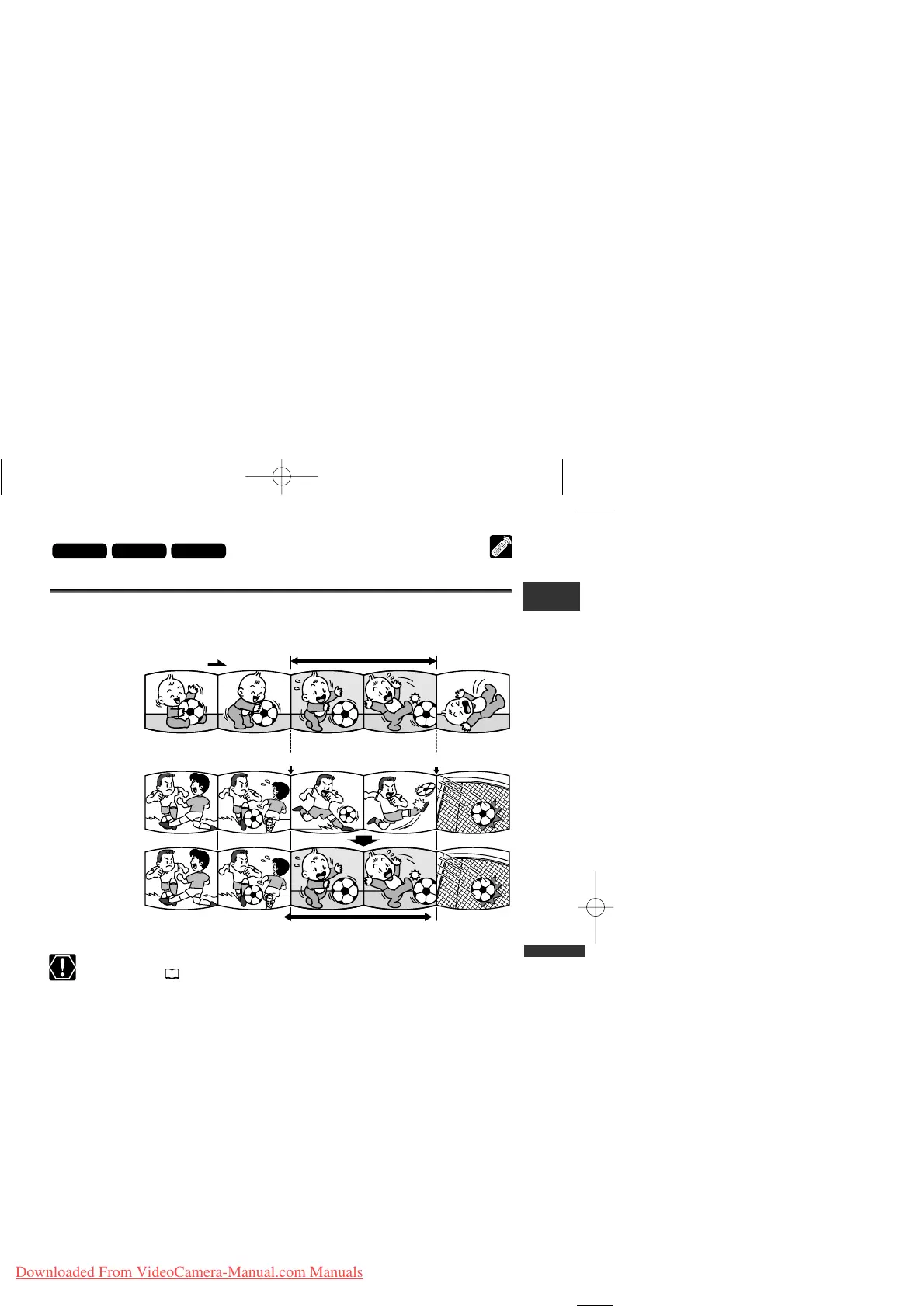
Replacing Existing Scenes (AV Insert)
You can insert and replace images/audio on the tape of the camcorder with
images/audio from other video devices connected via AV terminal or DV terminal.
❍ Make sure that “H” is not displayed on the screen. If “H” is displayed, change
the setting ( 37).
❍ You cannot insert from a TV program when the synchronised signals are
distorted.
Camcorder:
❍ Use only tapes recorded in SP mode.
❍ AV insert will stop if the camcorder detects a blank section or a section not
recorded in SP mode on the tape.
Connected device:
❍ Use only tapes without blank sections.
❍ AV insert may not work correctly if the tape has a blank section or changes in
the recording mode.
❍ AV insert cannot be performed when the quality of the recording is poor, or
during special playback such as fast forward, rewind, playback pause, slow
playback etc.



 To Next Page