EasyManua.ls Logo

Canon MV600 - User Manual

Canon MV600
155 pages
Print Icon
To Next Page IconTo Next Page
Loading...
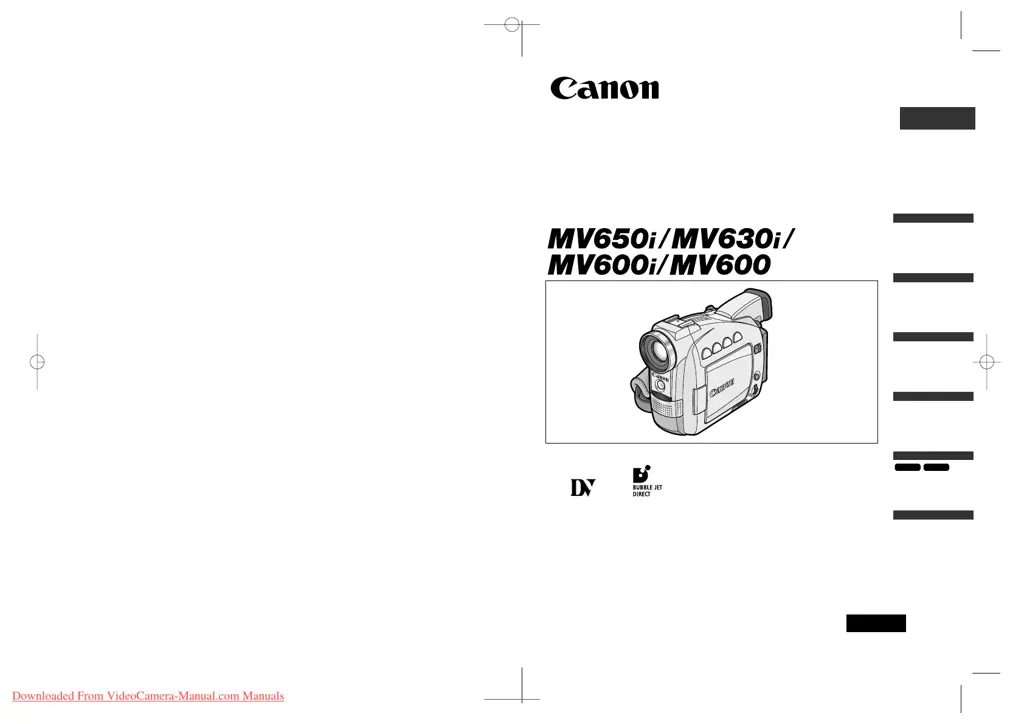
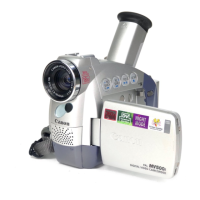
Digital Video Camcorder
Instruction Manual
English
Mini
Digital
Video
Cassette
PAL
This instruction manual covers the MV650i, MV630i, MV600i and MV600. Please note
that illustrations and explanation in this manual are based on the MV650i.
PUB.DIE-181
Introduction
Mastering
the Basics
Using the
Full Range
of Features
Editing
Using a
Memory Card
MV630i
MV650i
Additional
Information
0_D73PAL_E(cover) 02.12.26 9:17 PM Page 1
Downloaded From VideoCamera-Manual.com Manuals

Table of Contents

Questions and Answers

  • K
    Kathryn BrownSep 13, 2025
    What to do if cassette is protected on Canon Camcorder?
    • S
      stephen73Sep 13, 2025
      If the cassette is protected on your Canon Camcorder (v flashes on the screen), replace the tape or change the position of the protect switch.
  • S
    spencerdavenportSep 15, 2025
    Why is there audio distortion on Canon MV600?
    • D
      Dr. Todd White DVMSep 15, 2025
      When recording near loud sounds (such as fireworks, drums, or concerts) with your Canon Camcorder, sound may become distorted or may not be recorded in the actual sound level.
  • R
    roger69Dec 1, 2025
    Why memory card cannot be played back on Canon Camcorder?
    • D
      David WoodDec 1, 2025
      If a memory card cannot be played back on your Canon Camcorder, consider the following: 1. Ensure the memory card is inserted correctly. Try turning the memory card over and reinserting it. 2. The memory card might be full. Replace the memory card or erase images. 3. The memory card may not be formatted. Format the memory card. 4. Ensure a memory card is inserted. 5. If the file number reached maximum value, set [FILE NUMBERS] to [RESET] and insert a new memory card. 6. If it is a SD Memory Card, check if it is protected and change the position of the protect switch. 7. Ensure the camcorder is set to CARD PLAY (VCR) mode. 8. If the image is protected, cancel the protection. 9. If a card error occurred, turn off the camcorder, remove and reinsert the memory card, and format the m...

Summary

Introduction

Important Usage Instructions

Essential safety and operational warnings for using the camcorder.

Mastering the Basics

Using a Household Power Source

Instructions on powering the camcorder using the AC adapter.

Recording Movies on a Tape

Step-by-step guide to recording video footage onto a tape.

Playback Operations

Steps for playing back recorded video from a cassette tape.

Using the Full Range of Features

Menus and Settings

How to navigate and use the camcorder's menu system to adjust settings.

Editing

Recording to VCR or Digital Video Device

Copying recordings to a VCR or digital device.

Canon MV600 Specifications

General IconGeneral
Sensor typeCCD
Total megapixels0.8 MP
Optical sensor size1/6 \
Digital zoom360 x
Optical zoom18 x
Display diagonal2.5 \
Operating temperature (T-T)5 - 35 °C
Camcorder tape typeMini-DV
Viewfinder screen size0.33 \
DV portYes
S-Video outNo
Weight and Dimensions IconWeight and Dimensions
Depth103 mm
Width58 mm
Height147 mm
Weight520 g

Related product manuals