86
Replacing Existing Scenes (AV Insert)
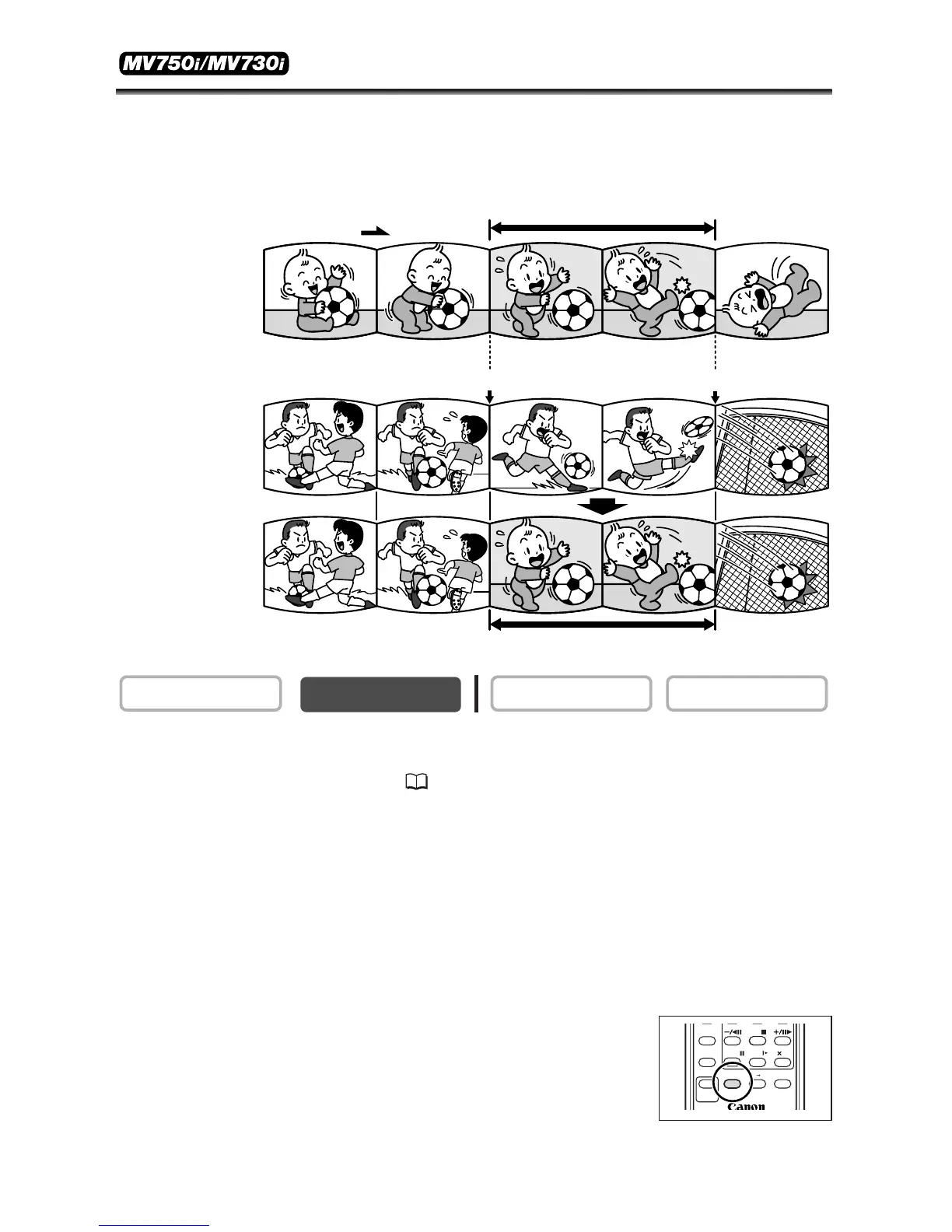
You can insert and replace images and audio on the tape of the camcorder with
images and audio from other video devices connected via AV terminal or DV terminal.
This function is operated with the wireless controller.
1. Connect the camcorder to a video device.
See Playing Back on a TV Screen ( 34).
2. Connected device: Load a recorded cassette. Locate the scene you wish
to insert and pause playback shortly before the scene.
3. Set the camcorder to PLAY (VCR) mode and load a recorded cassette.
Use a tape recorded in SP mode and make sure that the tape-protect switch is set to
allow recording.
4. Locate the scene you wish to replace and pause playback shortly before
the scene.
5. Press the AV INSERT button on the wireless
controller.
“AV INSERT” and “2a” appear.



 To Next Page